Using Your Projector 43
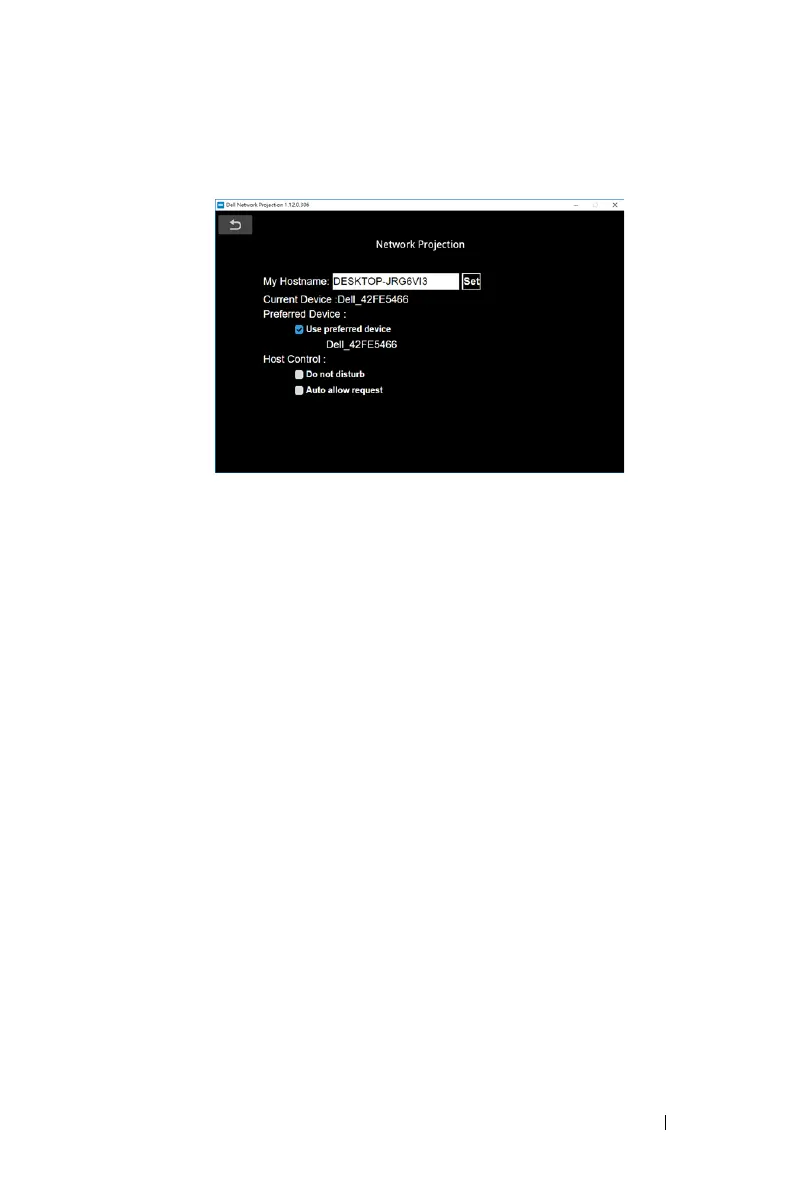
Preference
Click
Preference
button to activate the fast connection settings.
MY HOSTNAME—Allows you to change the computer hostname.
CURRENT DEVICE—Display the current device name.
PREFERRED DEVICE—Connect to the computer and the projector using the
"
Preferred Device
".
HOST CONTROL
DO NOT DISTURB—Users are not allowed to connect to the projector.
AUTO ALLOW REQUEST—
Allows users to connect to the projector.



 To Next Page