60 Using Your Projector
Using High Dynamic Range (HDR)
NOTE:
a
Only HDMI-1 port can support HDR feature.
b
PQ functions cannot be adjusted in HDR mode.
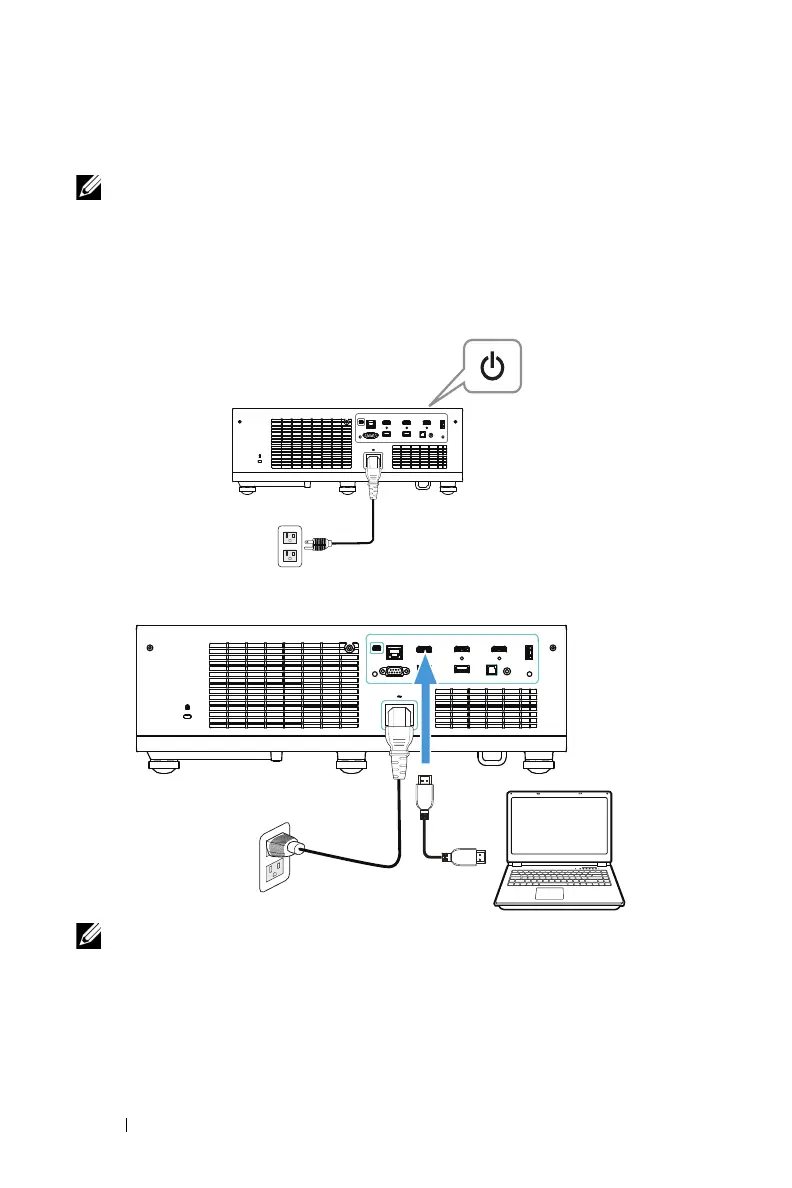
Follow these steps to activate HDR feature:
1
Connect the power cable and turn on the projector by pressing the power
button.
2
Connect the
HDMI 2.0 cable
to the projector HDMI-1 port and the computer
or DVD player.
NOTE: Your computer or DVD player must support the HDR function.



 To Next Page