Operating your monitor │ 47
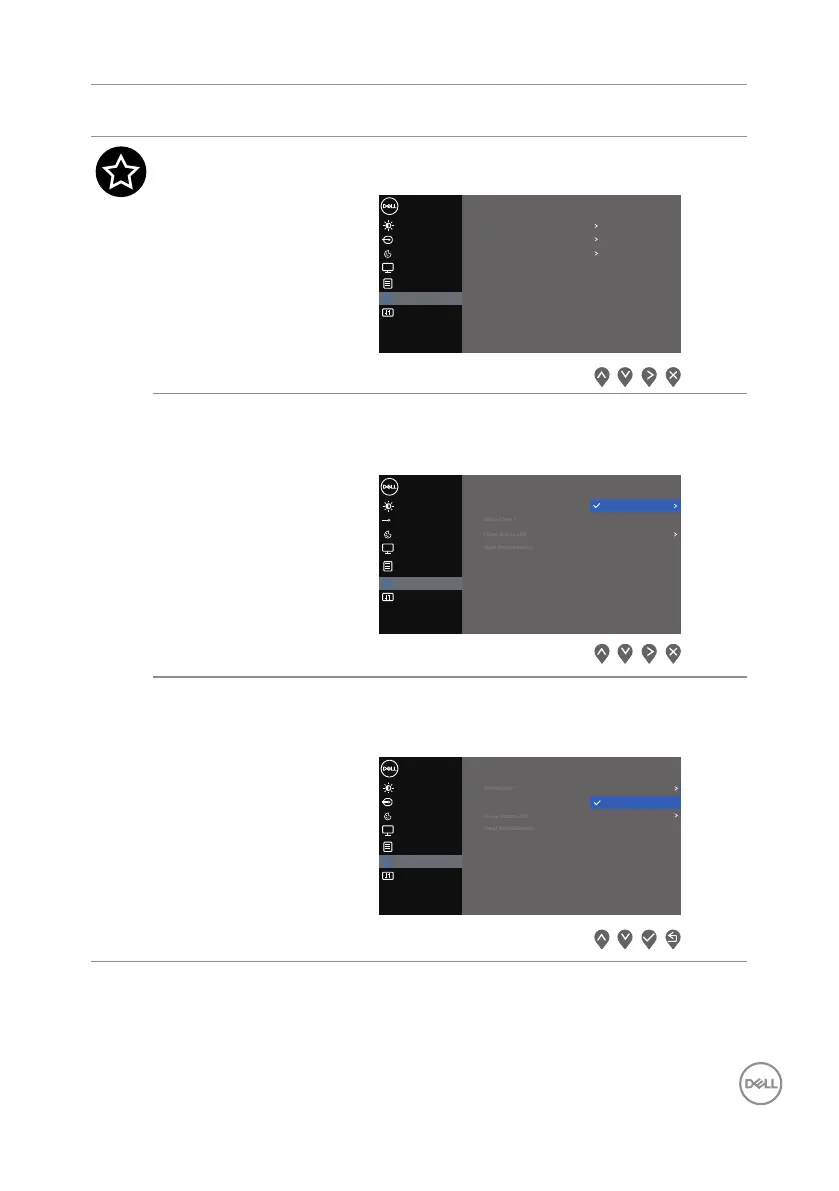
Icon Menu and
Submenus
Description
Personalize Select this option to adjust the settings of the
personalization.
Input Source
Color
Display
Dell 2X Monitor
Brightness / Contrast
Shorout Key 1
Shorout Key 2
Power Button LED
Preset Modes
Brightness/Contrast
On in On Mode
Reset Personalization
Personalize
Others
Menu
Shortcut Key 1 Select one of the following: Preset Modes,
Brightness/Contrast, Input Source, or
Aspect Ratio to set the Shortcut Key 1.
Input Source
Color
Display
Dell 2X Monitor
Personalize
Menu
Others
Brightness / Contrast
Shorout Key 1
Aspect Ratio
Input Source
Brightness / Contrast
Preset Modes
Shortcut Key 2 Select one of the following: Preset Modes,
Brightness/Contrast, Input Source, or
Aspect Ratio to set the Shortcut Key 2.
Input Source
Color
Display
Dell 2X Monitor
Brightness / Contrast
Aspect Ratio
Input Source
Shorout Key 2
Preset Modes
Personalize
Menu
Others
Brightness / Contrast



 To Next Page