About your monitor | 25
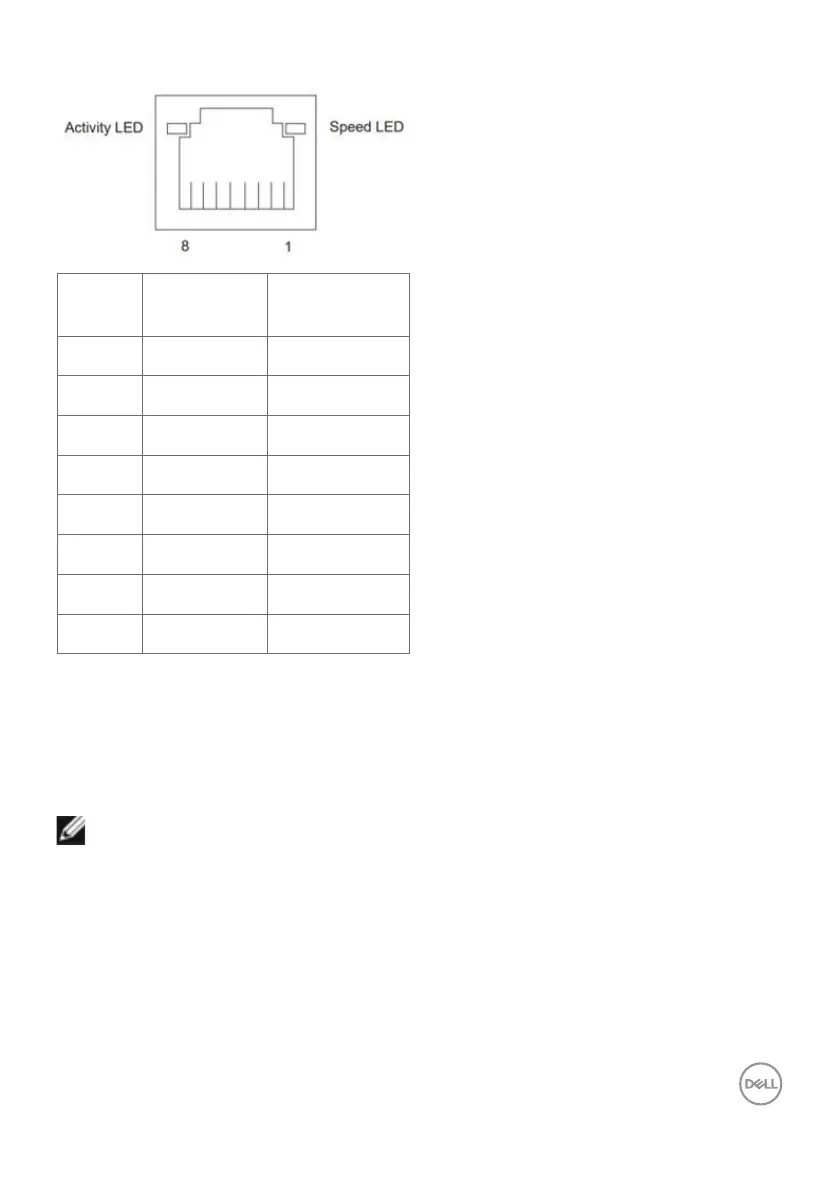
RJ45 Port (Connector Side)
Pin No. 10BASE-T
100BASE-T
1000BASE-T
1 Transmit+ BI_DA+
2 Transmit- BI_DA-
3 Receive+ BI_DB+
4 Unused BI_DC+
5 Unused BI_DC-
6 Receive- BI_DB-
7 Unused BI_DD+
8 Unused BI_DD-
Driver installation
Install the Realtek USB GBE Ethernet Controller Driver available for your system. This
is available for download at https://www.dell.com/support under the “Driver and
download” section.
Network (RJ45) data rate via USB-C max speed is 2.5 Gbps.
NOTE: This LAN port is 2.5 GBase-T IEEE 802.3az compliant, supporting
Mac Address (Printed on model label) Pass-thru (MAPT), Wake-on-LAN
(WOL) from standby mode (supports S3, S4/S5 (only DPBS PC)) and
UEFI PXE Boot function [UEFI PXE Boot is not supported on Dell Desktop
PC’s (except for OptiPlex 7090/3090 Ultra Desktop)], these 3 features
depend on BIOS settings and version of the OS. Functionality may vary
with Non Dell PC’s.



 To Next Page