42 | Setting up the monitor
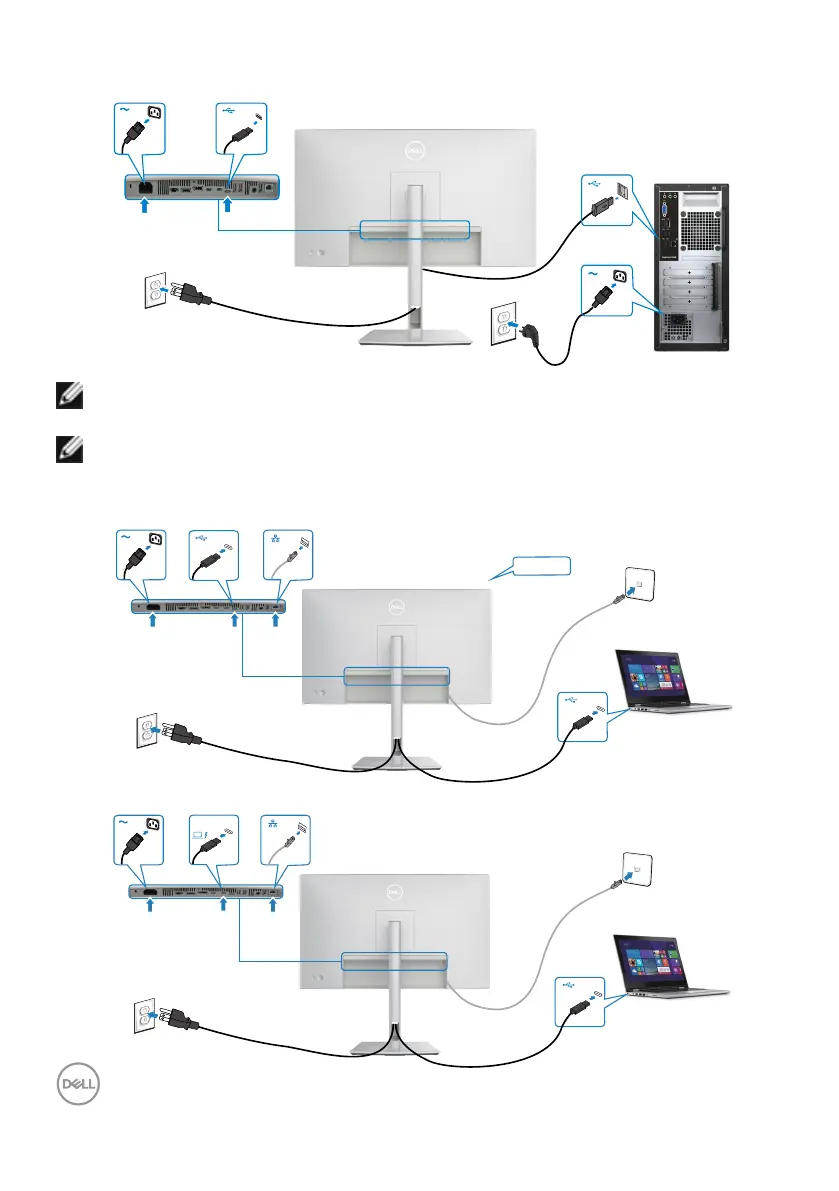
Connecting the USB-C cable (A to C)
NOTE: This connection only data is available and no video. Need another
video connection for display.
NOTE: Remove the rubber plug when using USB-C connector.
Connecting the monitor for RJ45 cable
No video signal
90W
Thunderbolt
TM
4
upstream



 To Next Page