Views of Vostro 3030 Desktop
Front
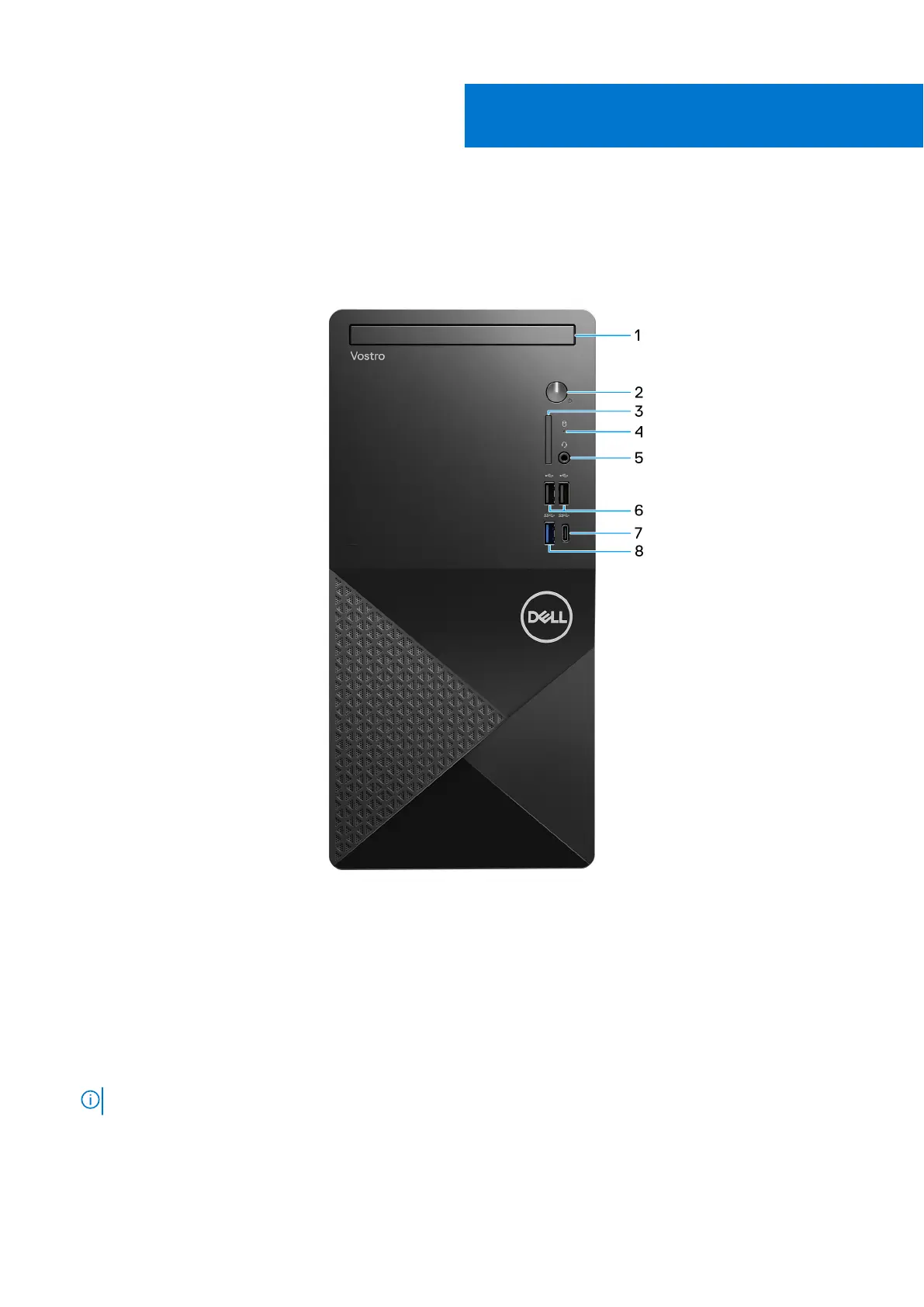
Figure 1. Front view
1. Slim optical drive (optional)
The optical drive reads from and writes to CDs and DVDs.
2. Power button
Press to turn on the computer if it is turned off, in sleep state, or in hibernate state.
Press to put the computer in sleep state if it is turned on.
Press and hold to force shut-down the computer.
NOTE: You can customize the power-button behavior in Windows.
3. SD-card slot (optional)
Reads from and writes to the SD card. The computer supports the following card types:
● Secure Digital (SD)
1
6 Views of Vostro 3030 Desktop












 To Next Page