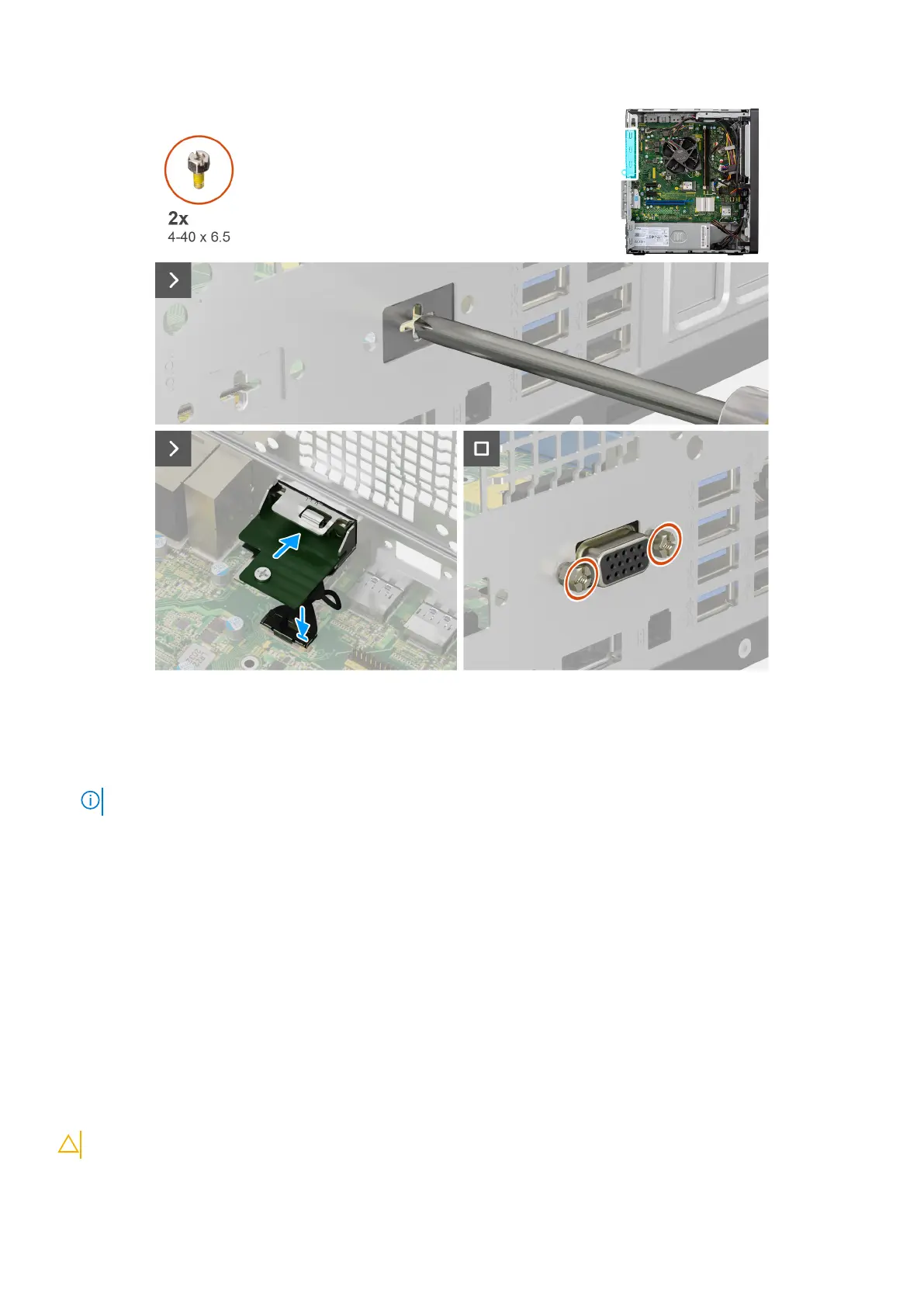
Figure 47. Installing optional VGA module
Steps
1. To remove the dummy metal bracket, insert a star-head screwdriver in the hole of the bracket, push the bracket to release
the bracket, and then lift the bracket out from the computer.
NOTE: Applies if you are upgrading the computer that did not have these optional modules.
2. Insert the optional VGA module into its slot from inside your computer.
3. Connect the VGA module cable to the connector on the system board .
4. Replace the two (4-40x6.5) screws to secure the optional VGA module to the computer.
Next steps
1. Install the fan shroud.
2. Install the side cover.
3. Follow the procedure in after working inside your computer.
System board
Removing the system board
CAUTION: The information in this section is intended for authorized service technicians only.
74 Removing and installing Field Replaceable Units (FRUs)












 To Next Page