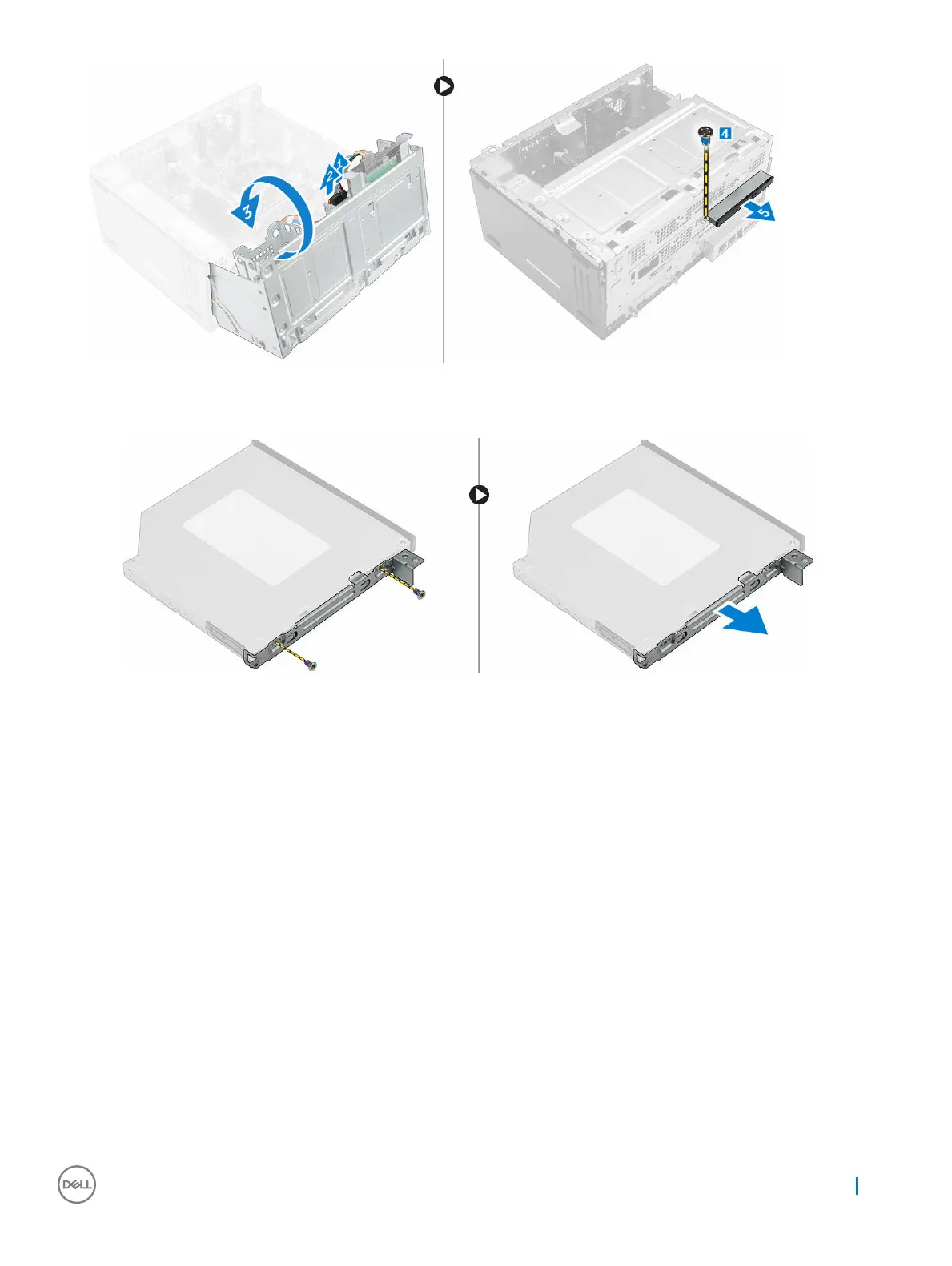
4 To remove the optical drive bracket:
a Remove the M2L2 screws that secure the optical drive bracket to the optical drive.
b Remove the optical drive bracket from the optical drive.
Installing the optical drive assembly
1 Place the optical drive bracket on the optical drive.
2 Tighten the M2L2 screws to secure the optical drive bracket to the optical drive.
3 Insert the optical drive assembly into the optical drive bay.
4 Tighten the 6-32xL3.6 screw to secure the optical drive assembly to the computer.
5 Open the front panel door.
6 Route the data cable and power cable under the drive cage.
7 Connect the data cable and power cable to the connectors on the optical drive assembly .
8 Close the front panel door.
9 Install the:
a bezel
b cover
10 Follow the procedure in After working inside your computer.
Removing and installing components
13



 To Next Page