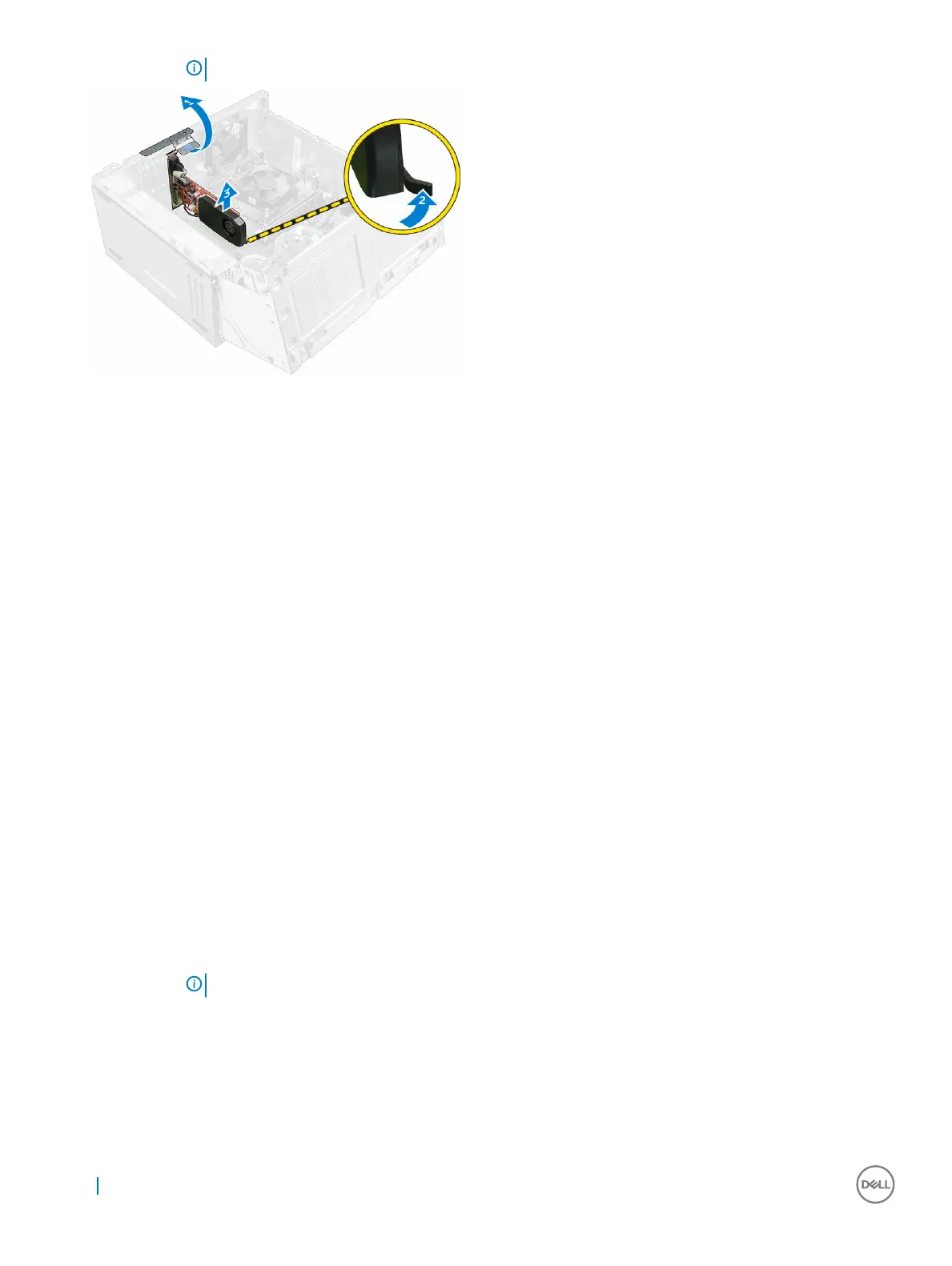
NOTE: The release tab is at the base of the expansion card.
Installing the PCIe expansion card
1 Pull the release latch backward to open.
2 Insert the PCIe expansion card to the connector on the system board.
3 Secure the PCIe expansion card by pushing the card retention latch until it clicks into place.
4 Close the release latch.
5 Close the front panel door.
6 Install the:
a bezel
b cover
7 Follow the procedure in After working inside your computer.
Power supply unit
Removing the power supply unit (PSU)
1 Follow the procedure in Before working inside your computer.
2 Remove the:
a cover
b bezel
3 Open the front panel door.
4 To remove the PSU:
a Remove the 6-32xL6.35 screws that secure the PSU to the computer [1].
b Disconnect the PSU cables from the connectors on the system board [2, 3].
NOTE
: Push the tabs on the cables to release it from the connectors.
c Unroute the PSU cables from the retention clips.
d Press the metal release tab [4], slide the PSU toward the back and lift it out of the computer [5].
16
Removing and installing components



 To Next Page