Front Bezel
Removing the bezel
1 Follow the procedure in Before working inside your computer.
2 Remove the cover.
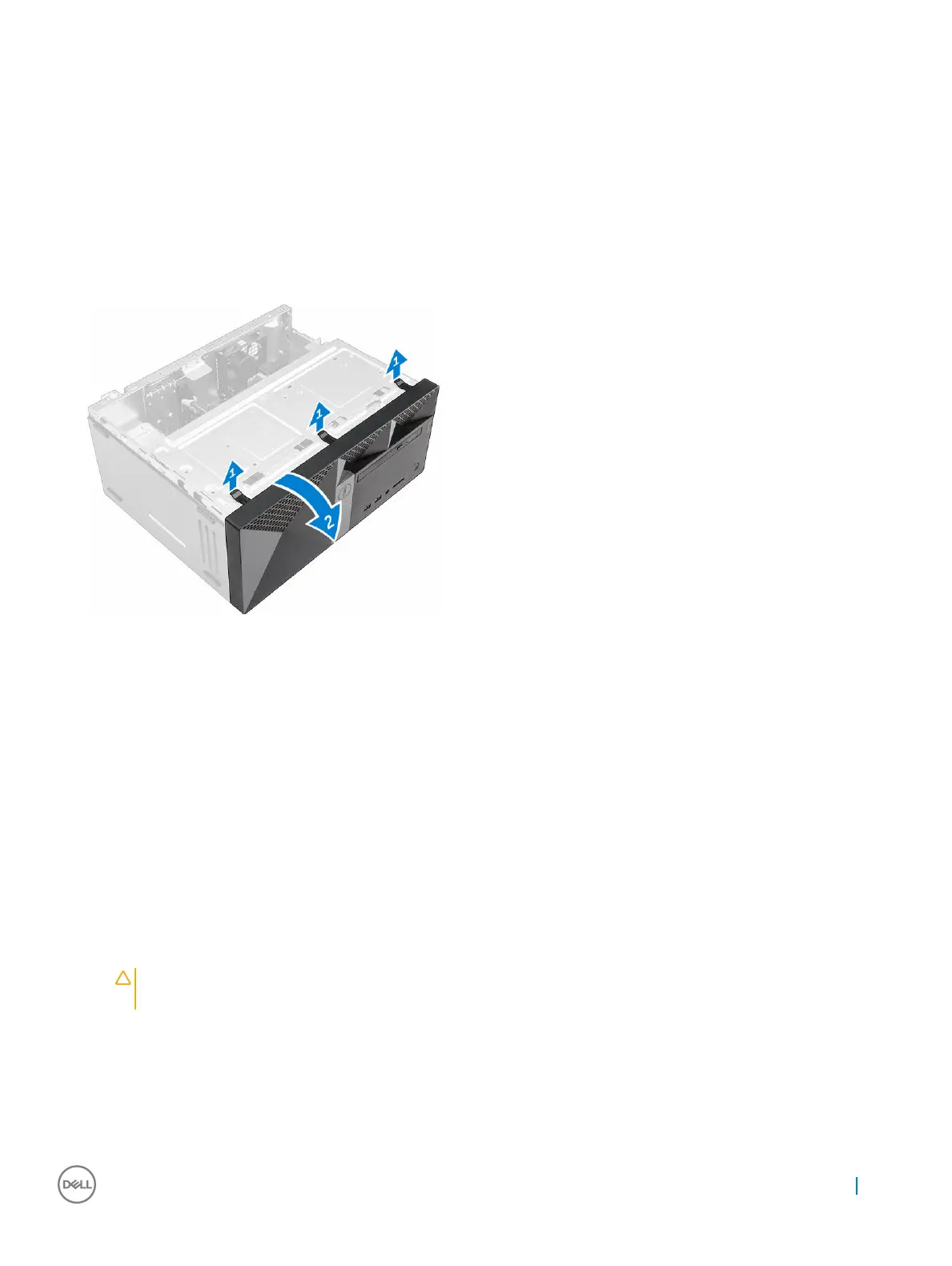
3 To remove the bezel:
a Lift the tabs to release the bezel from the chassis.
b Push the bezel to lift it away from the chassis.
Installing the bezel
1 Position the bezel to align the tab holders on the chassis.
2 Press the bezel until the tabs clicks into place.
3 Install the cover.
4 Follow the procedure in After working inside your computer.
Opening the front panel door
1 Follow the procedure in Before Working Inside Your Computer.
2 Remove the:
a cover
b bezel
CAUTION
: The front panel door opens only to a limited extent. See the printed image for the maximum permissible
level.
3 Pull the front panel door to open it.
Removing and installing components
9



 To Next Page