Installing the power supply unit (PSU)
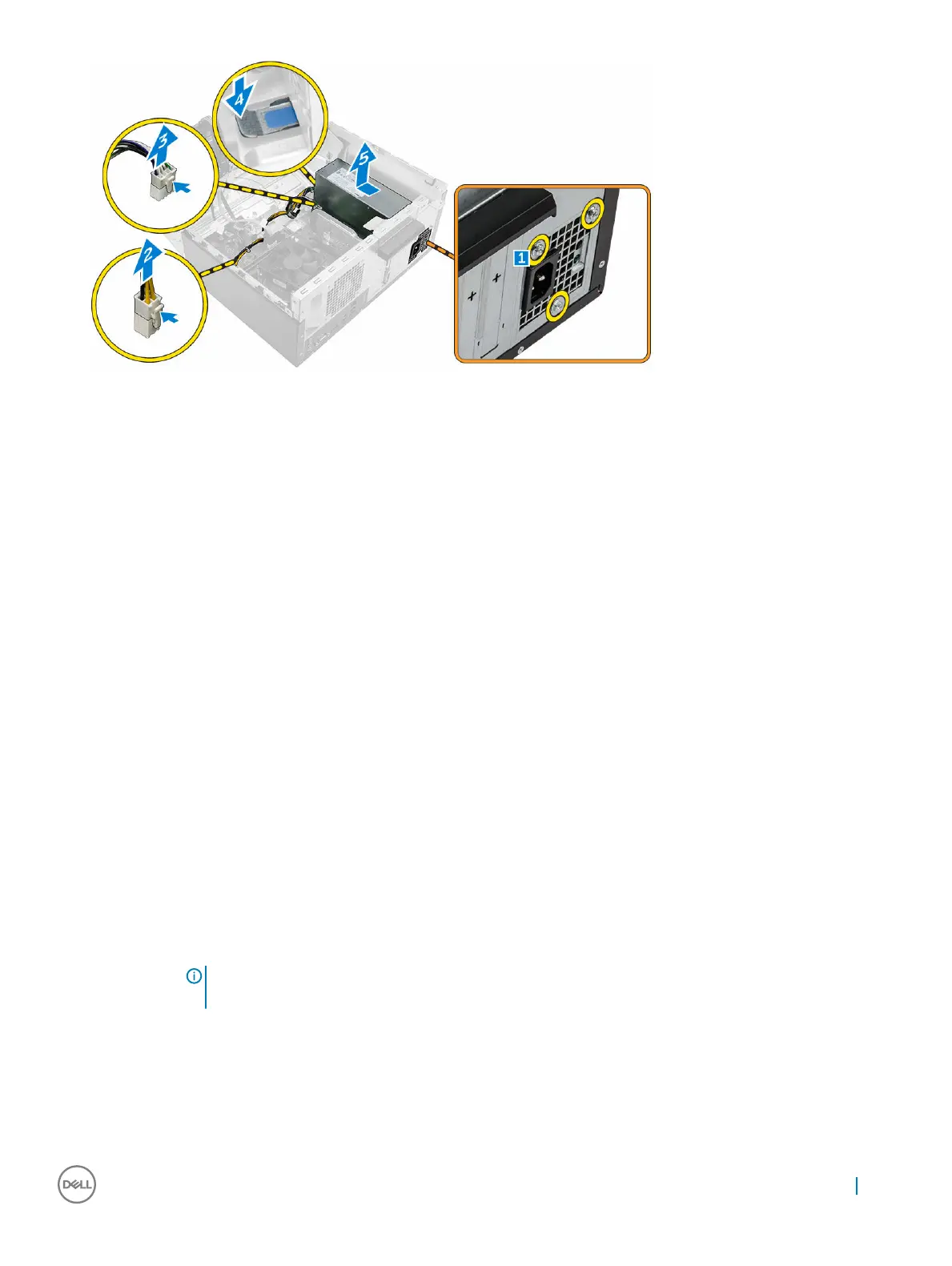
1 Insert the PSU into the PSU slot and slide it toward the back of the computer until it clicks into place.
2 Tighten the 6-32xL6.35 screws to secure the PSU to the computer.
3 Route the PSU cables through the retention tabs.
4 Connect the PSU cables to the connectors on the system board.
5 Close the front panel door.
6 Install the:
a bezel
b cover
7 Follow the procedure in After working inside your computer.
Power switch
Removing the power switch
1 Follow the procedure in Before working inside your computer.
2 Remove the:
a cover
b bezel
3 Open the front panel door.
4 To remove the power switch:
a Disconnect the power switch cable from the system board [1].
b Press the release tabs [2] and slide the power switch out from the front of the computer [3].
NOTE
: It is recommended to move aside the power cables connected to the system board or disconnect the
power cables from the system board.
Removing and installing components 17


 To Next Page