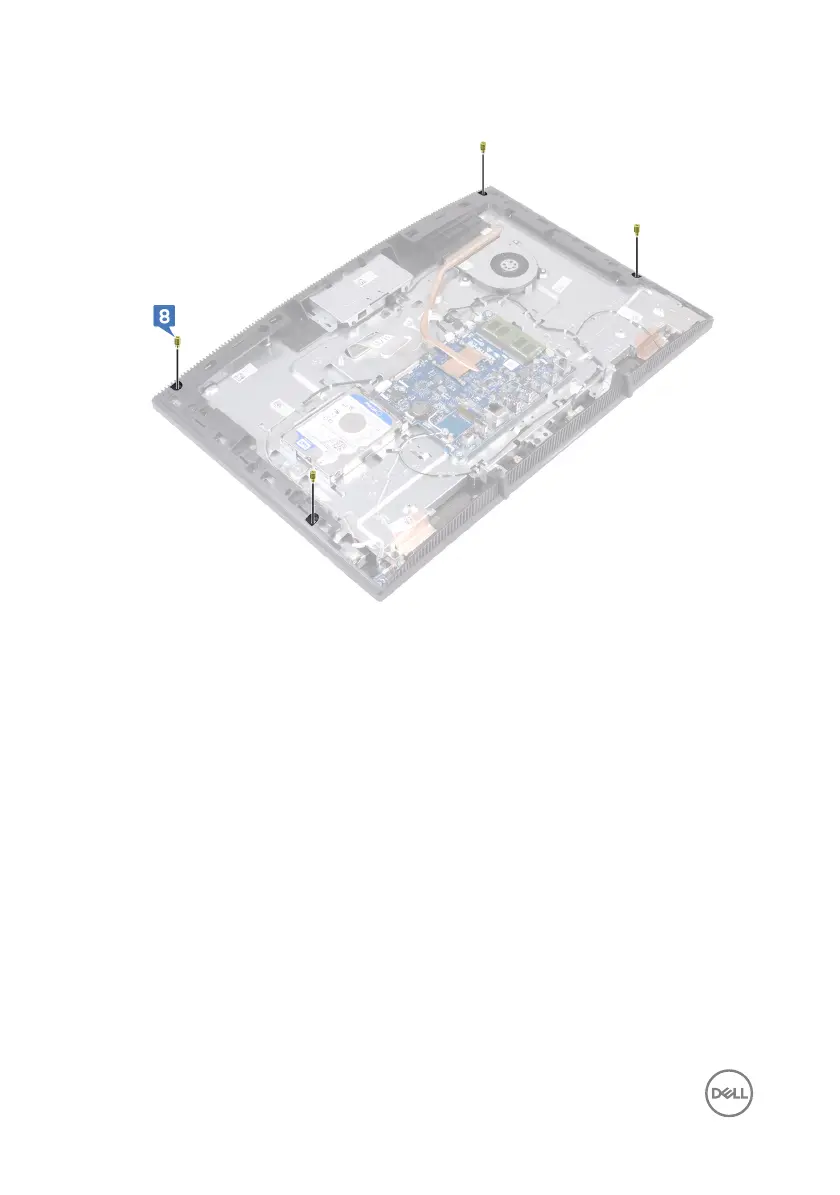
8 Remove the four jig screws from the display panel.
9 Replace the four screws (M3x5) that secure the display panel to the display-
assembly base.
10 Connect the display-backlight cable to the display panel, and then connect the
touch-screen cable (optional) to the system board.
11 Push the securing clips inward, and connect the display cable to the system
board.
76



 To Next Page