197
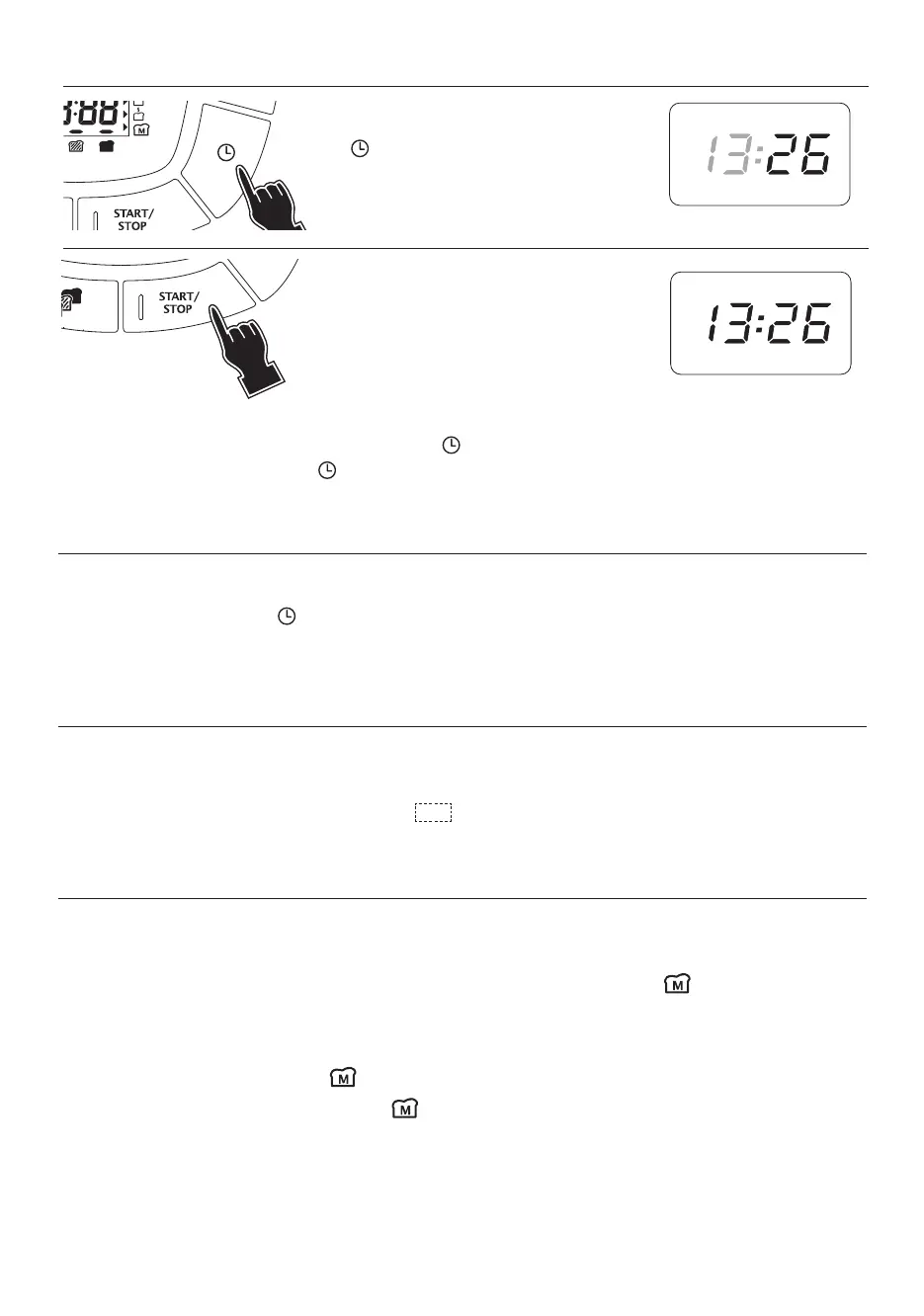
Set the minutes by pressing the
button repeatedly.
Press the START/STOP button.
(The set time is displayed).
• If you want to change the time set subsequently, repeat the setting procedure described above.
• After starting the function set by pressing the button, the time when baking will end is displayed.
• To set longer times, hold the button down.
• To cancel the time set, hold the START/STOP button down for at least two seconds.
QUICK HEAT
Simpler than the oven function to complete baking the bread.
In stand-by, press the START/STOP button once. "0.00" is displayed.
Set the baking time with the button (maximum 1 hr).
To start baking, press the START/STOP button again.
To cancel the function, press the START/STOP button for at least two seconds.
CHILD SAFETY
The appliance is fitted with a safety device to prevent children from turning it on unintentionally.
To enable the safety device:
• Press and hold the START/STOP button for 3 seconds.
• The appliance emits a short beep and the symbol is displayed. The oven cannot be turned on.
• To disable the safety device, hold the START/STOP button down for 3 seconds.
MY BREAD FUNCTION
PAllows you to save your favourite baking settings (programme, colour, weight, time when ready, etc.) and
call them up by pressing a single button.
To set the MY BREAD function:
After programming any function (phases 1-6, page 198), press the MY BREAD button for at least two
seconds.
The appliance emits a beep and saves the programme with all your settings.
To recall the MY BREAD function:
In stand-by, press the MY BREAD button. The total baking time is displayed (if local time has been
set, the time at which baking will end) and is displayed.
Press the START/STOP button to start the function.



 To Next Page