193
Weight 750g 1000g 1500g
Press the kg button to select the size of loaf: 750g, 1000g or 1500g.
The default setting is 1000g.
Delay/adjustment
Completion of the chosen programme can be delayed for up to 13 hours by pressing the button.
START/STOP button
Starts the selected recipe or the countdown before the Delay Bake function begins.
To stop operation or cancel the timer setting, hold the button down for a few seconds (the appliance emits
a beep).
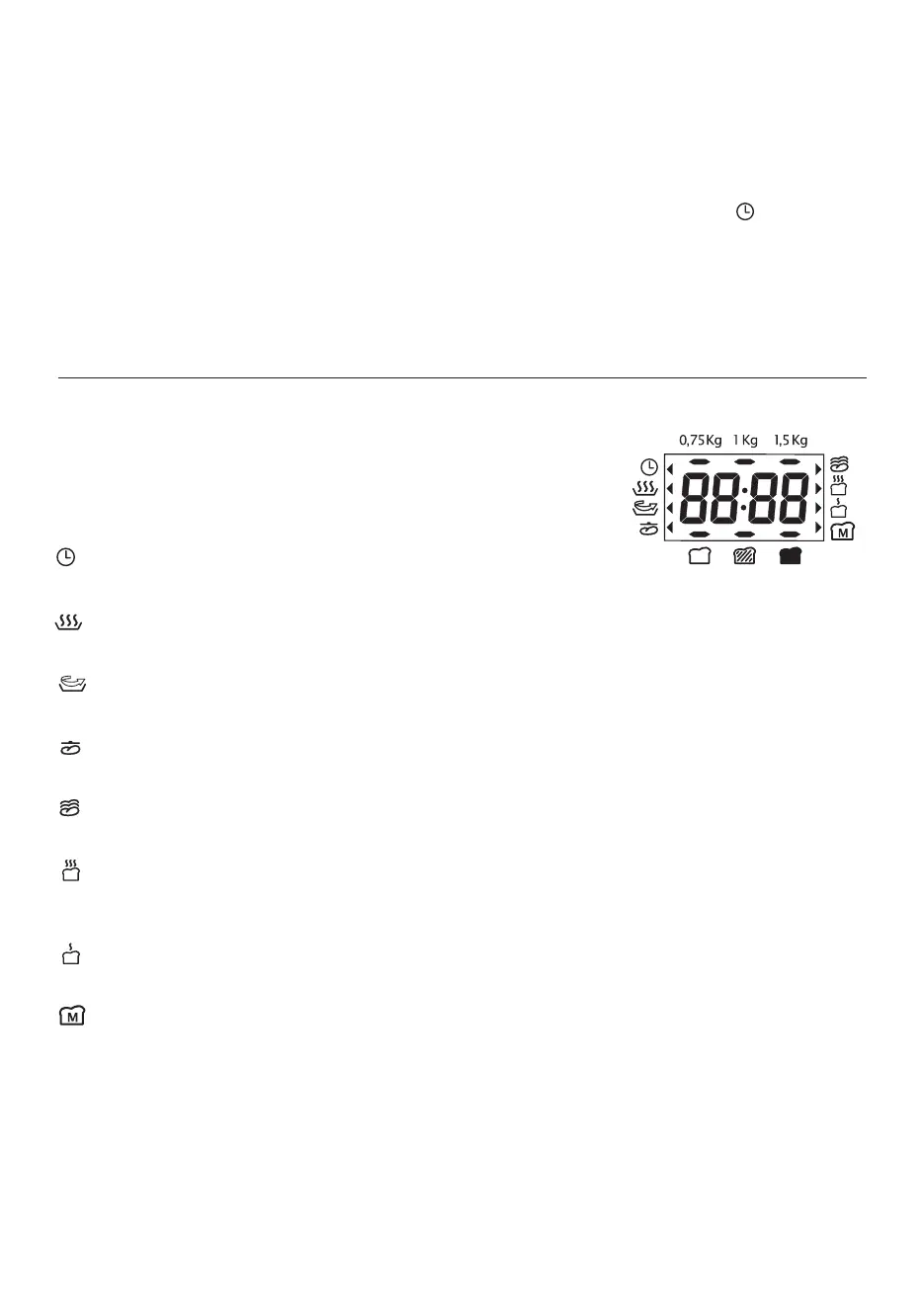
BAKING PROGRESS INDICATOR
The baking progress indicator displays all phases of the baking cycle by means of an arrow at the side of
the display (see figure).
TIMER: (available for functions P1-2-3-4-6-11-14 only).
Shows that the Delay Bake function has been set.
PRECOOKING: (available for function 11 only).
The appliance preheats the ingredients before the initial kneading phase begins.
KNEADING:
The bread is in one of the two kneading phases, mixing or punching down.
RESTING
The bread is resting.
LEAVENING:
The bread is in one of the leavening phases, encouraged by the low temperature.
BAKING:
The bread is being baked. This is the final stage of the cycle during which a high temperature is required to
bake the bread.
KEEPING WARM:
This process begins when the bread baking cycle is complete. It keeps the bread warm for up to 60 minutes.
MY BREAD:
The My Bread function is active.



 To Next Page