33
begin the descaling procedure. The light in the button
remains on steadily to indicate that the descaling pro-
gramme has begun (the and llghts and the
steam light ash).
6. Turn the steam knob a half turn anticlockwise. The descaler
solution ows out of the cappuccino maker into the under-
lying container.
The descale programme automatically performs a series of
rinses and pauses to remove limescale deposits from inside
the machine.
After about 30 minutes, the water tank is empty and the
light comes on. Turn the steam knob a half turn clockwise as
far as it will go.
The appliance is now ready for rinsing through with clean water.
11. Empty the container used to collect the descaler solution
and replace it empty under the cappuccino maker.
12. Remove the water tank, empty, rinse under running water,
ll with clean water and replace.
13. Turn the steam knob a half turn anticlockwise. Hot water
comes out of the spout.
14. When the water tank is completely empty, the light
goes out and the light comes on.
15. Turn the knob to the 0 position, ll the water tank again
and the appliance goes o automatically.
To use the appliance, turn it on by pressing the button.
15. SETTING WATER HARDNESS
The message comes on after a period of time established
according to water hardness.
The machine is set by default for a hardness value of 4 (very hard
water).
The machine can also be programmed according to the hardness
of the mains water in the various regions so that the machine
needs to be descaled less often.
15.1 Measuring water hardness
1. Remove the “TOTAL HARDNESS TEST” indicator paper at-
tached to this manual from its pack.
2. Immerse the paper completely in a glass of water for one
second.
3. Remove the paper from the water and shake lightly. After
about a minute, 1, 2, 3, or 4 red squares form, depending
on the hardness of the water. Each square corresponds to
one level.
Level 1
Level 2
Level 3
Level 4
15.2 Set water hardness
1. Make sure the appliance is o (but connected to the mains
electricity supply and with the main switch in the I posi-
tion);
2. Press and hold the button for at least 6 seconds. The
lights come on;
3. Press ECO to set the water hardness (the level shown by the
total hardness test).
Livello Livello Livello Livello
4. Press the button to exit the menu.
The machine is now reprogrammed with the new water hard-
ness setting.
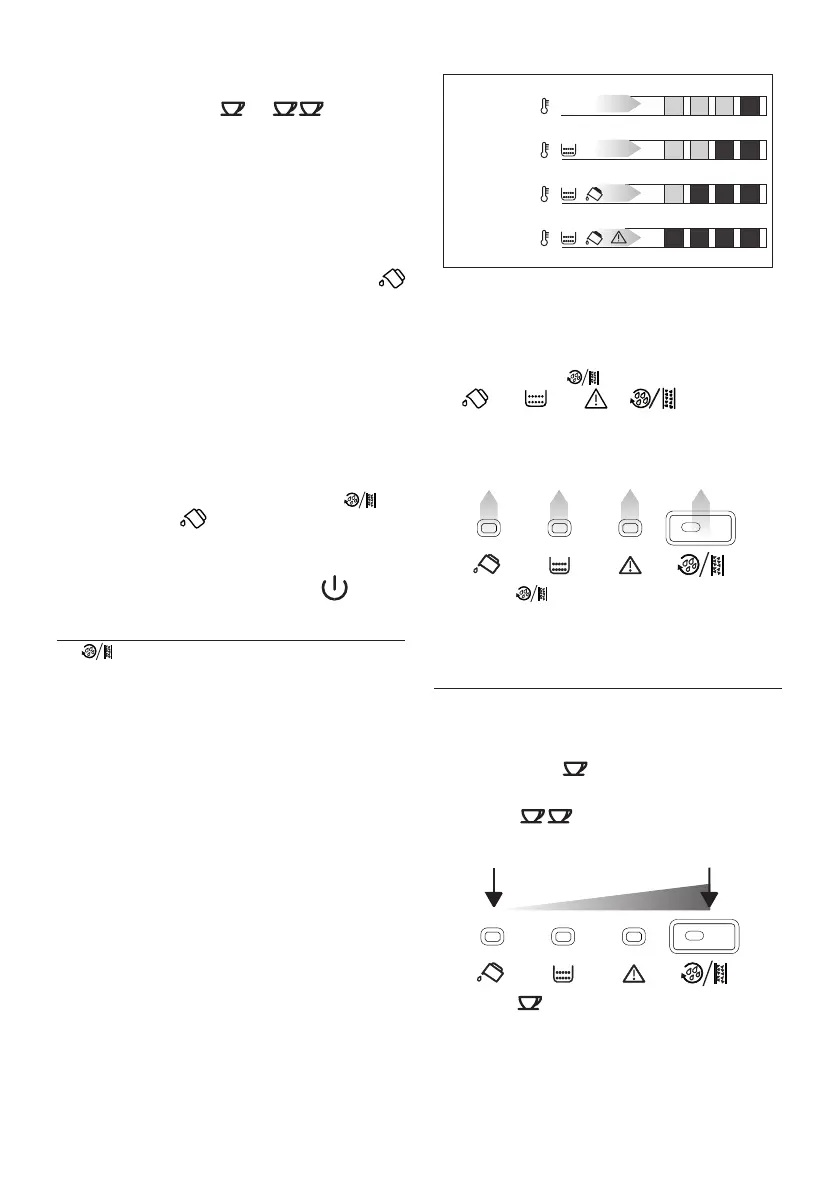
16. SETTING THE TEMPERATURE
To modify the temperature of the water used to make the coee,
proceed as follows:
1. With the appliance o and the main switch in the I position
(g. 3), press the button and hold it down until the
lights on the control panel come on.
2. Press the button to select the required temper-
ature:
LOW HIGH
3. Press the button to conrm the selection. The lights
go o.


 To Next Page
 Loading...