16
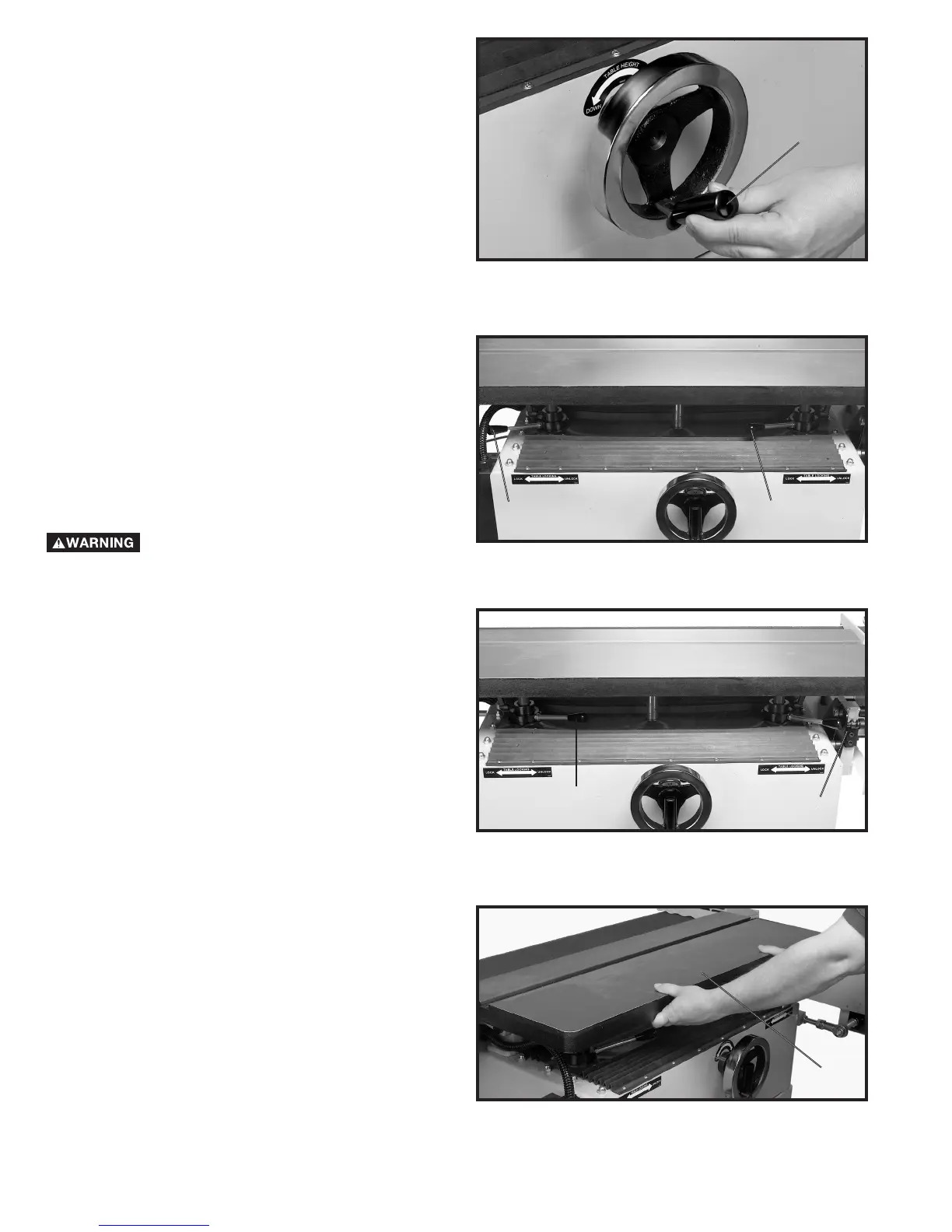
Fig. 35
2. Pull out on the table height wheel handle (C) Fig. 35.
3. Rotate table height wheel clockwise to raise the
table and counter clockwise to lower the table.
4. When the table height is at the desired position
tighten ratchet handles (A) and (B) Fig. 34.
TABLE DISTANCE TO BELT
Fig. 36
DISCONNECT MACHINE FROM POWER
SOURCE.
1. Move handles (C) and (D) Fig. 36 to the right as shown
in Fig. 37.
Fig. 37
Fig. 38
2. Grasp the front of the table (E) Fig. 38, and move the
table in or out to the desired position.
NOTE: THE DISTANCE FROM THE TABLE TO THE
BELT SHOULD BE 1/16" OR LESS WHENEVER
POSSIBLE.
3. Move handles (C) and (D) Fig. 37 to the left as shown
in Fig. 36 to lock the table in position.
C
C
D
C
D
E



 To Next Page