9
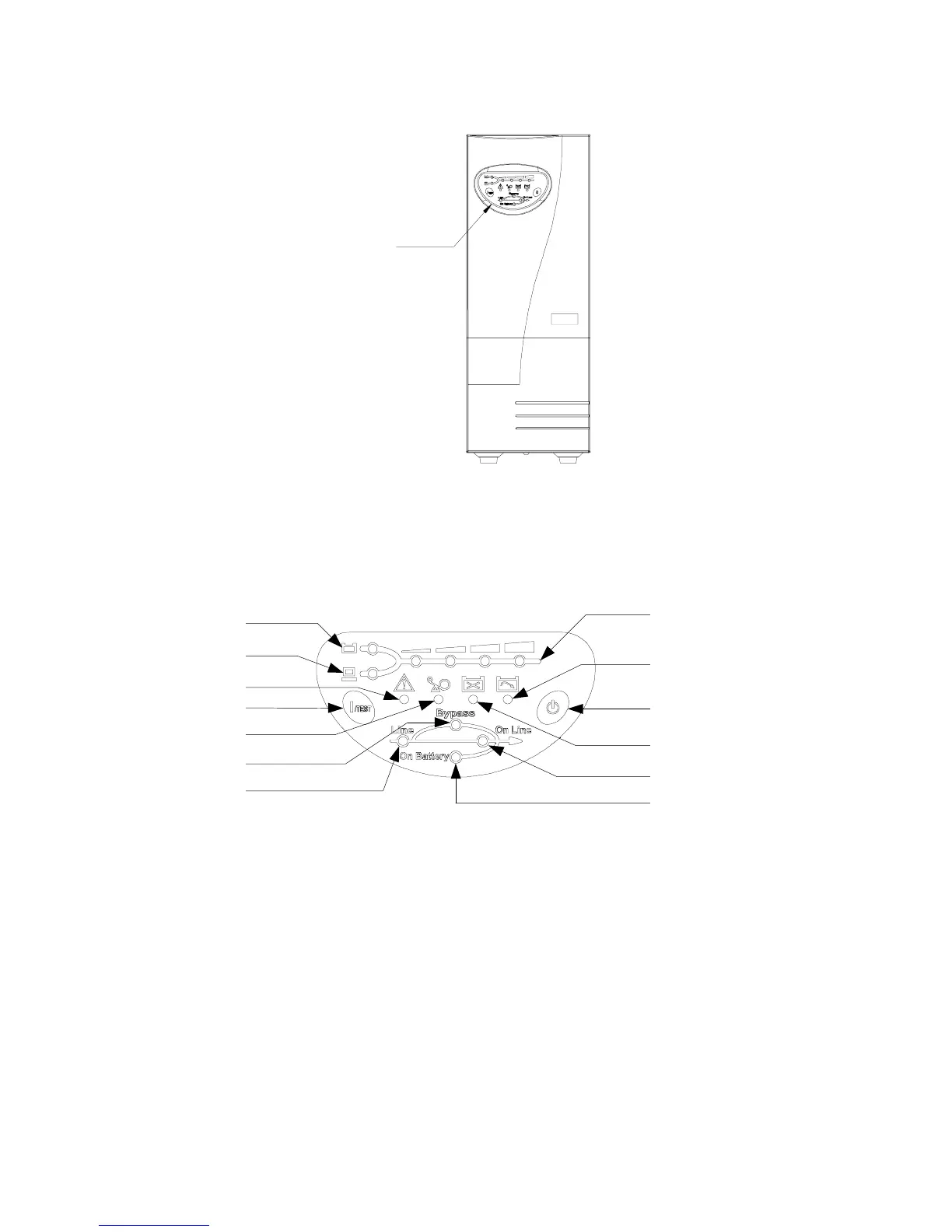
Fig 2-1.2 Front Panel for 2KVA or 3KVA
2-5 OPERATION PANEL
Fig 2-2 Operation Panel
OPERATION PANEL
A. Button:
1.
1/TEST:
The button is used for turning on the UPS, it also can perform the test
function in “
ON-LINE mode
”. In backup mode, this button can turn off the buzzer
for silence.
2.
0:
The button is used for turning off UPS.
B.
LED display:
1.
Bypass:
The LED indicates UPS in “
BYPASS mode
”.
Operation Panel
A. 1 A. 2
B. 1
B. 2
B. 10
B. 11
B. 7
B. 6
B. 5
B. 8
B. 9
B. 3
B. 4














 To Next Page