
 Need help?
Do you have a question about the Delta DPS Series and is the answer not in the manual?
Guidelines for safe installation of the three-phase UPS in indoor environments, ensuring proper ventilation and adherence to standards.
Precautions for grounding the UPS, paralleling units, and connecting protective devices to avoid electrical hazards.
Important precautions for operating the UPS, including ventilation, avoiding liquids, and safe handling of components.
Prerequisites and warnings before installing and wiring the UPS, emphasizing reading the manual and checking environment.
Guidelines for selecting a suitable installation environment, considering indoor placement, space, and floor loading.
Steps for securely fixing the UPS to the ground using stands and expansion screws to prevent movement and tipping.
General guidelines and warnings for wiring the UPS, including checking cable sizes, phase, and polarity.
Essential warnings before commencing wiring, ensuring power is off and cables match specifications for safe connection.
Guidelines for wiring multiple UPS units in parallel for redundancy and capacity expansion, including cable requirements.
Important warnings and parameters for connecting external battery cabinets, including charging procedures and battery types.
Crucial warnings and checks before starting or shutting down the UPS, ensuring correct installation and switch states.
General procedures for starting the UPS, covering various operational modes like On-Line, Battery, and Bypass.
Step-by-step guide to start up the UPS in On-Line mode, detailing switch operations and LCD interaction.
Procedure for starting the UPS in Battery mode, involving specific switch actions and pressing BATT. START buttons.
Steps to start the UPS in Bypass mode, requiring specific switch ON actions and observing LED indicators.
General procedures for safely turning off the UPS, covering various operational modes and ensuring critical loads are handled.
Steps to safely turn off the UPS from On-Line mode, involving tapping the ON/OFF button and switching off specific breakers.
Procedure for turning off the UPS from Battery mode, ensuring critical loads are shut down and switching off relevant components.
Steps to turn off the UPS from Bypass mode, involving switching off input and bypass switches, and external battery cabinet breakers.
Procedure for turning off the UPS from ECO mode, similar to On-Line mode turn-off, involving specific switch actions.
Steps to turn off the UPS from Frequency Conversion mode, ensuring critical loads are shut down and switching off power components.
General procedures for starting and turning off UPS units operating in parallel, emphasizing synchronization.
Steps for starting parallel UPS units, ensuring proper cable connections and synchronized LCD settings for Parallel Group ID.
Guidance on turning off parallel UPS units, checking remaining capacity, and synchronizing turn-off steps across all units.
Lists all UPS setting items, including bypass, mode, output, battery, parallel, dry contact, general, IP, and control settings.
Options for setting the UPS operational mode, such as On-Line, ECO, and Frequency Conversion modes, with usage notes.
 General
| Frequency | 50/60 Hz |
|---|---|
| Battery Type | Sealed Lead-Acid (SLA) |
| Communication Interface | RS-232, USB, SNMP (Optional) |
| Output Voltage | 220/230/240VAC |
| Topology | Double Conversion |
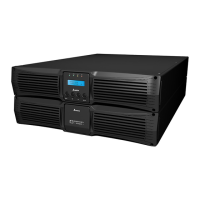
| Form Factor | Tower or Rackmount |
| Power Factor | 0.9 |
| Type | Online UPS |
| Protection Features | Short Circuit |










 To Next Page