98
NOTE:
*
1
The item will show up only when you select
External Battery Type
→ Lead-Acid
Battery
.
*
2
If you select (1)
External Battery Source
→
Standard Battery Pack
and (2)
External Battery Type
→
Li-ion Battery
, the following items will show up.
Charging Current
Discharging Current
*
3
The item will show up only when you use specific batteries.
*
4
The item will show up only when you set the UPS operation mode as ECO mode.
*
5
If you select (1)
External Battery Source
→
Standard Battery Pack
and (2)
External Battery Type
→
Lead-Acid Battery
, the following items will show up.
Model Name
Quantity
*
6
If you select (1)
External Battery Source
→
Customer Own Batt. Pack
and (2)
External Battery Type
→
Lead-Acid Battery
, the following items will show up.
Voltage/Quantity
Total Capacity
*
7
If you select (1)
External Battery Source
→
Customer Own Batt. Pack
and (2)
External Battery Type
→
Others
, the following items will show up.
Rated Voltage
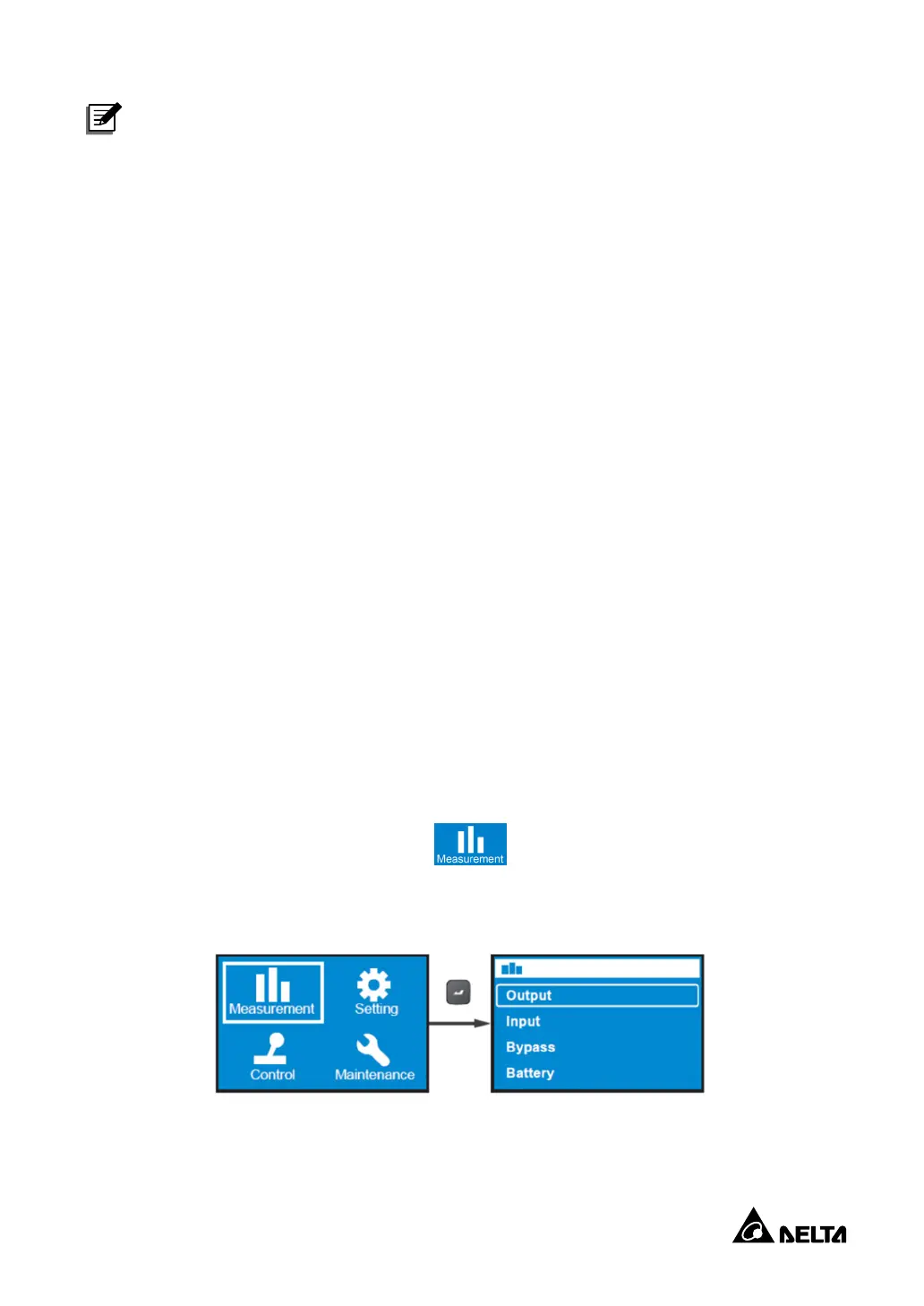
10.2.1 Measurement Menu
In the
Main Menu
, select
Measurement
( ) to enter the
Measurement Menu
. The
Measurement Menu
displays UPS status readings.


 To Next Page
 Loading...