EasyManua.ls Logo

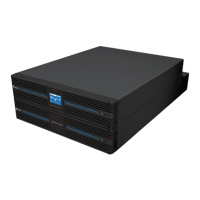
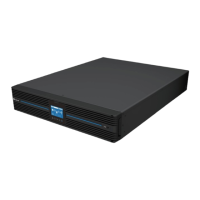
Delta Amplon UPA302R2RX2N035 - User Manual

Delta Amplon UPA302R2RX2N035
56 pages
Print Icon
To Next Page IconTo Next Page
Loading...
www.deltaww.com
Delta UPS Amplon Family
RT Gen3 Series, Single Phase
1/ 2/ 3 kVA
User Manual
The power behind competitiveness

Questions and Answers

  • M
    Mrs. Alexandria Myers DDSAug 11, 2025
    What to do if the icons flash and the alarm sounds twice every second on my Delta Amplon UPA302R2RX2N035 UPS?
    • T
      Timothy King PhDAug 11, 2025
      If the Delta UPS is overloaded, remove some of the connected devices from the UPS output. If the UPS is locked in bypass mode after repetitive overloads, remove excess loads, then shut down the UPS and restart it.
  • C
    Carol AllenAug 18, 2025
    Why is the battery backup time shorter than nominal value on my Delta Amplon UPA302R2RX2N035 UPS?
    • C
      cbrownAug 18, 2025
      If the battery backup time of your Delta UPS is shorter than expected: 1. Charge the batteries for at least 5 hours and check the battery capacity. 2. If the problem persists, the batteries may be damaged.
  • R
    Ryan WaltersAug 26, 2025
    How to troubleshoot no indication and alarm on Delta UPS?
    • A
      Ana McdonaldAug 26, 2025
      If there is no indication and alarm on your Delta UPS, even though the mains is normal: * Check if the input power cord is firmly connected to the mains. * Ensure the AC input power cord is correctly plugged into the AC input, and not the UPS output.
  • D
    Dr. Peter JacobsSep 2, 2025
    What to do if the icons flash and the alarm sounds every second on Delta UPS?
    • B
      brianstewartSep 2, 2025
      If the icons flash and the alarm sounds every second on the LCD display of your Delta UPS, check if all external or internal batteries are correctly connected.

Summary

Chapter 1: Important Safety Instructions

1.1 Installation Warnings

Warnings related to installing the UPS.

1.2 Connection Warnings

Warnings related to connecting the UPS and loads.

1.3 Usage Warnings

Warnings regarding the operation and usage of the UPS.

Chapter 3: Installation

3.1 Rack Mounting

Procedure for installing the UPS in a rack.

3.2 Tower Mounting

Procedure for mounting the UPS vertically.

Chapter 4: Connection

Chapter 5: Operation

Chapter 7: Troubleshooting

Chapter 8: Maintenance

Appendix 1: Technical Specifications

Delta Amplon UPA302R2RX2N035 Specifications

General IconGeneral
Rated Power3 kVA / 2.7 kW
Input Voltage200/208/220/230/240 Vac
Output Voltage200/208/220/230/240 Vac
TopologyDouble Conversion
Battery TypeVRLA
Form FactorTower

Related product manuals