Chapter 8 Parameters ASDA-A2
8-108 Revision February, 2017
Relevant description of manual mode setting:
When P2-32 is set to 0, parameters related to gain control, such as P2-
00, P2-04, P2-06, P2-25 and P2-26, all can be set by the user.
When switching mode from auto or semi-auto to manual, parameters
about gain will be updated automatically.
Relevant description of auto mode setting:
Continue to estimate the system inertia, save the inertia ratio to P1-37
every 30 minutes automatically and refer to the stiffness and bandwidth
setting of P2-31.
1. Set the system to manual mode 0 from auto 1 or semi-auto 2, the
system will save the estimated inertia value to P1-37 automatically
and set the corresponding parameters.
2. Set the system to auto mode 1 or semi-auto mode 2 from manual
mode 0, please set P1-37 to the appropriate value.
3. Set the system to manual mode 0 from auto mode 1, P2-00, P2-04,
P2-06, P2-25, P2-26 and P2-49 will be modified to the
corresponding parameters of auto mode.
4. Set the system to manual mode 0 from semi-auto mode 2, P2-00,
P2-04, P2-06, P2-25, P2-26 and P2-49 will be modified to the
corresponding parameters of semi-auto mode.
Relevant description of semi-auto mode setting:
1. When the system inertia is stable, the value of P2-33 will be 1 and
the system stops estimating. The inertia value will be saved to P1-
37 automatically. When switching mode to semi-auto mode (from
manual or auto mode), the system starts to estimate again.
2. When the system inertia is over the range, the value of P2-33 will
be 0 and the system starts to estimate and adjust again.
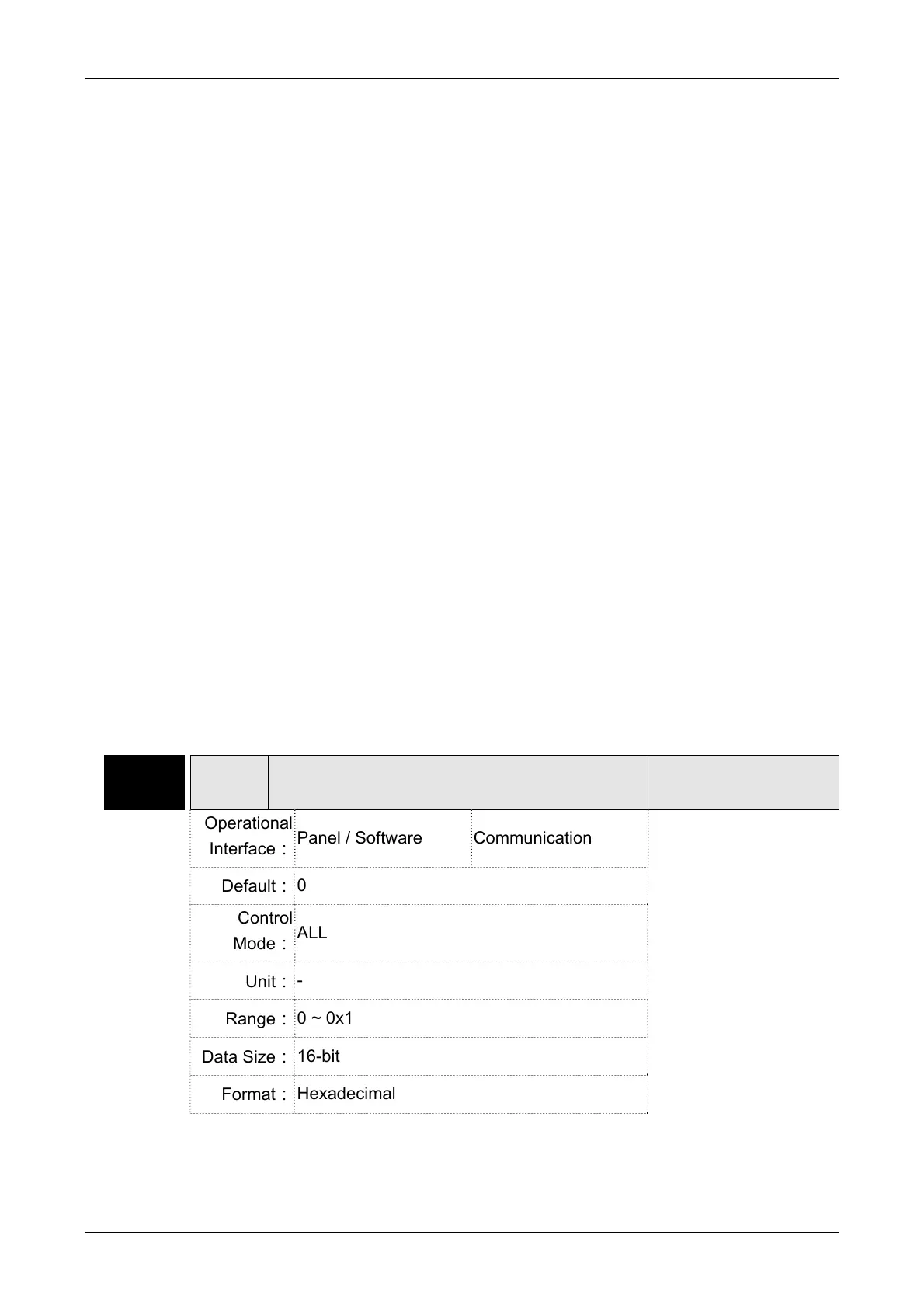
P2-33▲
AUT3 Semi-auto Inertia Adjustment
Address: 0242H
0243H
Operational
Interface:
Panel / Software Communication
Related Section: -
Default:
0
Control
Mode:
ALL
Unit:
-
Range:
0 ~ 0x1
Data Size:
16-bit
Format:
Hexadecimal


 To Next Page
 Loading...