Chapter 2 Specifications and Functions
2-11
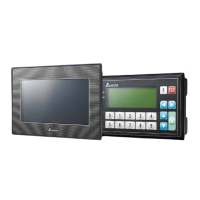
2.2.1.2 TP04P-20EXL1T
Model
TP04P-20EXL1T
Display
STN-LCD / monochromatic color
Backlight Type
Time for the backlight to dim out: 1-
99 minutes (0 indicates backlight stays
ON)
LED backlight (It has a lifespan of 50,000 hours at a temperature of 25℃)
Width × Height = 101.8 × 35.24 (Unit: mm); 4.1 inches (diagonal)
Language
ASCII: (Code page 850), Alphanumeric (including European characters),
Taiwan: (Big 5 codes) Traditional Chinese Fonts, China: (GB2324-
80 codes)
Simplified Chinese Fonts
Font Size
ASCII:5 × 8, 8 × 8, 8 × 12, 8 × 16
Text on the
Display
5×8 pixel fonts: 38 characters × 8 rows; 8×12 pixel fonts: 24 characters ×
rows
8×8 pixel fonts: 24 characters × 8 rows; 8×16
pixel fonts: 24 characters × 4
rows
Contrast
10 levels (set via TPEditor)
Function Keys /
0 ~ 9, ESC, F, Enter and Up/Down/Left/Right
Alarm Indicators
Power indicator (blinks for 3 times)
/ Communication error alarm / user defined
indicator
USB (COM1)
USB port for programs to be uploaded
or downloaded
Transmission: Virtual communication port
Data length: 7 bits or 8 bits
Stop bit: 1 bit or 2 bits
Parity check: None/Odd/Even
Transmission rate: 9,600 bps~115,200 bps
USB port: Type B USB connector
RS-485
(Extension
Communicaiton
Ports)
COM2
(supporting PLC
mode)
COM3
(supporting TP
mode)
Data length: 7 bits or 8 bits
Stop bit: 1 bit or 2 bits
Parity check: None/Odd/Even
Transmission rate: 9,600 bps~115,200 bps
Connector: 8-PIN removable terminal block (shared by COM2 and COM3)
Isolated communication
Downloading and Monitoring
Programs can be downloaded to TP via a virtual communication port of TP.
Panel
Component
Alarm Indicator
(Red)
State 1: when the power is ON, the indicator starts to blink until the power is
fully supplied and then the indicator dims out.
State 2: when the specified criteria is met, the indicator blinks for 3 seconds
and then make a beep sound.
Power Indicator
When the power is ON, this indicaotr is ON.


 To Next Page
 Loading...