D1000 Installation and Service Manual 15
Home LAB-110073 Rev. 3
HANDICAP ACCESSIBLE CONTROLS (ADA)
COMPONENTS
ADA Wire Harness Assembly
o (2) Toggle Switches (white)
o (15’) Plenum Cable Encased in 16mm ENT Flexible Conduit
o (1) Eight Position Male Connector (Plug-N-Play)
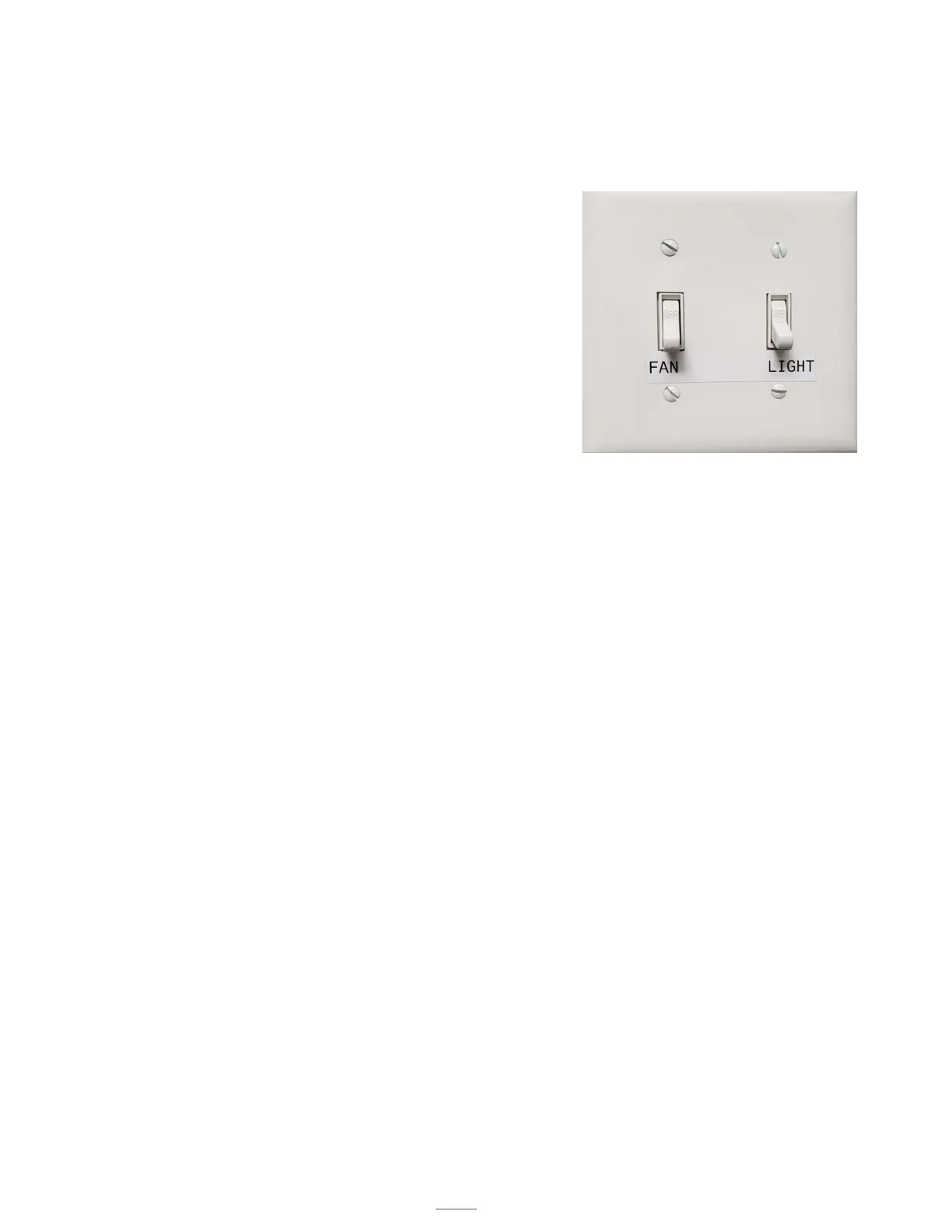
o (1) 2-Gang White Switch Cover
o (2) Mounting Brackets
PREPARATION
Turn OFF the main 110-120 VAC power (at the panel) to the Hood or
unplug the Six Position connector at the Handy Box (Hood) labeled Power
Input/Output. Remove the ADA Wire Harness Assembly from the packing.
INSTALLATION
1. Unscrew the two switches from the Metal 2-Gang Enclosure.
2. Mount the Metal 2-Gang Enclosure to the desired wall using the mounting
brackets in accordance with local building codes and electrical codes.
3. Screw the two switches back to the Metal 2-Gang Enclosure.
4. Install the 2-Gang White Switch Plate on the Metal 2-Gang Enclosure.
5. Run and secure the Plenum Cable Encased in 16mm ENT Flexible
Conduit. Plug the Eight-Position male and female connectors together,
labeled ADA Plug.
6. Ensure electrical connections are tight.
7. Turn the power on for the Hood.
8. The switch on the left of the Metal 2-Gang Enclosure with the Red and
White wires connected to it is for the fan function. Turning on this switch,
enables the fan to run at High Speed only. There is no speed control with
this switch.
Note: In order to turn the fan OFF, both the ADA toggle
switch and the speed control at the hood need to be OFF.
9. The switch on the right of the Metal 2-Gang Enclosure with Black and
White wires connected to it is for the light function.
Note: In order to the turn the light OFF, both the ADA toggle
switch and the light switch at the hood need to be OFF.
Handicap Accessible
Controls



 To Next Page