D1000 Installation and Service Manual 33
Home LAB-110073 Rev. 3
OPERATING THE HOOD
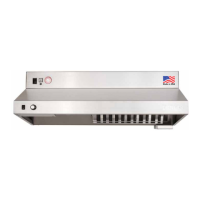
OPERATING THE MAIN POWER
The D1000 hood has a Main Power ON/OFF switch.
Prior to operating the hood ensure that the main power switch is in the ON (I) position
o The main power switch is in the upper top left corner of the hood (see Page 21)
THE RESET BUTTON
If the hood loses Power or is turned OFF the reset switch needs to be pressed.
When power is applied to the hood the status LED goes green for a second then turns to orange.
While the status LED is orange press the white reset button once, for normal operating mode (see switch with
“check burner” label).
The status LED will be green when the system has reset and is in normal operating mode.
OPERATING THE FAN
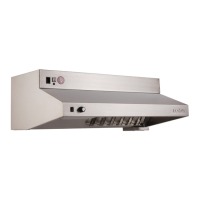
The fan on your D1000 hood has a fan speed controller.
The fan speed controller operates from OFF to ON and high to low speed setting.
Turn the knob clockwise until the fan is at its desired speed before beginning to cook
Turn the knob counterclockwise until the fan speed controller clicks to turn off the fan.
TURNING ON THE LIGHT
• To turn the light ON push the rocker switch (located on the front of the hood) so that the switch is in the ON (I)
position
• To turn the light OFF push the rocker switch so that the switch is in the OFF (0) position
USING YOUR ADA (OPTIONAL)
The handicap accessible control box will control the fan and light on the hood from a remote location (see page 19).
CLOCKBOX (OPTIONAL)
The Clockbox controls power to your range, by requiring a password to be entered to power the range for 120 minutes
(see Clock Box Manual).
NOTE: For more detailed instructions on how to use the CLOCKBOX refer to the manual that came with the CLOCKBOX.



 To Next Page