D1000 Installation and Service Manual 26
Home LAB-110073 Rev. 3
TEST TANK AND DEMONSTRATION
If a test is needed with a test tank, a Nitrogen only tank (D1000-TANK-TEST) will need to be ordered separately.
Using safety glasses follow the instructions for replacing a tank. The system should be in its operational position
prior to testing,
the red maintenance switch is not illuminated
The unit can be actuated one of two ways:
1.
Replace the fusible link with a test link.
a.
Cut the test link with wire cutters or similar.
2.
Manual Pull Station (if installed)
a.
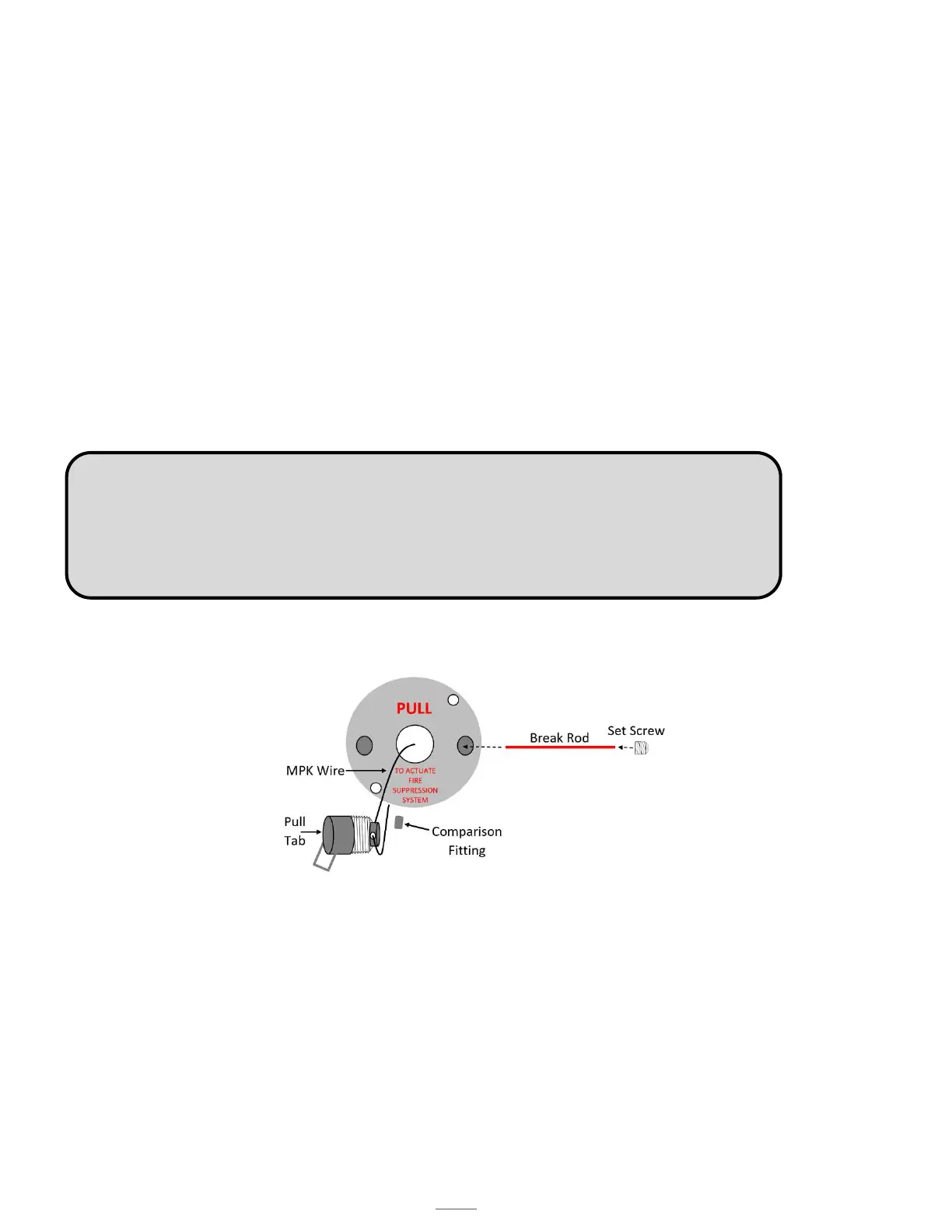
Remove the plastic break rod (to avoid breaking the rod) from the pull face with an Allen
wrench (see figure 14.5)
b.
Pull the handle to actuate the unit.
c.
Return the Manual Pull Station to its operational state
Nitrogen will be released from each nozzle simultaneously. Note: The blow-off nozzle caps will be released.
Once test is done:
o
Replace the test tank with the extinguisher tank
o
Replace the test link with a fusible link
o Return the unit to normal operational mode.
o Replace the blow-off nozzle caps.
NOTE: If performing the Manual Pull Station test without a test tank and the fully charged
tank is pinned off, the hood will not go into alarm mode and shut off the range. The hood
monitors the pressure in the tank not the mechanical actuation of the hood. To simulate a
discharge or loss of pressure in the tank the pressure switch is unplugged. There is a red
and black wire coming from the pressure switch. The wires connect to two grey wires, unplug
either of the wires to simulate loos of pressure in the tank.



 To Next Page