"6%*0
"6%*0
015*$"-
065
3-
065
R
L
R
L
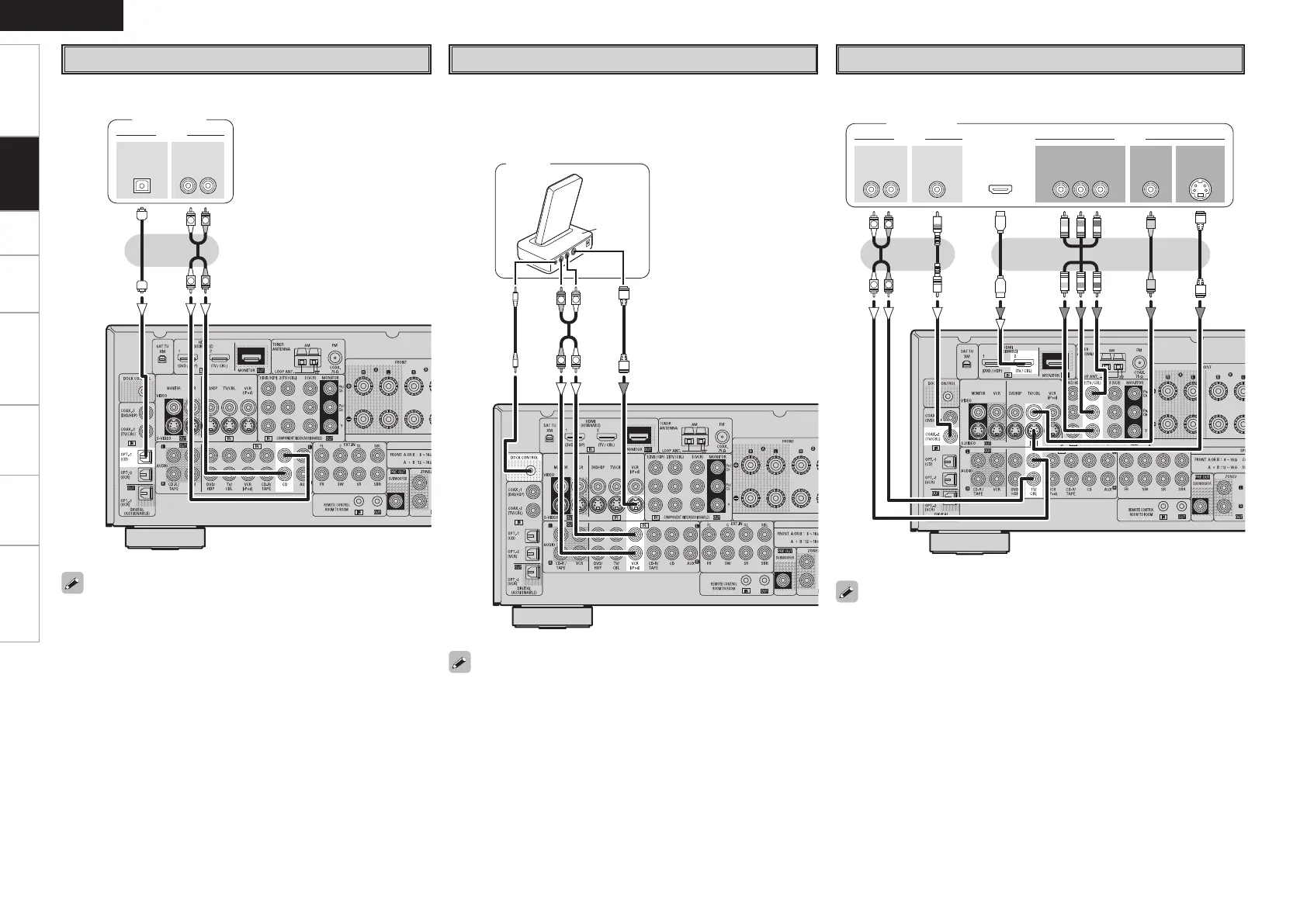
CD Player
Connect the cables to be used.
CD player
When using an optical cable for the digital audio connection,
make the settings at menu “Input Setup” – “Assign” – “Digital In”
(vpage 33).
iPod
®
iPod
• With the default settings, the iPod can be used connected to the
VCR (iPod) connector.
• To assign the iPod to a connector other than VCR (iPod), make the
settings at menu “Input Setup” – “(input source to which iPod
dock assigned)” – “Assign” – “iPod dock” (vpage 33).
Use a DENON Control Dock for iPod (ASD-1R, sold separately) to
connect the iPod to the AVR-788. For instructions on the Control
Dock for iPod settings, refer to the Control Dock for iPod’s operating
instructions.
Getting Started Connections Setup Playback Remote Control Multi-Zone Information Troubleshooting
ENGLISH
47*%&0
065
"6%*0 7*%&0
$0.10/&/57*%&0
: 1# 13
7*%&0
065065
"6%*0
3-
065 065
)%.*
065
$0"9*"-
R
L
R
L
TV/CABLE Tuner
Connect the cables to be used.
TV tuner
When using an optical cable for the digital audio connection, make the
settings at menu “Input Setup” – “Assign” – “Digital In” (vpage 33).
1.AVR788E3_ENG_108.indd 16 2007/10/05 16:21:37


 To Next Page
 Loading...