ENGLISH
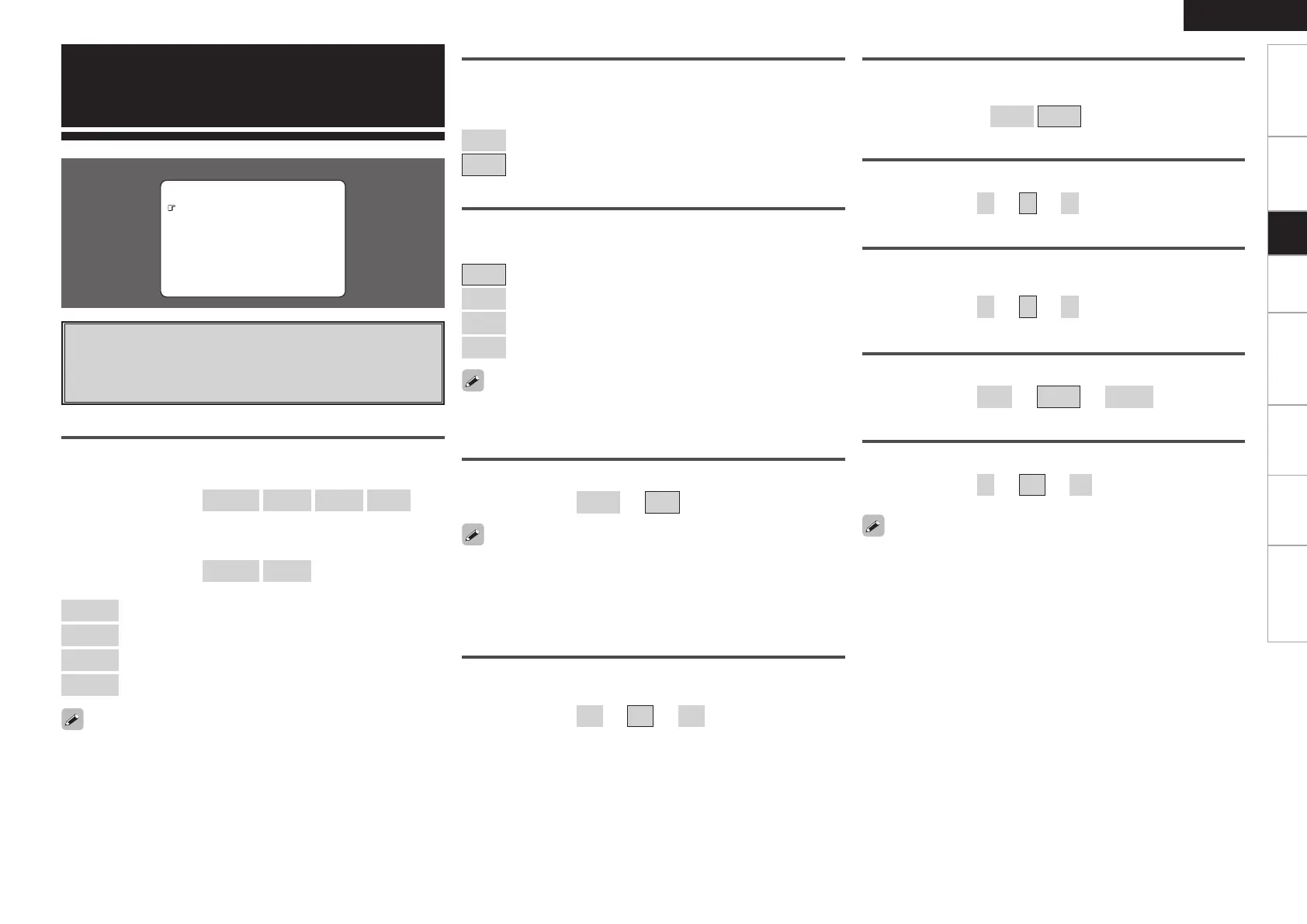
F Menu screen F
2.Tone Control
3.Room EQ
4.RESTORER
5.Night Mode
6.Audio Delay
1.Surround Parameter
4.Parameter
Parameter
a
Surround Parameter
Adjust surround sound parameters.
The adjustable parameters differ for the different surround modes
(vpage 59, 60).
MODE
Select the mode according to the playback source.
n In the PLgx or PLg mode
[Selectable items]
CINEMA
MUSIC
GAME
PL
z
z: Can be selected in the PLg mode.
n In the DTS NEO:6 mode
[Selectable items]
CINEMA
MUSIC
CINEMA
: Surround sound mode optimized for movie sources.
MUSIC
: Surround sound mode optimized for music sources.
GAME
: Surround sound mode optimized for games.
PL
: Dolby Pro Logic playback mode.
The MUSIC mode is also effective for movie sources including a lot of
stereo music.
CINEMA EQ
Soften the treble range of movie soundtracks for better
understanding.
[Selectable items]
ON
: CINEMA EQ is used.
OFF
: CINEMA EQ is not used.
D.COMP
Compress dynamic range (difference between loud and soft sounds).
[Selectable items]
OFF
: Turn dynamic range compression off.
LOW
: Low setting.
MID
: Middle setting.
HIGH
: High setting.
When playing DTS sources, this is only displayed for compatible
software.
Getting Started Connections Setup Playback Remote Control Multi-Zone Information Troubleshooting
LFE
Adjust the low-frequency effects level (LFE).
[Variable range]
–10dB
~
0dB
CENTER IMAGE
Assign center channel signal to front left and right channels for wider
sound.
[Variable range]
0.0
~
0.3
~
1.0
PANORAMA
Assign front L/R signal also to surround channels, for wider sound.
If the surround effect seems weak, set “PANORAMA” to “ON”.
[Selectable items]
ON
OFF
For proper playback of the different program sources, we recommend
setting to the values below.
• Dolby Digital sources: “0 dB”
• DTS movie sources: “0 dB”
• DTS music sources: “-10 dB”
DIMENSION
Shift sound image center to front or rear, to adjust playback balance.
[Variable range]
0
~
3
~
6
DELAY TIME
Adjust delay time to control sound stage size.
[Variable range]
0 ms
~
30 ms
~
300 ms
CENTER WIDTH
Assign center channel signal to front left and right channels for wider
sound.
[Variable range]
0
~
3
~
7
EFFECT LEVEL
Adjust effect signal level.
[Variable range]
1
~
10
~
15
Set to a lower level if the positioning and sense of phase of the
surround signals seems unnatural.
1.AVR788E3_ENG_108.indd 39 2007/10/05 16:22:22


 To Next Page
 Loading...