25
ENGLISH
Playing audio sources (CDs and DVDs)
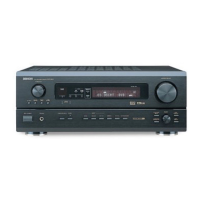
The AVR-2803 is equipped with two 2-channel playback modes exclusively for music.
Select the mode to suit your tastes.
1
DIRECT mode
Use this mode to achieve good quality 2-
channel sound while watching images. In this
mode, the audio signals bypass such circuits as
the tone circuit and are transmitted directly,
resulting in good quality sound.
(Remote control unit)
2
STEREO mode
Use this mode to adjust the tone and achieve
the desired sound while watching images.
(Remote control unit)
[1] Adjusting the sound quality (TONE)
• The tone control function will not work in the Direct mode.
• The tone control setting only affects the front speakers.
• If the tone control function is used, the main volume cannot be adjusted up to 18 dB. (The maximum main
volume level differs in the different surround modes.)
After starting playback
1
The tone switches as follows each time the
TONE CONTROL button is pressed.
(Main unit)
2
With the name of the volume to
be adjusted selected, turn the
SELECT knob to adjust the level.
(Main unit)
•To increase the bass or treble: Turn the control
clockwise. (The bass or treble sound can be
increased to up to +10 dB in steps of 2 dB.)
•To decrease the bass or treble: Turn the
control counterclockwise. (The bass or treble
sound can be decreased to up to –10 dB in
steps of 2 dB.)
3
If you do not want the bass and treble to be
adjusted, turn on the tone defeat mode.
(Main unit)
The signals do not pass
through the bass and treble
adjustment circuits, providing
higher quality sound.
[2] Listening over headphones
1
Use this to turn off the audio
output temporarily.
Press the MUTING button.
Cancelling MUTING
mode.
Press the MUTING button again or adjust
the main volume level.
(Remote control unit)
1
Plug the headphones’ plug into
the jack.
Connect the headphones to
the PHONES jack.
The pre-out output
(including the speaker
output) is automatically turned off when
headphones are connected.
1
PHONES
NOTE:
To prevent hearing loss, do not raise the volume level
excessively when using headphones.
[3] Turning the sound off temporarily (MUTING)
1
Simulcast playback
Use this switch to monitor a video source other
than the audio source.
Press the VIDEO SELECT button, turn the
FUNCTION knob until the desired source
appears on the display.
[4]
Combining the currently playing sound with the desired image
Cancelling simulcast playback.
• Select “SOURCE” using the VIDEO
SELECT button and the FUNCTION knob.
• Switch the program source to the
component connected to the video input.
(Main unit)


 To Next Page
 Loading...