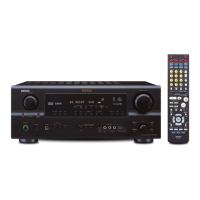
(Main unit)
1
Turn the SELECT knob to select the surround
mode.
2
Press the SURROUND PARAMETER button.
Press and hold in the surround parameter button to select the parameter you want to
set.
• The parameters which can be set differ for the different surround modes. (Refer to
“Surround Modes and Parameters” on pages 34, 35.)
(Main unit)
3
Display the parameter you want to adjust, then turn the SELECT knob to set it.
NOTE:
• When playing PCM digital signals or analog signals in the DOLBY PRO LOGIC II , DTS NEO:6 modes and
the input signal switches to a digital signal encoded in Dolby Digital, the Dolby surround mode switches
automatically. When the input signal switches to a DTS signal, the mode automatically switches to DTS
surround.
• Operating the surround mode and surround parameters from the main unit‘s panel.
• When turned clockwise
• When turned counterclockwise
DIRECT STEREO DOLBY PRO LOGIC II DTS NEO:6 5/7CH STEREO
DIRECT STEREO DOLBY PRO LOGIC
II DTS NEO:6 5/7CH STEREO
MONO MOVIE
MONO MOVIE
ROCK ARENAJAZZ CLUBVIDEO GAMEMATRIXVIRTUAL
ROCK ARENAJAZZ CLUBVIDEO GAMEMATRIXVIRTUAL
To select the surround mode while adjusting the surround parameters or tone control, press the
surround mode button then operate the selector.
(Main unit)
Tone control setting
• Use the tone control setting to adjust the bass and treble as desired.
•To operate the tone control from the remote control unit.
• The tone control setting only affects the front speakers.
• If the tone control function is used, the main volume cannot be adjusted up to 18 dB. (The maximum main
volume level differs in the different surround modes.)
1
Display the surround parameter
screen on the monitor.
The screen for the selected
surround mode appears.
“TONE” cannot be selected
in the Direct mode.
3
Switch to the Tone Control
screen.
Select Tone Defeat “OFF”.
(Remote control unit)
4
5
Enter the setting.
The surround menu screen reappears.
(Remote control unit)
6
To end the setting mode, press the surround parameter button again.
(Remote control unit)
(Remote control unit)
To select Bass or Treble.
(Remote control unit)
To set the level.
2
Select “TONE”.
(Remote control unit)


 To Next Page
 Loading...