12
Playback of MP3 and WMA files
There are many music distribution sites on the Internet allowing you
to download music files in MP3 or WMA (Windows Media
®
Audio)
formats. The music (files) downloaded from such sites can be stored
on CD-R or CD-RW discs and played on the main unit.
“Windows Media” and “Windows” are registered trademarks or
trademarks of Microsoft Corporation in the United States and other
countries.
Playing MP3 and WMA files
1
Press CD X to turn on power to
the unit.
2
Load a CD-R or CD-RW disc
containing music les in the MP3
or WMA formats into the disc
tray.
3
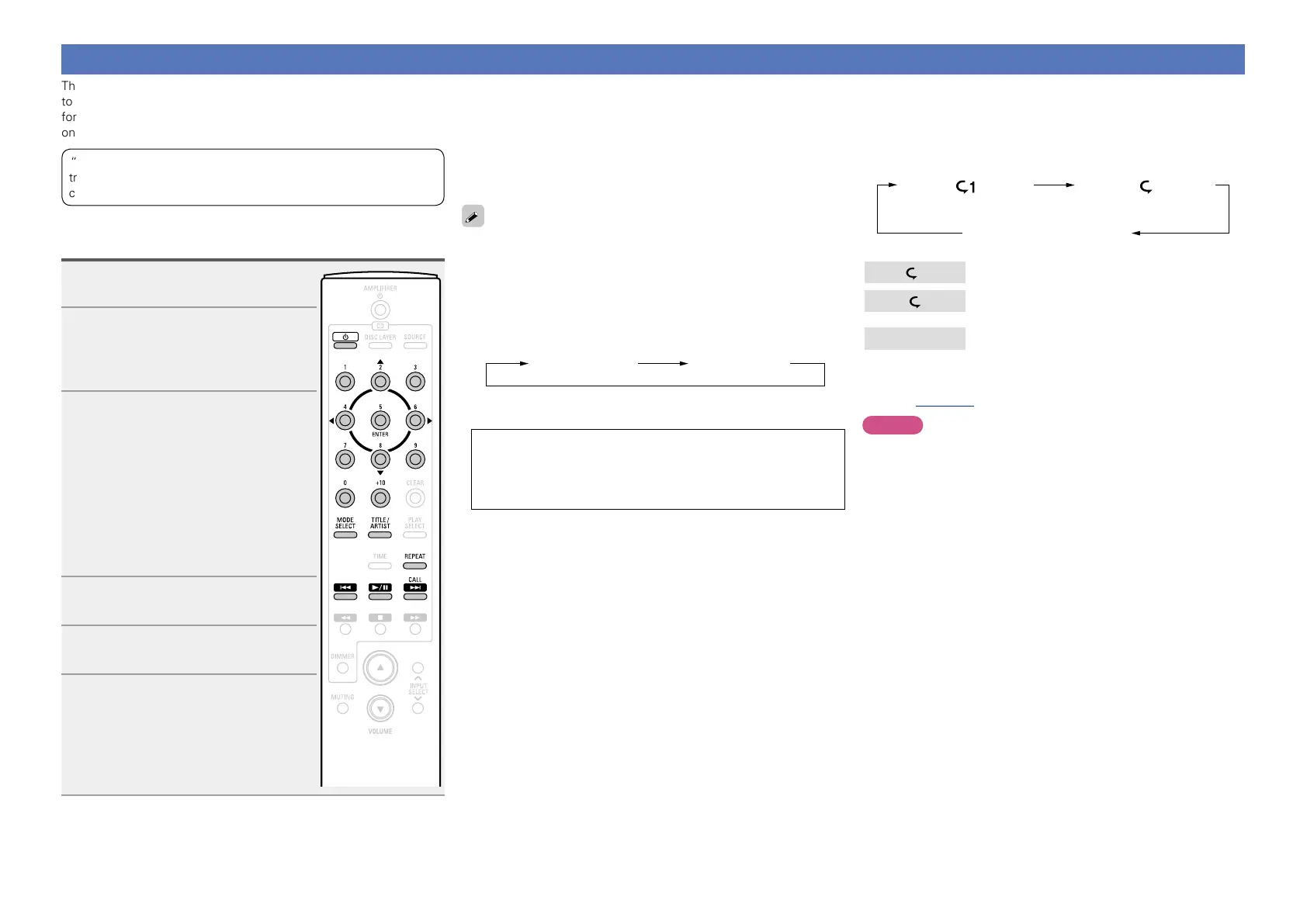
Press MODE SELECT to select
the folder mode or disc mode.
n About the display
•When “Folder mode” is selected
All the files in the selected folder are
played.
•When “Disc mode” is selected
After the selected folder and files are
played, all the files in all the folders are
played.
4
Use ui to select the folder to be
played.
5
Use 8, 9, o or p to select
the le to be played.
6
Press 1/3.
Playback starts.
n To switch the folder or file during playback
•Folder
Use ui to select the folder, and then press ENTER.
•File
Use o p to select the file, then press ENTER.
Also use 8, 9 to select the file.
•The file numbers are set automatically when the disc is loaded.
Copyright-protected files cannot be played.
(The “Not Support” is displayed.)
Note that depending on the software used for burning and other
conditions, some files may not play or display correctly.
n Switching the display
During playback, press TITLE/ARTIST.
Folder name File name
•The player can display the following characters:
ABCDEFGHIJKLMNOPQRSTUVWXYZ
abcdefghijklmnopqrstuvwxyz
0123456789
! ” # $ % & : ; < > ? @ l [ ] _ ` | { } ~ ^ ’ ( ) * + , - . / = (space)
n Repeat playback
Press REPEAT.
Playback starts in the respective repeat mode.
•The selectable repeat modes differ in the “Folder mode” and the
“Disc mode”.
Single-track repeat All-track repeat
Repeat off
(indicator turns off)
1
Only the selected track is played repeatedly.
All the files in the selected folder are played
repeatedly.
Repeat off
Folder mode playback resumes.
n Operations enabled during playback
(vpage15)
NOTE
Programmed playback is not possible with MP3/WMA discs.



 To Next Page