14
Playing a USB memory device
Playing files stored on USB memory device
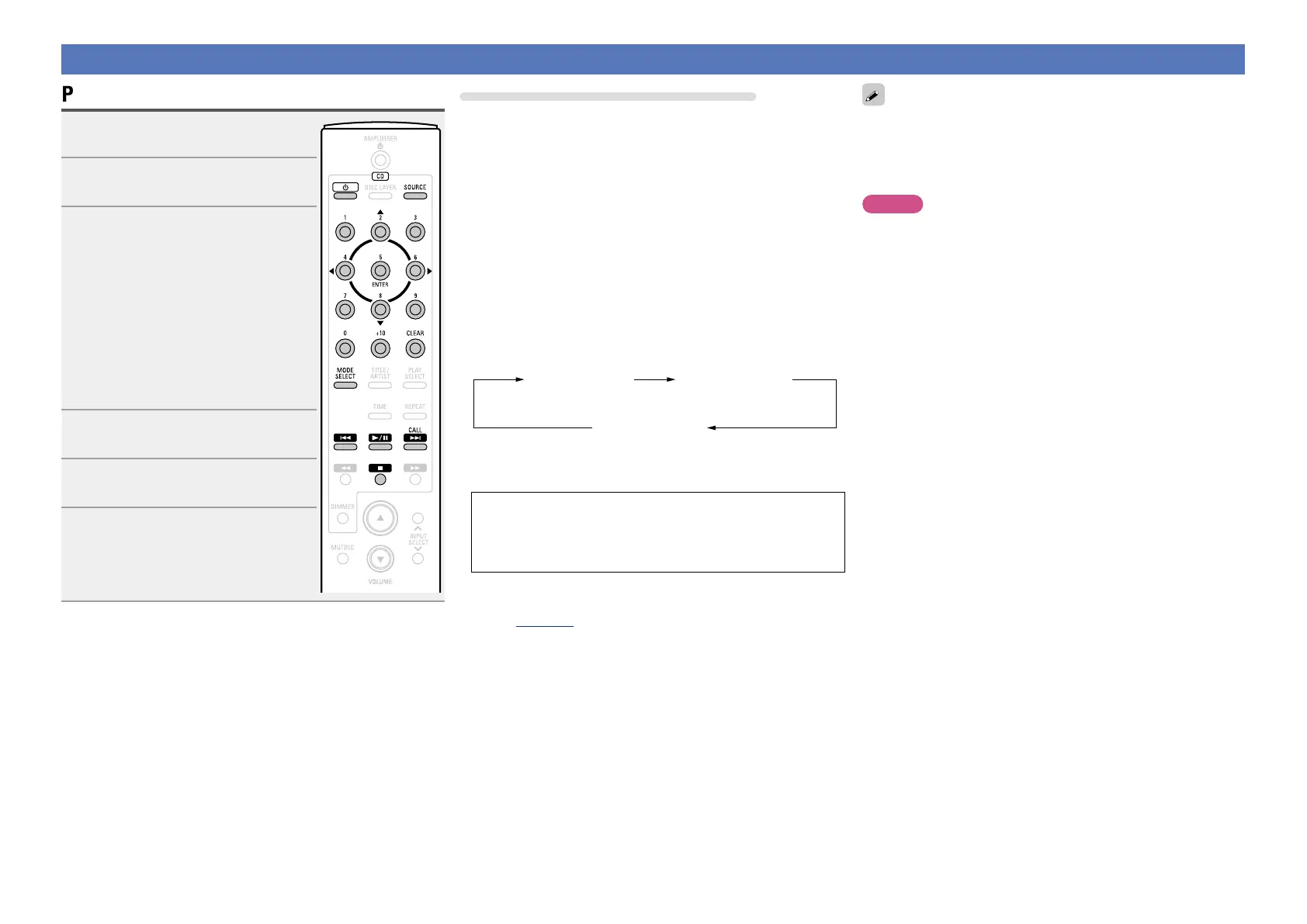
1
Press CD X to turn on power to
the unit.
2
Press SOURCE to set the playback
media mode to “USB”.
3
Press MODE SELECT to select
the “Folder mode” or “Memory
mode”.
n About the display
•When “Folder mode” is selected
All the files in the selected folder are
played.
•When “Memory mode” is selected
After the selected folder and files are
played, all the files in all the folders are
played.
4
Use ui to select the folder to be
played.
5
Use 8, 9, o or p to select
the le to be played.
6
Press 1/3.
Playback starts.
Disconnecting the USB memory device
q Press 2.
w Make sure that the communications indicator on the USB memory
device is not flashing, and disconnect the USB memory device.
n To switch the folder or file during playback
•Folder
Use ui to select the folder, then press ENTER.
•File
Use o p to select the file, then press ENTER.
Use 8 or 9 to select the file.
•The file numbers are set automatically when the USB memory
device is loaded.
n Switching the display
During playback, press TITLE/ARTIST.
•While an MP3/WMA/AAC is being played back
Title name
Album name
Artist name
•While a WAV file is being played back, only the file name is
displayed.
•The player can display the following characters:
ABCDEFGHIJKLMNOPQRSTUVWXYZ
abcdefghijklmnopqrstuvwxyz
0123456789
! ” # $ % & : ; < > ? @ l [ ] _ ` | { } ~ ^ ’ ( ) * + , - . / = (space)
n Operations enabled during playback
(vpage15)
•USB memory devices will not work via a USB hub.
•DENON does not guarantee that all USB memory devices will
operate or be suppled power. When using a USB connection type
portable hard disk of the type for which power can be supplied by
connecting an AC adapter, we recommend using the AC adapter.
NOTE
DENON will take no responsibility whatsoever for any loss or damage
to data on a USB memory device when using it connected to the unit.



 To Next Page