20
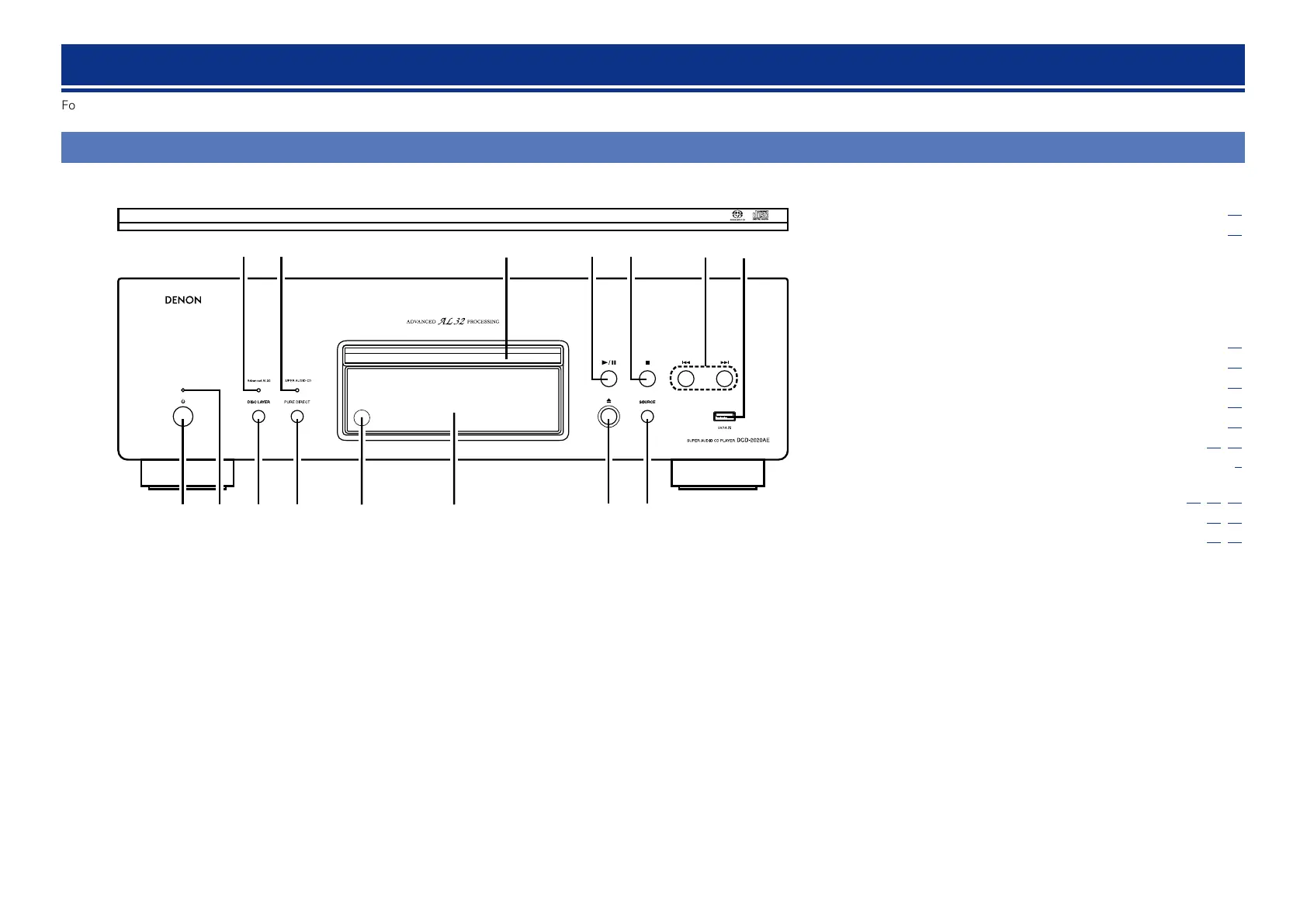
Front panel
u
yt
i
e
Q2Q4Q5 Q1Q3 Q0
q w r
o
q Power operation button (X) ·················································· (10)
w Power indicator ······································································· (10)
GPower indicator statusH
•Power on : Green
•Normal standby : Red
•Auto standby : Off
•iPod charge standby : Orange
•Power off : Off
e DISC LAYER button ································································· (10)
r PURE DIRECT button ······························································ (15)
t Remote control sensor ··························································· (23)
y Display ······················································································ (21)
u Disc tray open/close button (5) ············································· (11)
i SOURCE button ································································· (10,14)
o USB port ····················································································· (6)
Q0 Reverse-skip/Forward-skip buttons
(8, 9) ··································································· (12,13,14)
Q1 Stop button (2) ································································· (13,14)
Q2 Play/Pause button (1/3) ················································· (13,14)
Q3 Disc tray
Q4 SUPER AUDIO CD indicator
If the unit is one of the following states, this indicator lights.
•The super audio CD is inserted.
•The layer mode of the super audio CD is set to “STEREO” or
“MULTI.”
Q5 Advanced AL32 Processing indicator
If the unit is one of the following states, the Advanced AL32
Processing is enabled and this indicator lights.
•CD is inserted.
•The unit is in MP3, WMA, or external input mode.
•The layer mode of the super audio CD is set to “CD.”
For buttons not explained here, see the page indicated in parentheses ( ).
Part names and functions



 To Next Page