22
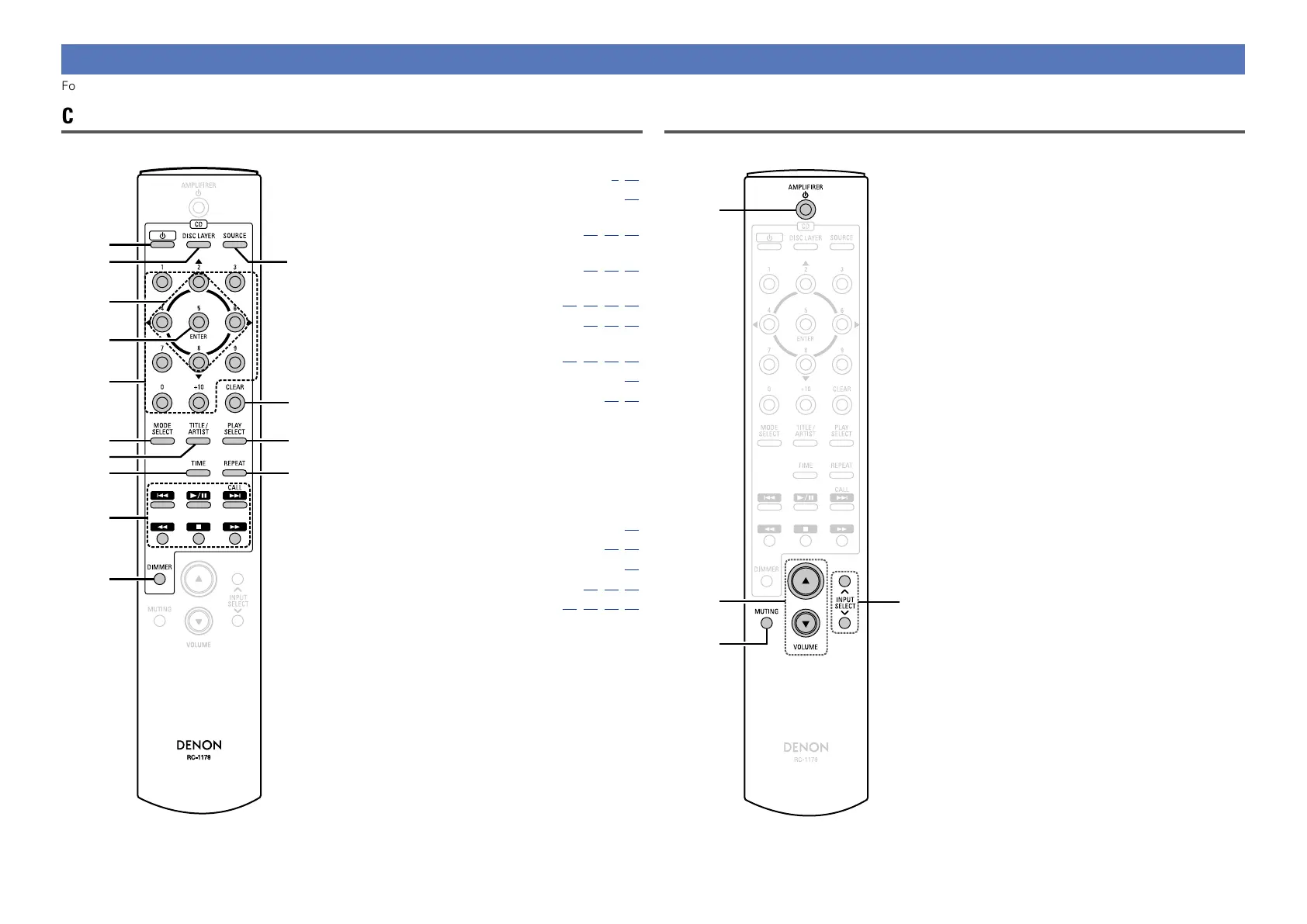
Remote control unit
For buttons not explained here, see the page indicated in parentheses ( ).
CD operation
q CD power button (X) ····························· (8,10)
w DISC LAYER button ···································· (10)
e Cursor buttons (uio p)
························································· (12,13,14)
r ENTER button
························································· (12,13,14)
t Number buttons
(0 – 9, +10) ································· (11,12,13,16)
y MODE SELECT button ··················· (12,13,14)
u TITLE/ARTIST button
··················································· (12,13,14,16)
i TIME button ··············································· (15)
o Playback operation buttons ················ (13,14)
•Reverse-skip/ Forward-skip button
(8, 9)
•Play/Pause button (1/3)
•CALL button
•Fast-reversing/Fast-forwarding button
(6, 7)
•Stop button (2)
Q0 DIMMER button ········································· (16)
Q1 SOURCE button ···································· (10,14)
Q2 CLEAR button ············································ (16)
Q3 PLAY SELECT button ····················· (13,15,16)
Q4 REPEAT button ························· (12,13,15,16)
Q2
Q3
Q4
Q1
y
i
o
Q0
u
t
q
w
e
r
AMP operation
q AMPLIFIER power button (X)
w VOLUME buttons (df)
e MUTING button
r INPUT SELECT buttons
r
w
e
q



 To Next Page