EasyManua.ls Logo

Denon DCD-720AE - VFD Check Mode; Version Display Mode; Cold Start Mode

Denon DCD-720AE
104 pages
Print Icon
To Next Page IconTo Next Page
To Previous Page IconTo Previous Page
Loading...
20
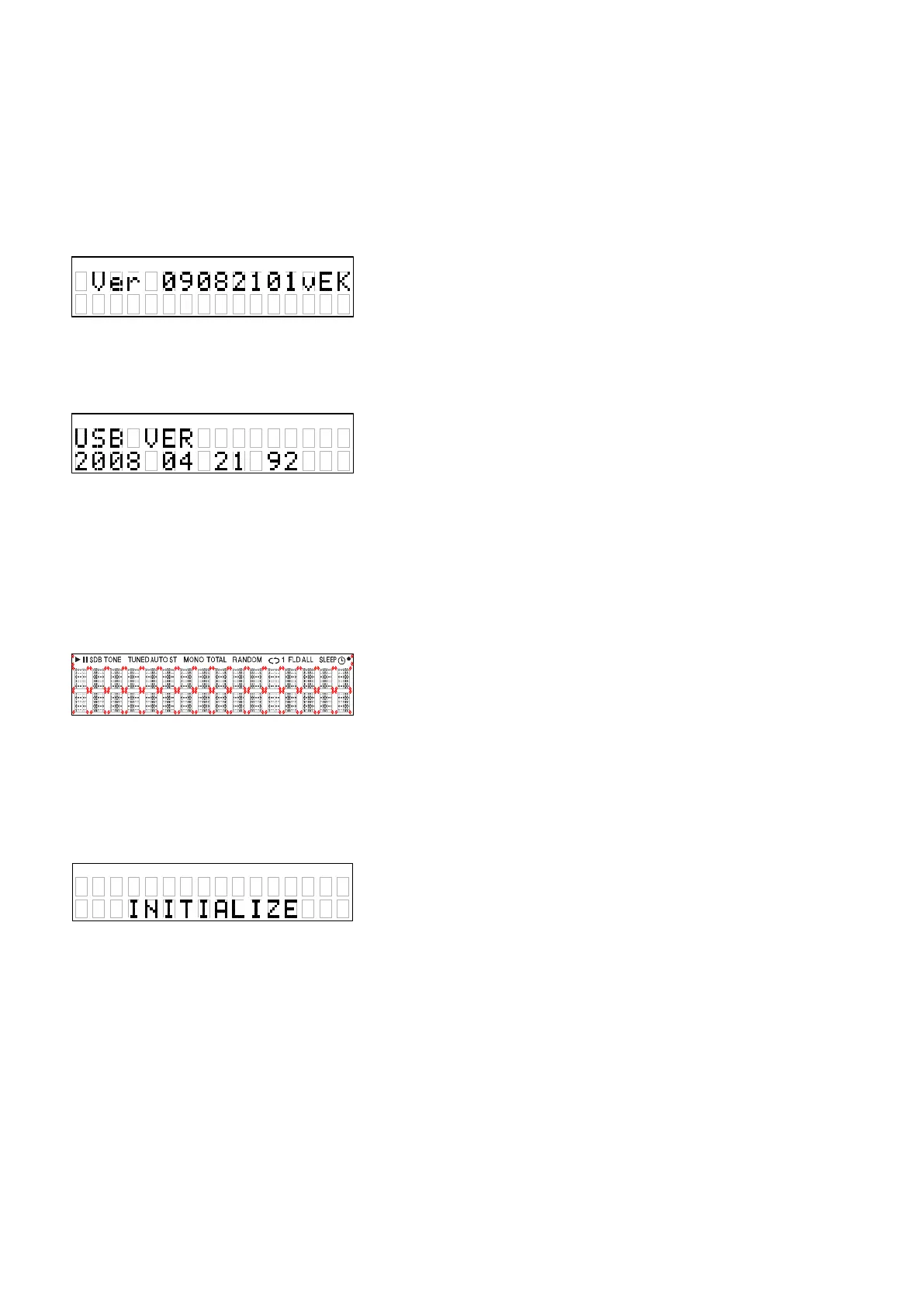
1. Version display mode

Press Power operation button while simultaneously while pressing "
2
" and "
1
/
3
" buttons.

8
" or "
9







:
Main microcomputer version
**:Destination



2. VFD check mode

Press Power operation button while simultaneously while pressing "
2
" and "
5
" buttons.


3. Cold start mode

Press Power operation button while simultaneously while pressing "
8
" and "
1
/
3
" buttons.

Initialization item





z
"Laser on time" is not erase.
・・・・・

Table of Contents

Other manuals for Denon DCD-720AE

Related product manuals