ENGLISH
Installation Connections Settings Operation Other functions
Operating the
remote control unit
Troubleshooting Specifications
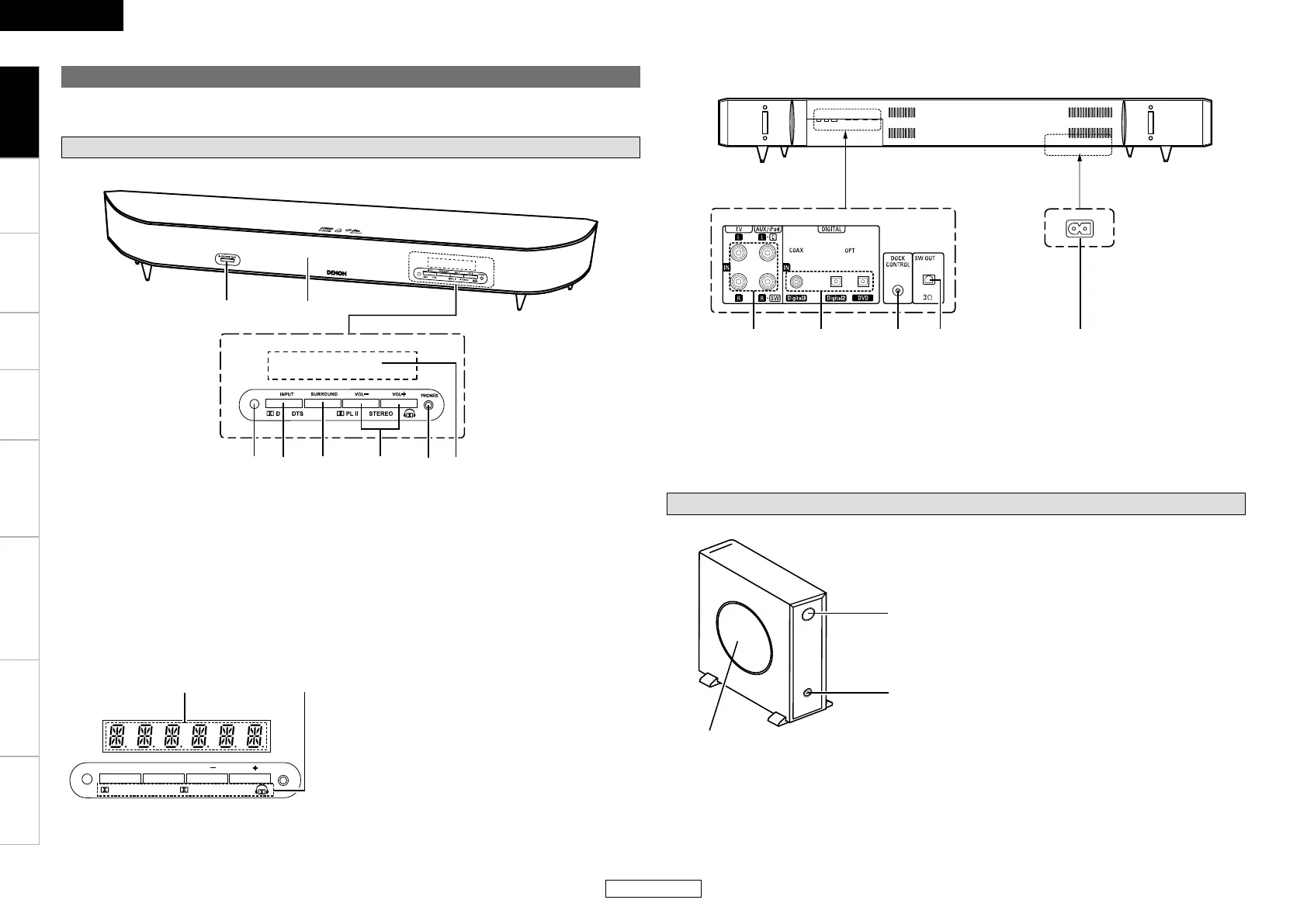
q Display
w Input signal and
surround mode indicators ······················· (14)
q Analog audio input terminals ················ (8, 9)
w Digital audio input terminals
(OPTICAL/COAXIAL) ·································· (8)
e DOCK CONTROL jack ································· (9)
r Subwoofer audio output terminal ············ (7)
t AC inlet ························································ (9)
Subwoofer unit
q Reflex port
w Subwoofer audio input terminal ···············(7)
e Speaker section
Part names and functions
Front speaker unit
q Power button
(h ON/STANDBY j OFF) ·······················(10)
w Speaker section
e Remote control sensor ·······························(2)
r Input function selector button
(INPUT) ······················································(12)
For buttons not explained here, see the page indicated in parentheses ( ).
t Surround mode selector button
(SURROUND) ······································(12, 13)
y Main volume adjust buttons
(VOL +/–) ···················································(12)
u Headphones jack (PHONES) ····················(13)
i Display
n
Front panel
<Close-up>
INPUT VOL VOL
SURR OUND
PHONES
D DTS
PL II STEREO
q
w
n
Display
<View from the bottom>
<View from the bottom>
n
Rear panel
ENGLISH
Getting Started



 To Next Page