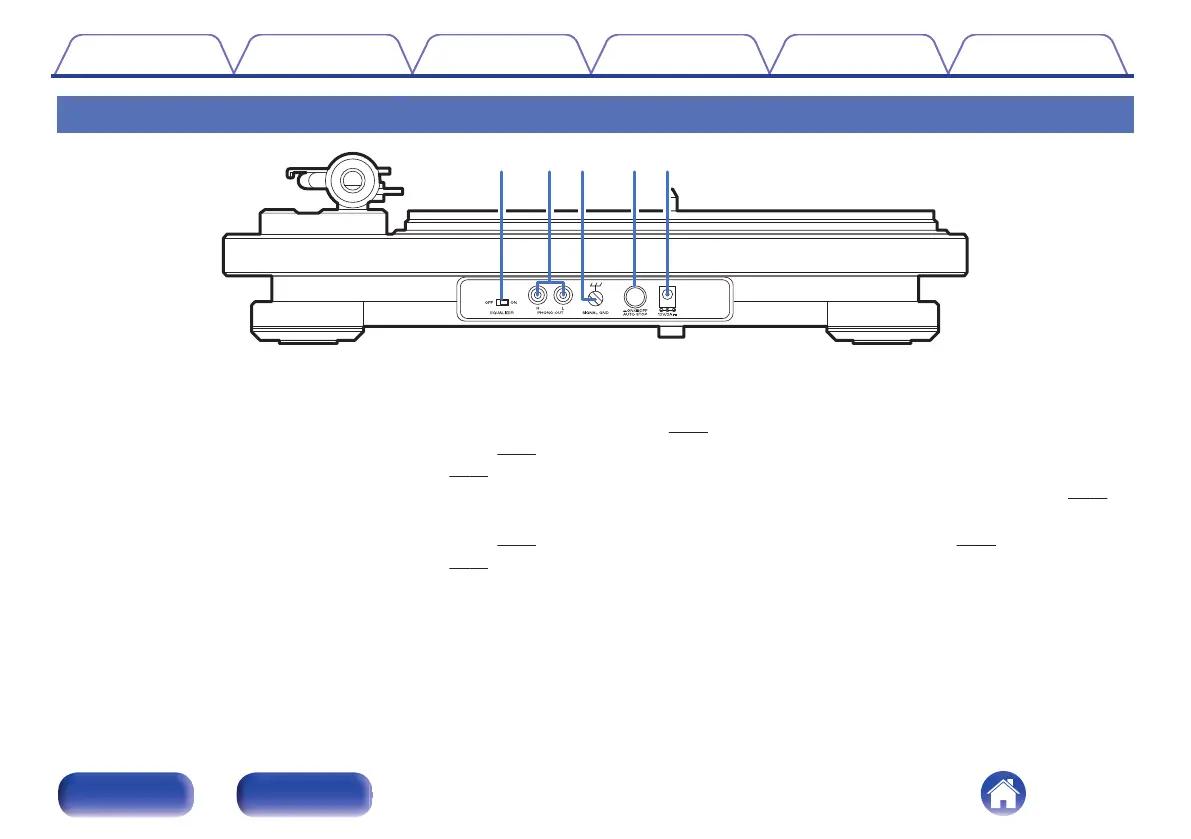
Rear panel
.
A
EQUALIZER ON/OFF switch
This switches the built-in equalizer on and off. Switch as needed
depending on whether the connected amplifier or mini component
system are equipped with phono input or not.
0
“Connecting devices that do not have a phono input” (v
p. 21)
0
“Connecting devices that have a phono input” (v p. 22)
B
PHONO OUT connectors
For connecting devices with external audio or phono inputs.
0
“Connecting devices that do not have a phono input” (v p. 21)
0
“Connecting devices that have a phono input” (v
p. 22)
C
SIGNAL GND terminal
Use the grounding wire on the supplied audio cable, even when
connecting this device to amplifiers with grounded connections.
(v p. 22)
D
AUTO STOP ON/OFF button
Automatically raises the tone arm and stops the turntable at the end of
a record when this function is on during record playback. (v p. 29)
E
AC adapter input connector
For connecting the included AC adapter. (v p. 23)
Contents Preparations Connections
Playback and recording
Tips Appendix
10
Front panel Rear panel


 To Next Page
 Loading...