EasyManua.ls Logo

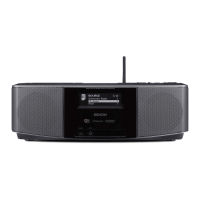
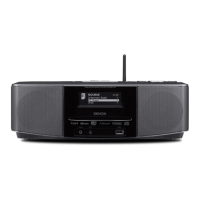
Denon S-52 - Service Manual

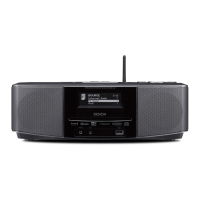
Denon S-52
102 pages
Print Icon
To Next Page IconTo Next Page
Loading...
Denon Brand Company, D&M Holdings lnc.
For purposes of improvement, specifications and
design are subject to change without notice.
Please use this service manual with referring to the
operating instructions without fail.
Some illustrations using in this service manual are
slightly different from the actual set.
注 意
サービスをおこなう前に、このサービスマニュアルを
必ずお読みください。本機は、火災、感電、けがなど
に対する安全性を確保するために、さまざまな配慮を
おこなっており、また法的には「電気用品安全法」に
もとづき、所定の許可を得て製造されております。
従ってサービスをおこなう際は、これらの安全性が維
持されるよう、このサービスマニュアルに記載されて
いる注意事項を必ずお守りください。
本機の仕様は性能改良のため、予告なく変更すること
があります。
補修用性能部品の保有期間は、製造打切後 8 年です。
修理の際は、必ず取扱説明書を参照の上、作業を行っ
てください。
本文中に使用しているイラストは、説明の都合上現物
と多少異なる場合があります。
X0360 V.04 DE/CDM 0712
SERVICE MANUAL
WIRELESS NETWORK CD MUSIC SYSTEM
WIRELESS NETWORK MUSIC SYSTEM
MODEL JP E3 E2 EK E2A E1C E1K EUT
S-52
333
S-52 DAB
3
MODEL JP E3 E2 EK E2A E1C E2K EUT
S-32
33
Ver. 4
Please refer to the
MODIFICATION NOTICE.

Other manuals for Denon S-52

Questions and Answers

  • B
    Bryan RiceAug 25, 2025
    How to fix a Denon S-52 Media Converter remote that is not working?
    • S
      Stephen DavisAug 25, 2025
      If your Denon Media Converter isn't responding to the remote control, try these steps: 1. Replace the batteries with new ones. 2. Ensure you are within the specified operating range. 3. Remove any obstacles between the remote and the main unit. 4. Verify the batteries are inserted correctly, matching the polarity marks. 5. Move the unit away from strong light sources like direct sunlight or fluorescent lights.
  • B
    Bryan Sampson PhDAug 25, 2025
    Why can't I play internet radio on my Denon Media Converter?
    • J
      Jasmine JohnsonAug 26, 2025
      If you're unable to play internet radio on your Denon Media Converter, check the following: * Verify that the Ethernet cable is properly connected and your network is active. * Confirm that the radio program is broadcast in a compatible format (MP3 or WMA). * Examine your computer's or router's firewall settings. * Ensure the radio station is currently broadcasting. * Check the set’s IP address.
  • J
    John AndersonAug 26, 2025
    What to do if Denon Media Converter won't play files from USB?
    • P
      pdaltonAug 26, 2025
      If your Denon Media Converter isn't playing files from a USB memory device: * Ensure the USB device is formatted as FAT16 or FAT32. * If the device has multiple partitions, only files in the top partition can be played. * Confirm the files are in a compatible format. * Note that copyright-protected files cannot be played.
  • K
    Kara HinesAug 27, 2025
    Why can't my Denon S-52 connect to the server?
    • B
      Brooke SmithAug 27, 2025
      If your Denon Media Converter can't find the server or connect to it, check these items: * The computer’s or router’s firewall settings. * Ensure the computer is powered on. * Verify that the server is running. * Confirm the set’s IP address is correct.
  • A
    Angela ReedAug 27, 2025
    How to troubleshoot network connection issues on a Denon S-52 Media Converter?
    • T
      Thomas HerreraAug 27, 2025
      If you cannot connect your Denon Media Converter to the network, verify that the SSID and network key (WEP) settings are correct. If the reception is poor, try moving the unit closer to the wireless LAN access point, removing obstacles, and keeping it away from microwave ovens and other networks' access points. If there are multiple networks, adjust the access point's channel settings or connect using a network cable.
  • M
    Michael JosephAug 28, 2025
    Why won't my iPod play on my Denon Media Converter?
    • M
      Misty HallAug 28, 2025
      If your iPod isn't playing on the Denon Media Converter, make sure the correct input source is selected. Also, ensure the iPod is properly mounted in the dock.
  • A
    aguilargeorgeAug 29, 2025
    Why can't my Denon S-52 play CD-R or CD-RW discs?
    • M
      Michael MatthewsAug 29, 2025
      If your Denon Media Converter won't play a CD-R or CD-RW disc, it might not be finalized. Finalize the disc and try again. Also, the recording conditions or the disc quality could be poor, so try using a properly recorded disc.
  • P
    Pamela MartinAug 30, 2025
    Why doesn't my Denon S-52 recognize my USB drive?
    • J
      John MillerAug 30, 2025
      If “USB” is not displayed on the menu of your Denon Media Converter when a USB memory device is connected, check the connection. Ensure the USB device conforms to mass storage class. Note that DENON does not guarantee all USB memory devices will operate. If connected via a USB hub, connect the device directly to the USB port.
  • M
    Mr. Mike RichardsAug 23, 2025
    Why is there no sound coming from my Denon S-52 even though the display is on?
    • C
      Crystal ThomasAug 25, 2025
      If the Denon Media Converter display is lit but no sound is produced, ensure that the input source selected matches the device you are trying to play. Also, verify that the volume control isn't set to the minimum. Finally, check if MUTING is activated and, if so, switch it off.
  • T
    trevoracostaAug 31, 2025
    Why can't I connect to my favorite radio stations on my Denon Media Converter?
    • V
      Victoria GarrisonAug 31, 2025
      If you cannot connect to preset or favorite radio stations on your Denon Media Converter, the radio station may not be currently broadcasting or may no longer be in service. Try again later, but note that stations no longer in service cannot be connected to.

Summary

SAFETY PRECAUTIONS

Leakage Current and Laser Radiation Checks

Checks for electrical safety and laser radiation compliance.

Servicing and Inspection Cautions

Important safety warnings and precautions for servicing.

DISASSEMBLY PROCEDURES

OPTICAL PICKUP DIAGNOSTICS AND TRAVERSE UNIT REPLACEMENT

Laser Drive Current Initial Value Check

Description of the initial value for laser drive current.

Laser Drive Current (Iop) Check

Procedure to check Iop and the replacement criterion.

Traverse Unit Replacement

Process for replacing the traverse unit.

Iop Checked Method

Method for checking laser current (Iop) in test mode.

Notes for Handling the Laser Pick-Up

Precautions to prevent laser diode damage during handling.

Replacement of the Laser Pick-up (Traverse Unit)

Procedure for replacing the traverse unit based on Iop check.

TRAVERSE UNIT REPLACEMENT PROCEDURE (S-52,S-52 ADB)

SERVICE MODE PROCEDURES

TEST MODE (S-52)

TROUBLESHOOTING GUIDE

LCD Display Issues

Steps to diagnose and resolve LCD display problems.

Playback and Audio Issues

Troubleshooting steps for playback and audio output problems.

Connectivity Issues

Steps to diagnose and resolve connectivity problems.

PARTS LISTS AND DIAGRAMS

PWB Unit Parts Lists

Comprehensive lists of components for various PWB units.

WIRING DIAGRAMS

S-32 Wiring Diagram

Schematic showing connections for the S-32 model.

S-52 Wiring Diagram

Schematic showing connections for the S-52 model.

MEASURING METHODS AND WAVEFORMS

Waveform Measurement Procedures

Guidelines for checking waveforms on the FEP and test points.

Waveform Examples

Diagrams showing expected waveforms for RF, CD loading, CD play, and power amp signals.

SCHEMATIC DIAGRAMS

Main Unit Schematics

Detailed circuit diagrams for the main unit and its blocks.

Denon S-52 Specifications

General IconGeneral
RMS rated power20 W
Connectivity technologyWireless
Impedance4 Ω
InterfaceUSB
USB 2.0 ports quantityUSB 2.0 ports have a data transmission speed of 480 Mbps, and are backwards compatible with USB 1.1 ports. You can connect all kinds of peripheral devices to them.
Ethernet LAN (RJ-45) ports1
Ethernet LANYes
Product colorBlack
Audio formats supportedAAC, MP3, WAV, WMA
Power requirements100 - 240 V, 50/60 Hz
Power consumption (standby)0.3 W
Power consumption (typical)37 W
Weight and Dimensions IconWeight and Dimensions
Depth226 mm
Width380 mm
Height126 mm
Weight6700 g

Related product manuals