05
2
3
4
5
6
1
APP Introduction
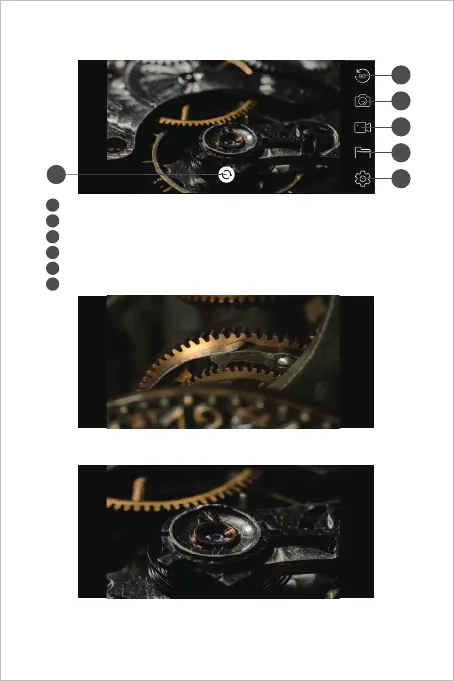
Rotate Button: Click to rotate the image 90°
Photo Shoot Button: Click to take a photo
Record Button: Click to start / end a video record
Buttons Hidden Function:
Click the screen to hide / wake the buttons.
Zoom in / Zoom out Function:
Two fingers expand outwards to zoom in the real- time image.
Two fingers get close to zoom out the real- time image.
Gallery Button: Click to check the photos / videos
Setting Button: Click to enter the setting
Camera Switch Button: Click to switch main / side camera
2
3
4
5
1
6



 To Next Page