22Dermapen HOME
TM
User Manual
9.1 - ADJUSTING PUNCTURE FREQUENCY (SPEED)
1. Use the Speed +/- buttons to increase or decrease the needle
speed (puncture frequency). A single beep will be produced
for each successful button press.
2. The Dermapen HOME
TM
will produce a double beep when the
new speed value has been set, and the selected speed will be
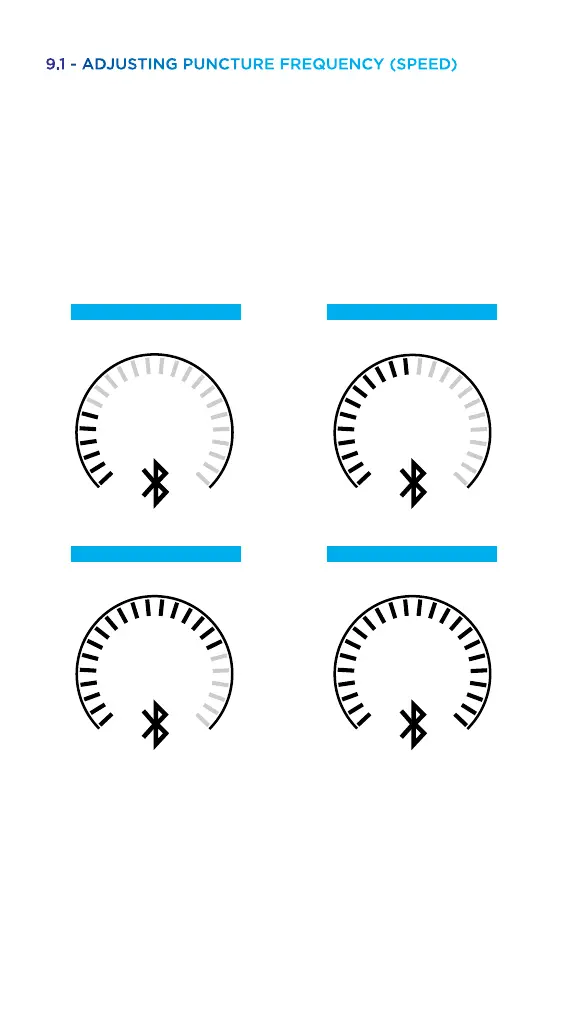
displayed on the Speed Indicator Arc.
3. The speed can be adjusted without a cartridge connected to
the device.
4. The device can operate at dierent speed levels according to
user comfort.
Speed 1
80hz – 80 revolutions per sec
Speed 3
105hz – 105 revolutions per sec
Speed 2
90hz – 90 revolutions per sec
Speed 4
120hz – 120 revolutions per sec



 To Next Page