Blast chiller Service Manual
29
Rev 07/04/2015
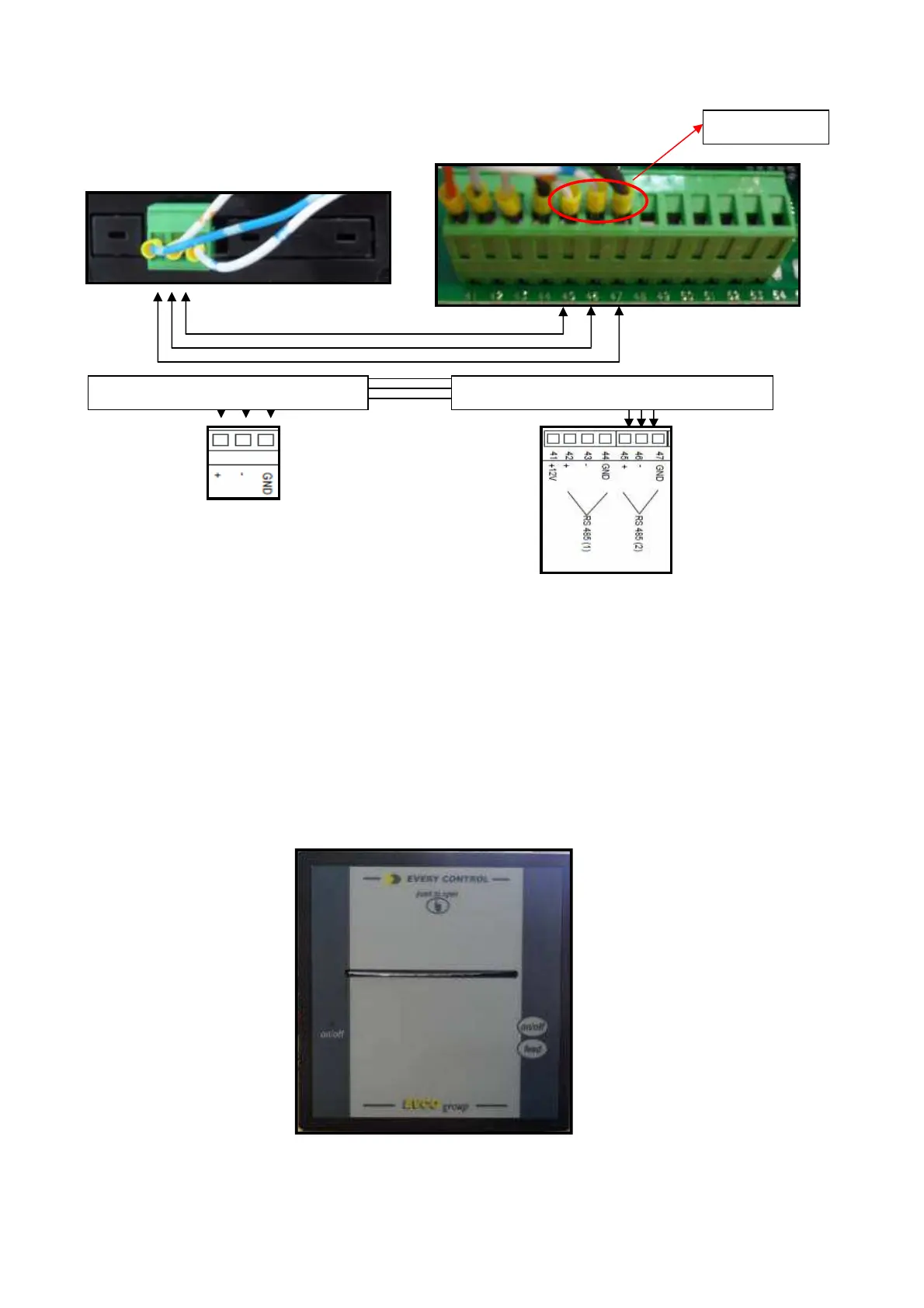
A belden shielded cable (3 wires) must be used.
Connect the printer to the Main Board using coaxial shielded cables.
The main controller must be set to recognize the printer and enable
communication. Set configuration parameter P71 to 1 to enable the printer
port on the Main Board. In addition, ensure that the following parameters
are set as shown:
P76 – 1
P75 – 2
An LED on the printer will indicate its status: RED = ON.
Press the feed key to output blank paper in either ON or OFF status.
Printing alarm list
RS485 (2)



 To Next Page