EN Service
03/2020 67 / 84
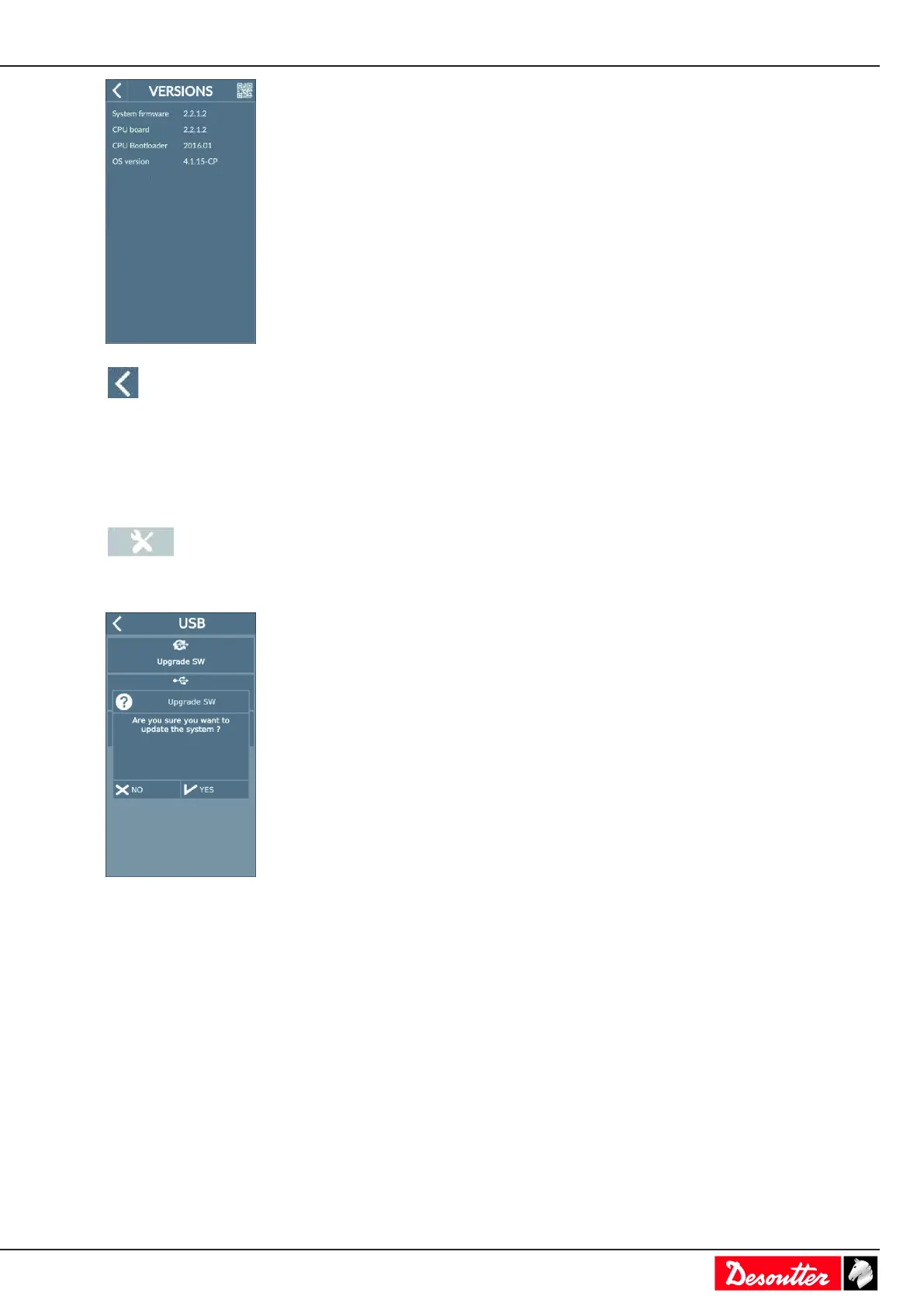
Tap this icon to quit.
Upgrading firmware
Contact your Desoutter representative to get the last firmware version.
Copy the files to the root of a USB key.
Plug the USB key into the front panel.
Go to the start screen and tap this icon.
Tap System > USB key > Upgrade SW.
Tap Yes.
CONNECT beeps during 2 seconds and starts the process.
Do not switch off CONNECT. Wait for the automatic reboot.
The update lasts a few minutes.
When the upgrade is successful, the green LED of the front panel is ON and steady.
Checking before putting back into service
Prior to putting the equipment back into service, check that its main settings have not been modified and that the
safety devices work properly.



 To Next Page