Operation EN
34 / 84 03/2020
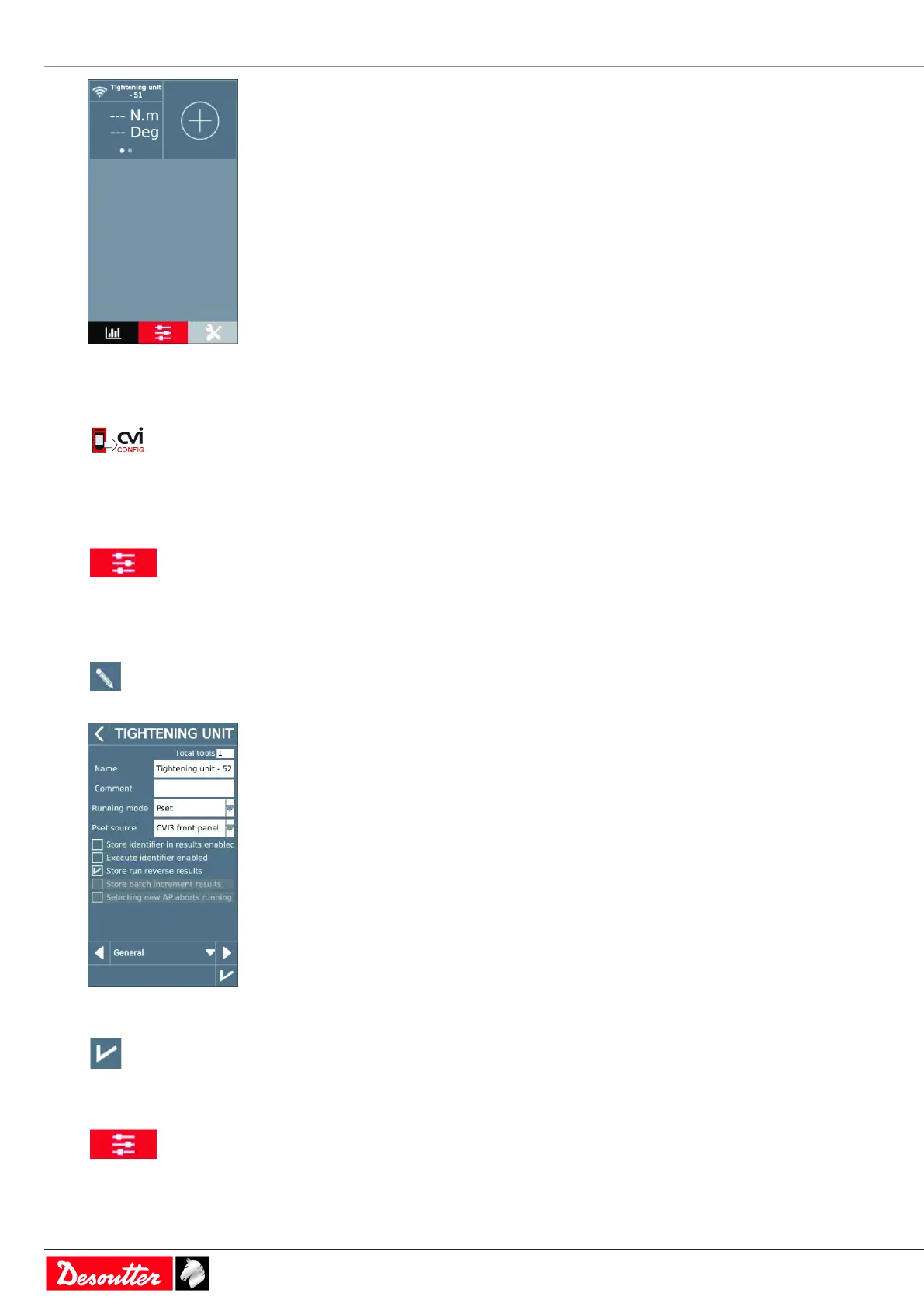
The WI-FI icon on the top left is activated.
The tool is associated to this tightening unit.
Go to CVI CONFIG.
Click this icon to update CVI CONFIG.
How to set up a simple Pset
Setting the running mode to Pset
Go to the start screen and tap this icon.
Tap Tightening unit.
Select the tightening unit in the list.
Tap this icon to edit.
Go to the box Running mode and select Pset.
Tap this icon to validate.
Selecting which source will start the Pset
Go to the start screen and tap this icon.
Tap Tightening unit.



 To Next Page