Installation EN
22 / 84 03/2020
Use an Ethernet cable to connect a computer to any Ethernet port available of CONNECT inside panel.
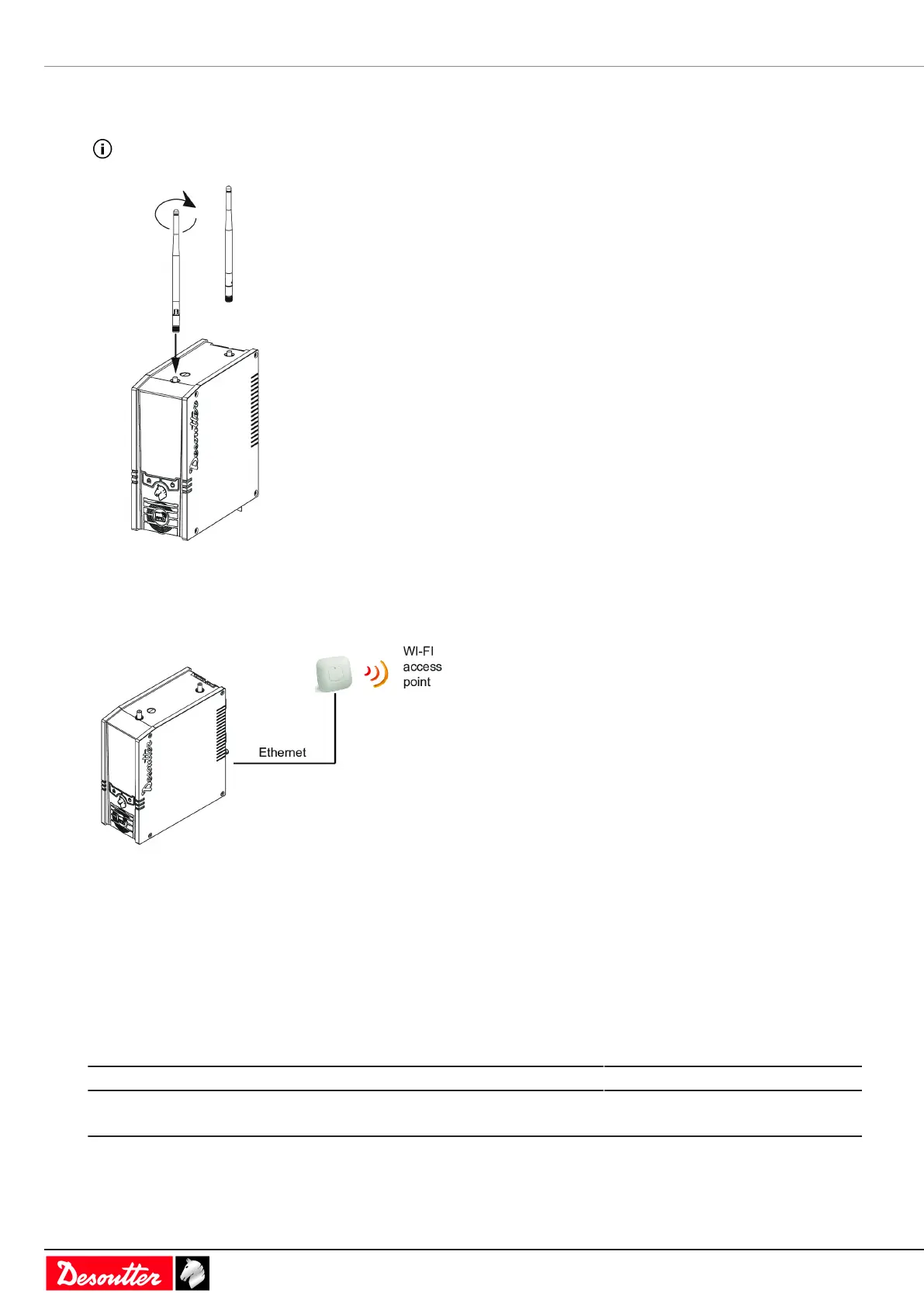
Mounting the WI-FI antennas on CONNECT-W
Always remove the antennas before moving CONNECT-W.
Remove the caps and mount the antennas.
Plugging CONNECT-X to a WI-FI access point
Plug an Ethernet cable into any available Ethernet port of the inside panel and connect it to the WI-FI access point.
How to set up networks
Overview about networks
Desoutter systems, such as CONNECT-X, CONNECT-W, CVI3 controller, can be connected to the factory Ethernet
networks.
Desoutter Ethernet 1 is typically the wired network dedicated to production lines.
Desoutter Ethernet 2 is typically the wired network dedicated to offices (company network).
IP address by default Subnet mask by default
System connected to Ethernet 1 192.168.5.x 255.255.255.0
System connected to Ethernet 2 192.168.6.x 255.255.255.0



 To Next Page