65 Aleksandar Stamboliyski Str., 8000 Bourgas, Bulgaria
Tel: +359 56 820027, Fax: +359 56 836700
E-mail: ofce@devabroadcast.com ,Web: www.devabroadcast.com
- 20 -
IP AUDIO
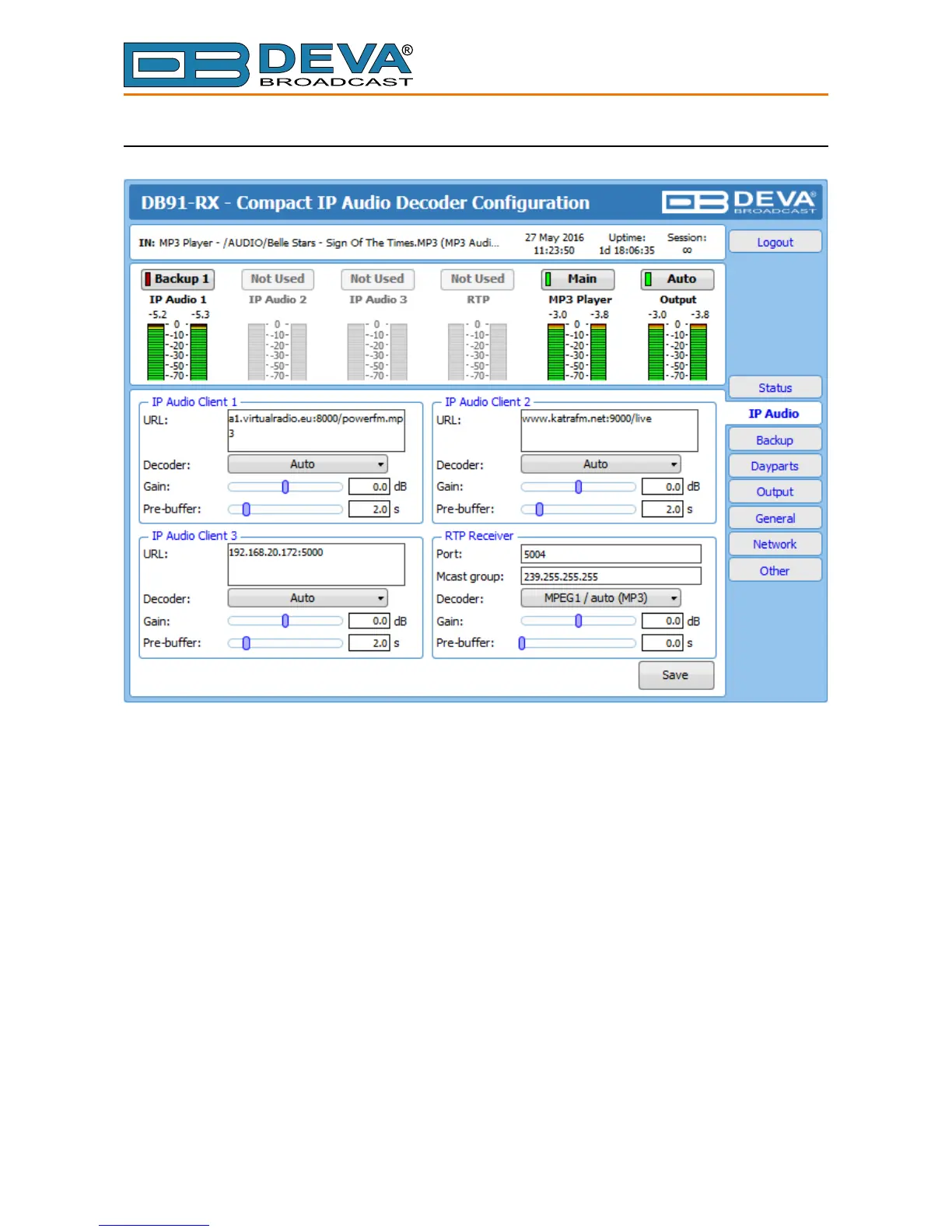
The settings applied to IP Audio Client 1, 2 and 3 are identical– Set Decoder from the drop-
down menu, and URL of the stream server. Up to 63 characters can be entered.
Decoder (+ Sample rate) – Select decoder and sample rate. It can be set to Auto or manually
set to a known decoder and sample rate. In Auto mode, the DB91-RX will adjust decoder and
sample rate, using stream supplied information. For PCM (uncompressed) sample rate can be 32
kHz, 44.1 kHz or 48 kHz. For MPEG1 and HE-AAC the sample rate is determined automatically
from the stream;
Gain – audio source gain adjustment. The Gain adjust is digital and if the sum of signal level
and the Gain is greater than 0dBFs the signal will be distorted;
Pre-buffer – The minimum amount of time in which the unit will pre-buffer before playing
starts in order for problems with the connection to be prevented.
NOTE: In order to ensure normal operation when PCM is used, it is necessary to select the
same sample rate at both encoding and decoding side.
RTP Receiver – Specify Port, Decoder, Gain, Pre-Buffer adjustments and Multicast group
IP.
FOR YOUR INFORMATION: A multicast address (Mcast group) is a logical identier for a
group of hosts in a computer network, that are available to process datagrams or frames intended
to be multicasted for a designated network service.
NOTE: In order the applied settings to be used press the [Save] button, placed on the bottom
right part of the screen.



 To Next Page