65 Aleksandar Stamboliyski Str., 8000 Bourgas, Bulgaria
Tel: +359 56 820027, Fax: +359 56 836700
E-mail: ofce@devabroadcast.com ,Web: www.devabroadcast.com
- 21 -
BACKUP
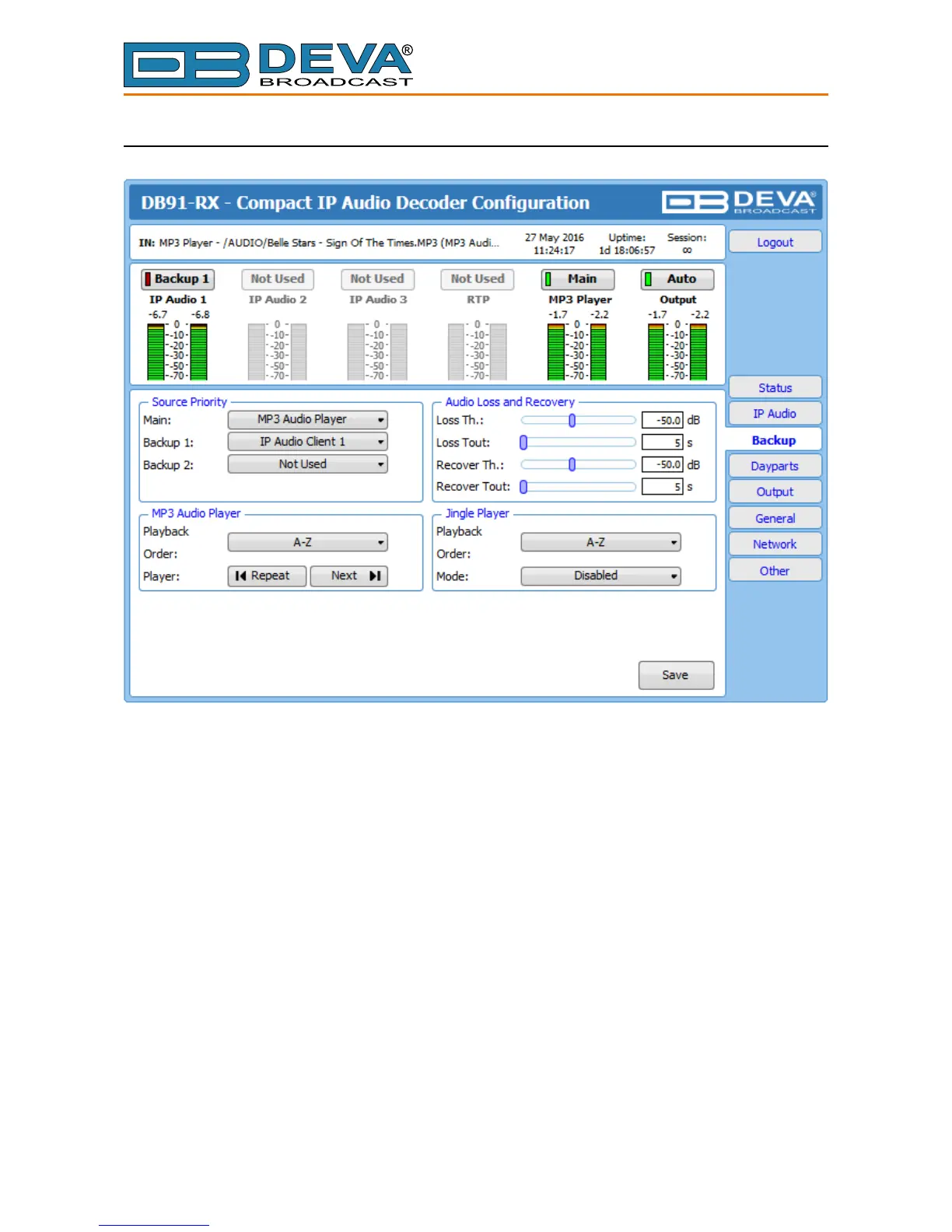
Through this screen are applied all needed settings to the alternative sources. The backup
sources priority is user-dened and can be set through the relevant section. If the audio from the
main source disappears, the DB91-RX will automatically switch to the rst backup source; if it
also fails, the unit will switch to the second. Once a source with higher priority is restored, the unit
will switch back to it.
Audio Loss and Audio Recover – Select the appropriate levels of loss and recovery of the
audio signal. Do not forget to set the corresponding timeouts.
MP3 Audio Player – The Playback Order can be changed from here. The following options are
available: A-Z, Z-A, Shufe, Playlist, and Shufed Playlist. Information on the used and available
SD card storage respectively, could also be found in this section. [Repeat] and [Next] button to
navigate through the playlist if need be, are also available.
MP3 Files Upload via FTP – Through the use of a standard FTP client, you have the opportunity
to update the backup content at will via any PC. The supported format is .mp3. An important
requirement for the MP3 Player conguration is that all MP3 les should be stored in a folder
named Audio (no sub-folders are allowed). The folder should be located in the root of the SD Card.
The playlist le must be named playlist.m3u.



 To Next Page