65 Aleksandar Stamboliyski Str., 8000 Bourgas, Bulgaria
Tel: +359 56 820027, Fax: +359 56 836700
E-mail: ofce@devabroadcast.com ,Web: www.devabroadcast.com
- 26 -
GENERAL
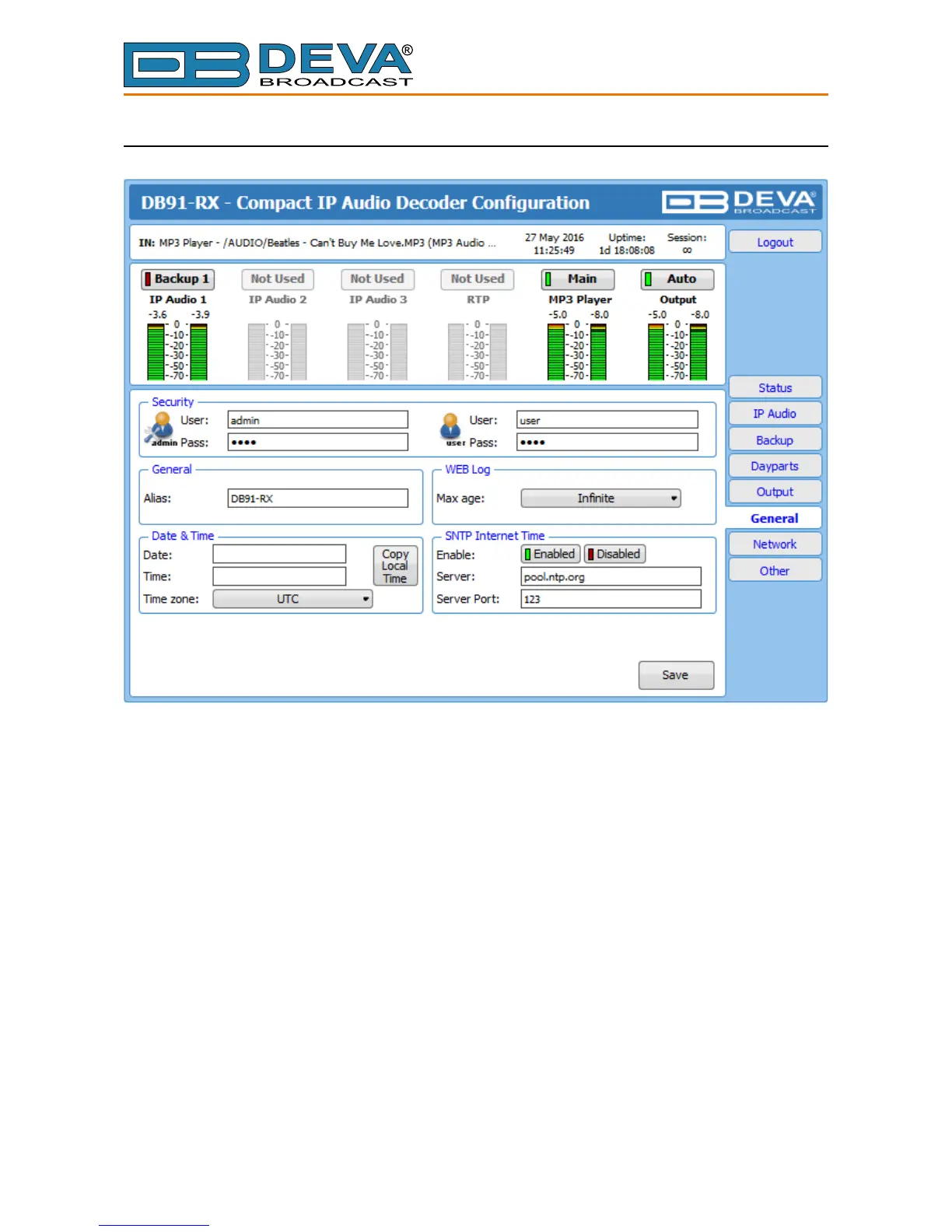
DB91-RX provides you with protected access to the device settings. You can choose between
two types of log in.
• As an ADMINISTRATOR – It will give you full control over the device’s settings;
• As a USER – that will allow you to just monitor the device, while all the settings remain
locked.
In order for the security of DB91-RX to be enhanced, new username and password could be set
from the Security section.
By choice, you can change the name of the device (General section). Later on, it will be used
as a title name on all WEB pages. Customizing the name will make the device more recognizable.
Date & Time – used for manually determining the current Date and Time. [Copy Local Time]
button will set the Date & Time to correspond to that of your computer.
SNTP Internet Time – Synchronizes automatically DB91-RX’s clock time with the Internet
time server. Enable this function in order to use it (Specifying the server closest to your location
will improve the accuracy).
WEB Log – the maximum storage time of the log les is chosen from here. Log les older than
the specied will be permanently deleted.
NOTE: In order the applied settings to be used press the [Save] button, placed on the bottom
right part of the screen.



 To Next Page