65 Aleksandar Stamboliyski Str., 8000 Bourgas, Bulgaria
Tel: +359 56 820027, Fax: +359 56 836700
E-mail: ofce@devabroadcast.com ,Web: www.devabroadcast.com
- 29 -
OTHER
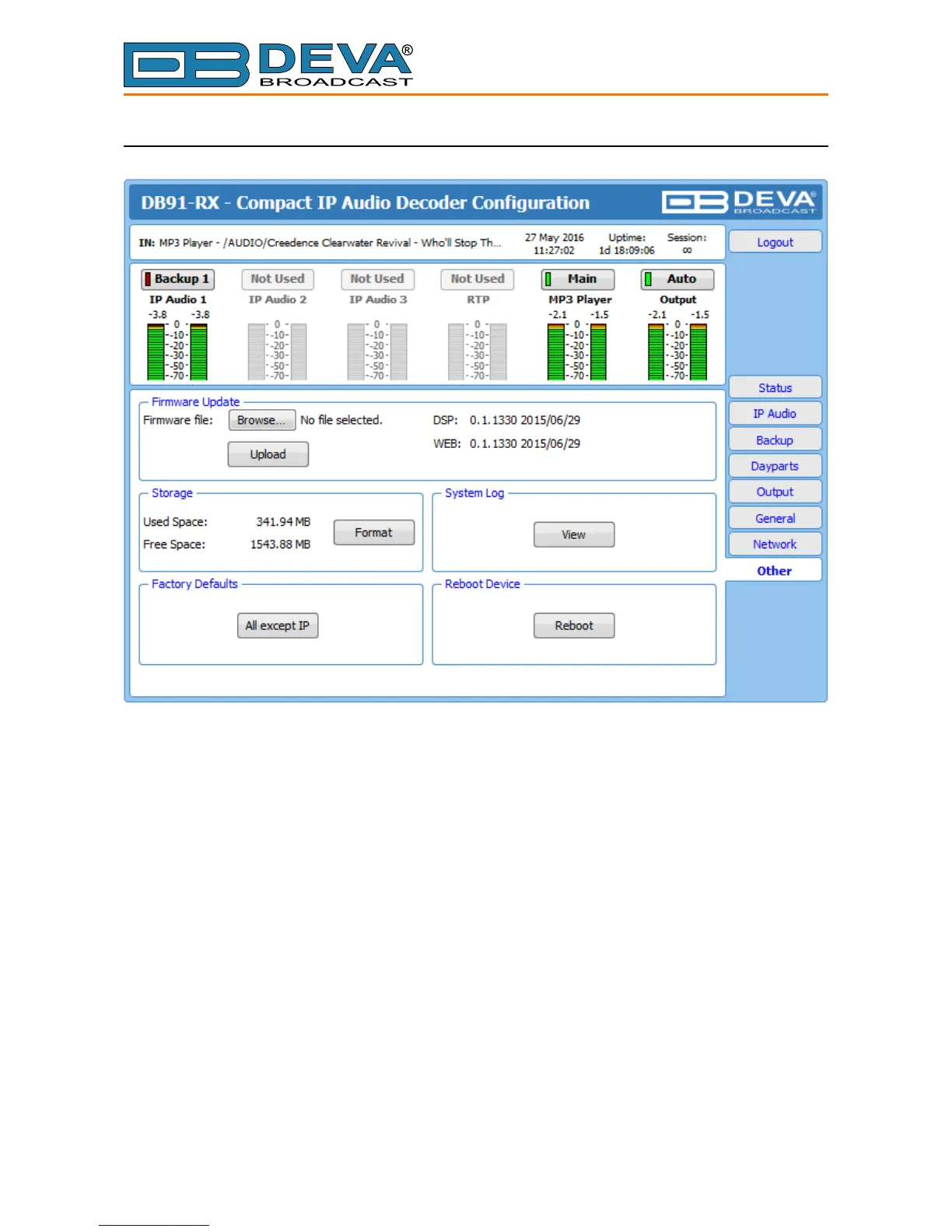
Firmware Update
To update the device rmware,press [Browse]and select the new rmware le. After having
pressed the [Upload] button, a dialog window will appear. Conrm the rmware update and wait
for the process to complete.
Storage
Information about the device storage space is found in this section. The internal storage could
be deleted by pressing the [Format] button.
Factory Defaults
[All except IP] – all settings except for the Network settings (IP addresses) will be deleted.
To restore DB91-RX to its factory defaults press the button. A new window will appear -
conrm that you want to restore the factory defaults and wait for the process to be completed. On
completion of the process, the settings should have the proper default values.
Reboot Device
To reboot the DB91-RX, press the [Reboot] button. A dialog warning window will appear.
Conrm that you want to reboot the device and wait for the process to be completed.



 To Next Page