65 Aleksandar Stamboliyski Str., 8000 Bourgas, Bulgaria
Tel: +359 56 820027, Fax: +359 56 836700
E-mail: ofce@devabroadcast.com ,Web: www.devabroadcast.com
- 35 -
3. Example of FTP Client (FileZilla) Settings
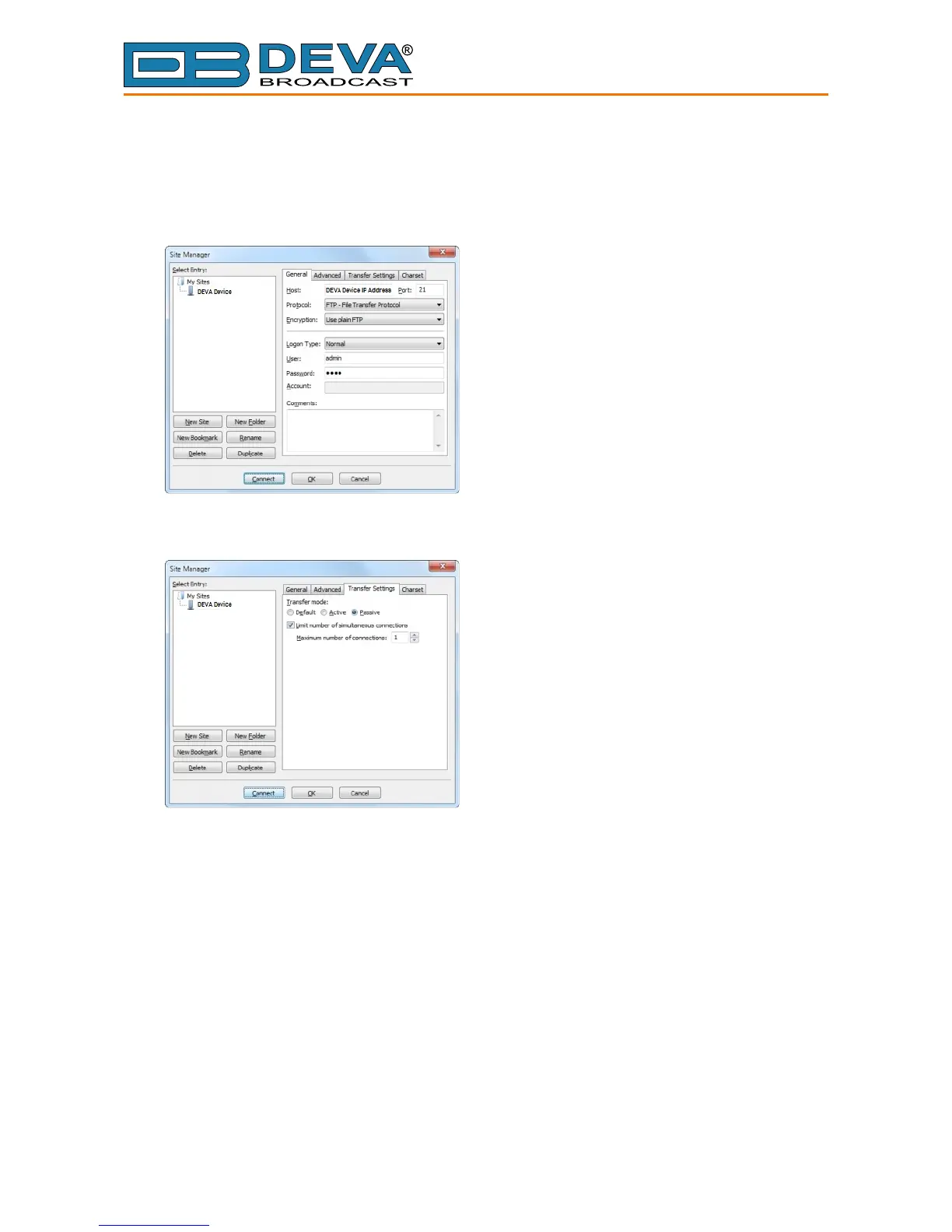
In some cases, FileZilla’s “Quick connect” feature is not able to connect with the DEVA unit.
That is why we recommend the device to be assigned in the program manually.
Enter the FTP Client and go to: File > Site manager > New Site. A dialog box requiring
obligatory information about the device will appear. Fill in the needed information and press “OK”.
Select “Transfer Settings” sub-menu and apply the settings as shown below:



 To Previous Page