ineo 223/283/363/423 2-23
2.6 Basic box operation (saving data in a user box)
2
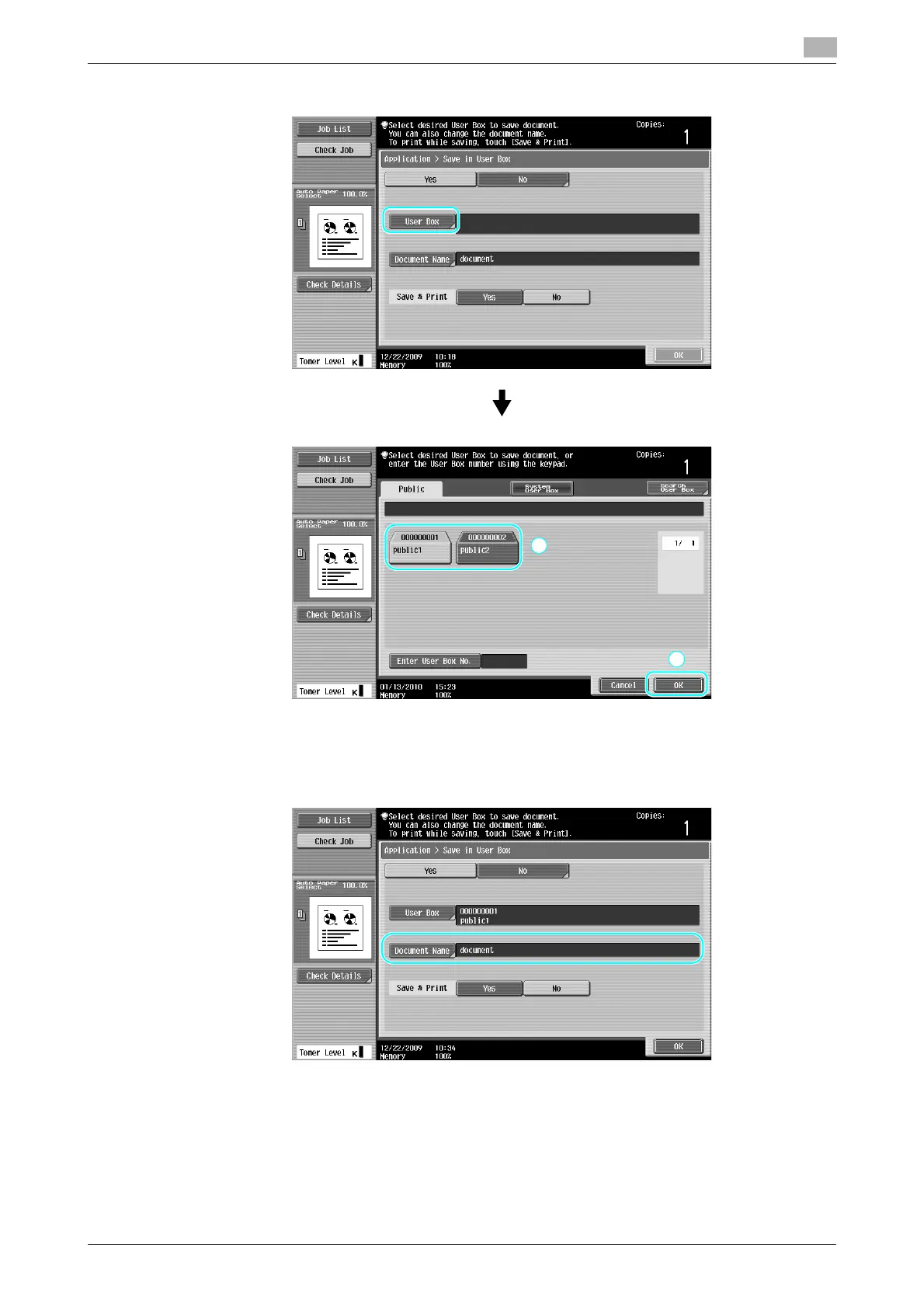
2 Select the user box where the document is to be saved.
% The user box can also be specified by pressing [Enter User Box No.], then typing in the box number.
% To search for a user box name, press [Search User Box].
3 Check the name of the document.
% The document name automatically set as the default is displayed.
% To change the document name, press [Document Name], and then use the keyboard that appears
in the touch panel to type in the name.



 To Next Page