ineo 223/283/363/423 4-9
4.3 Reducing paper use while printing
4
4.3 Reducing paper use while printing
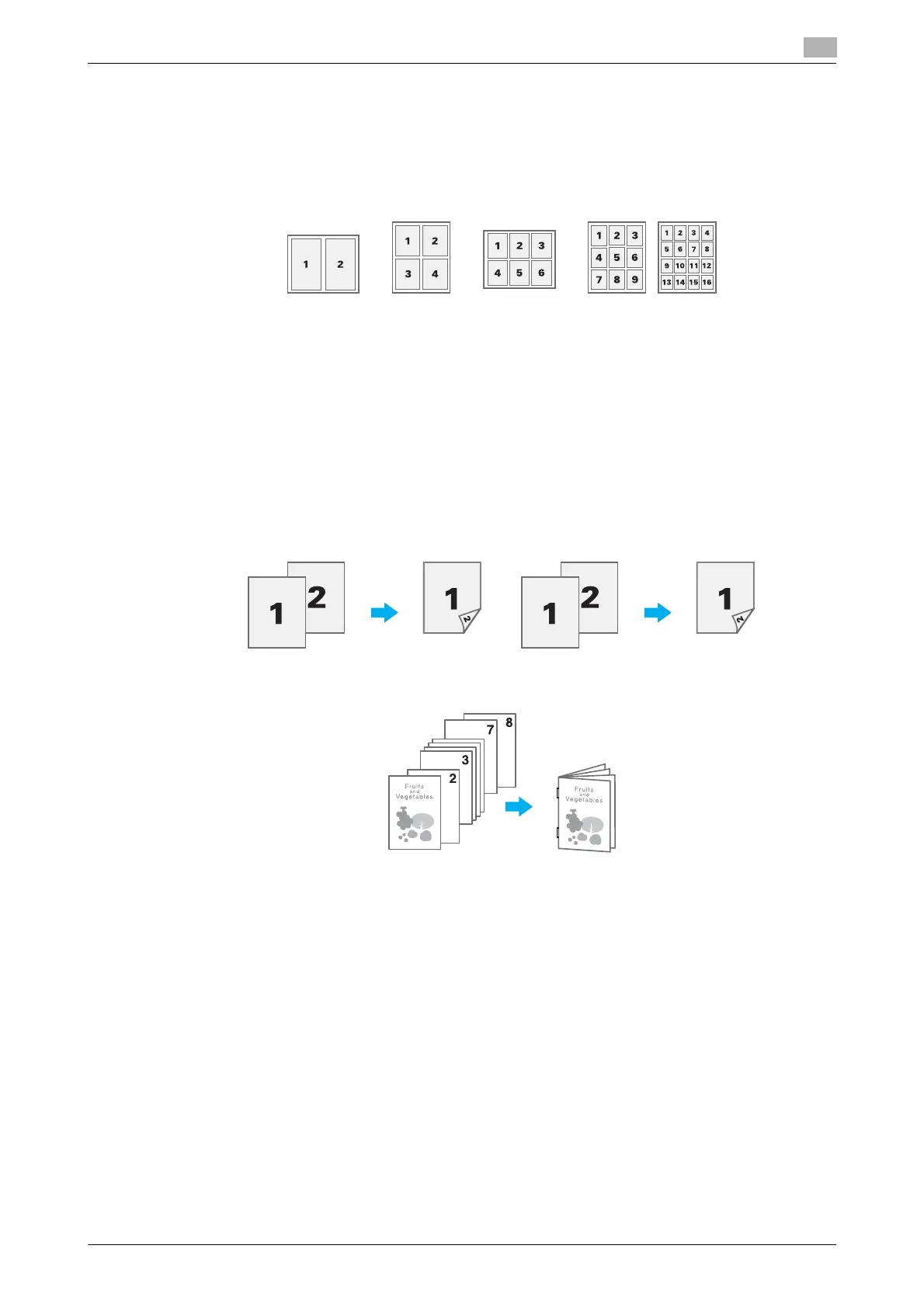
Combination
N in 1 printing, which reduces multiple document pages and prints them together on a single sheet of paper,
is useful for economizing the number of printed pages.
Windows PCL/PS/XPS drivers: Layout tab
d Reference
For details, refer to chapter 9 of the [User’s Guide Print Operations].
Double-sided printing/booklet printing
Document pages can be printed on both sides of the paper or in the form of a booklet (book spread and
center bound).
This feature is useful for binding a document containing multiple pages.
Double-sided printing
Booklet printing
Windows PCL/PS/XPS drivers: Layout tab
Macintosh OS X driver: Layout/Finish
Reference
- Also using the "Chapter" function is convenient for specifying which page is to be printed on the front
side of the paper in a document printed double-sided or as a booklet.
- The "Skip Blank Pages" function, which does not print blank pages when printing from the Windows
PCL/XPS driver, is useful for reducing paper use.
d Reference
For details, refer to chapter 9 and chapter 10 of the [User’s Guide Print Operations].
2 in 1 4 in 1 6 in 1 9 in 1 16 in 1



 To Next Page